Answered
Letters of text spacing far apart !
No matter what I do, I have my text letters way far apart. I have tried to reset my preferences and launch...still there! Help!

No matter what I do, I have my text letters way far apart. I have tried to reset my preferences and launch...still there! Help!
Looks like your using photoshop elements 13.
A couple of things to try:
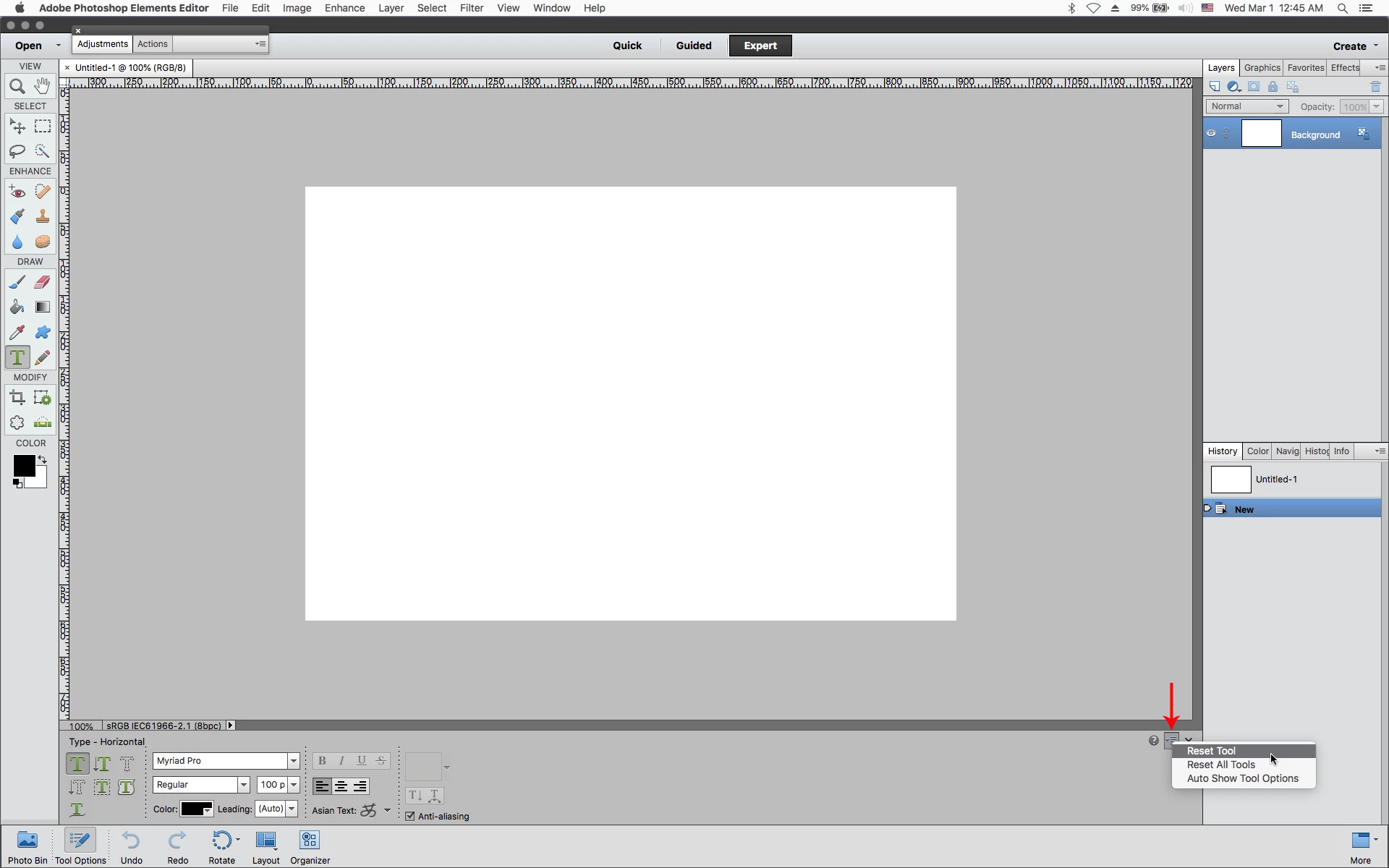
1. With the Type Tool selected click on the small downturned arrow as highlighted in the
screenshot below and click Reset Tool.
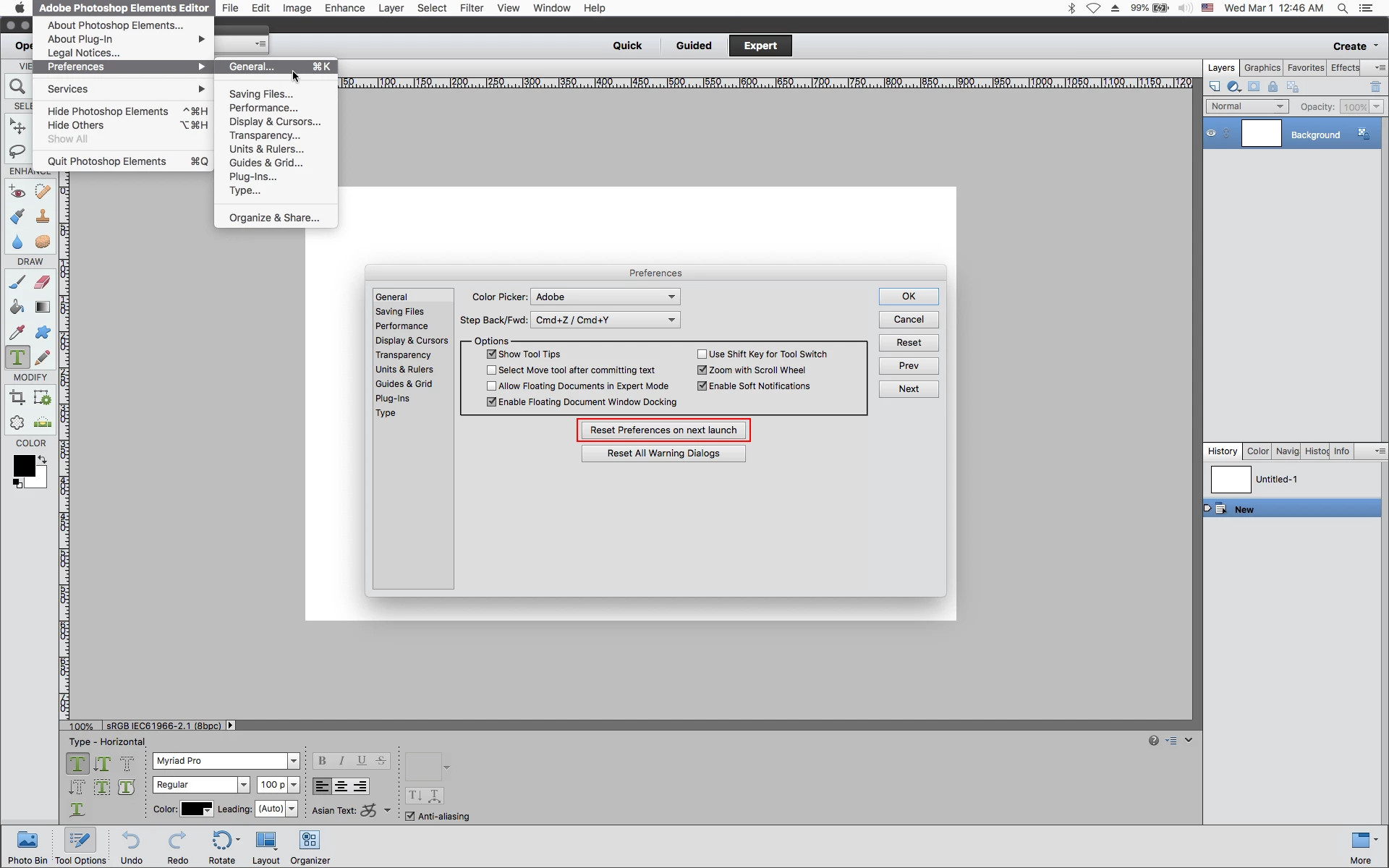
2. If that doesn't work go to Adobe Photoshop Elements Editor>Preferences>General, click on
Reset Preferences on next launch and restart the photoshop elements editor.
Already have an account? Login
Enter your E-mail address. We'll send you an e-mail with instructions to reset your password.


 AdChoices