

John Corris
Participating Frequently
August 12, 2024
Question

Linking PS Elements 2021 to Premiere Elements 2018

  • August 12, 2024
  • 2 replies
  • 229 views

I have a new high spec Windows 11 PC and been using PS Elements 2021 for a while on it. I installed Premiere Elements 2018 today. The two applications are not linked like they used to be on my old Windows 10 PC.


From organiser in PS Elements 2021 I select a video to be edited I get this message
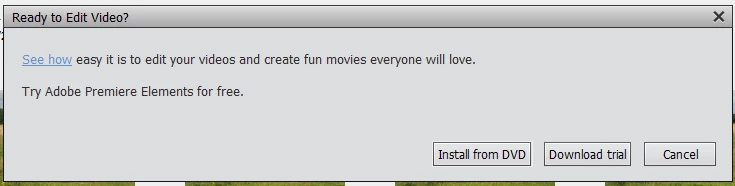
 

Its like PS Elements 2021 does not recognise Premiere Elements 2018 has already been installed.


Am I missing something?


This topic has been closed for replies.

2 replies

Greg_S.
Community Expert
Community Expert
September 21, 2024

As I said before, you cannot link one version of Photoshop Elements with a different version of Premiere Elements.  So your Welcome/Home Screen for Photoshop Elements 2021 will only link to Premiere Elements 2021 - which is not installed on your machine.  That is why you get the message to start a free trial for it, even though you do have an earlier version of Premiere Elements (2018).  There ae a number of reasons why this is the case.  The Organizer uses a different format each year, so you can't share the Elements 2021 Organizer with the 2018 version.  Other changes are often made between versions such as the supported video formats.  For example, the High Efficiency Video Coding (HEVC) format has only been supported in Windows Elements for the past few versions.


Since you have different versions of PSE and PRE, you also have two versions of your Organizer catalog.  It is somewhat difficult to keep these in sync.

Greg_S.
Community Expert
Community Expert
September 21, 2024

No version of Elements has been able to link different versions of Photoshop Elements and Premiere Elements.  However, you can open both programs and click-and-drag a video thumbnail from the Organizer to Premiere Elements for editing.

John Corris
Participating Frequently
September 21, 2024

Thanks Greg, that seems clunky to me. It might be useful to clarify my workfow.

In Photoshop Elements Organiser - I select the thumbnail of the video - I select the Editor button and from the pulldown menu select Video Editor. I am pretty sure this used to start or open Premiere Elements. Now I get the error message in my previous post.


I am by no means a PS expert but I would expect Photoshop Elements to recognise Premiere Elements is already installed.