


Participant
January 19, 2022
Answered

Login impossible on new device

  • January 19, 2022
  • 1 reply
  • 283 views

I used Mac Migration Assistant to transfer the content from my iMac OS11.6.2 to my new iMac (2021, M1) OS 12.1 (Monterey).

Now I face different problems with my PSE Version 18:

- To use the Editor I 'm requested to login with my Adobe ID but I run into a loop…

- Login via Safari is no problem, product serial number is ok, but there are no activated devices. Strange!

- also strange, the system information: OS10.16 is wrong, processor unknown …
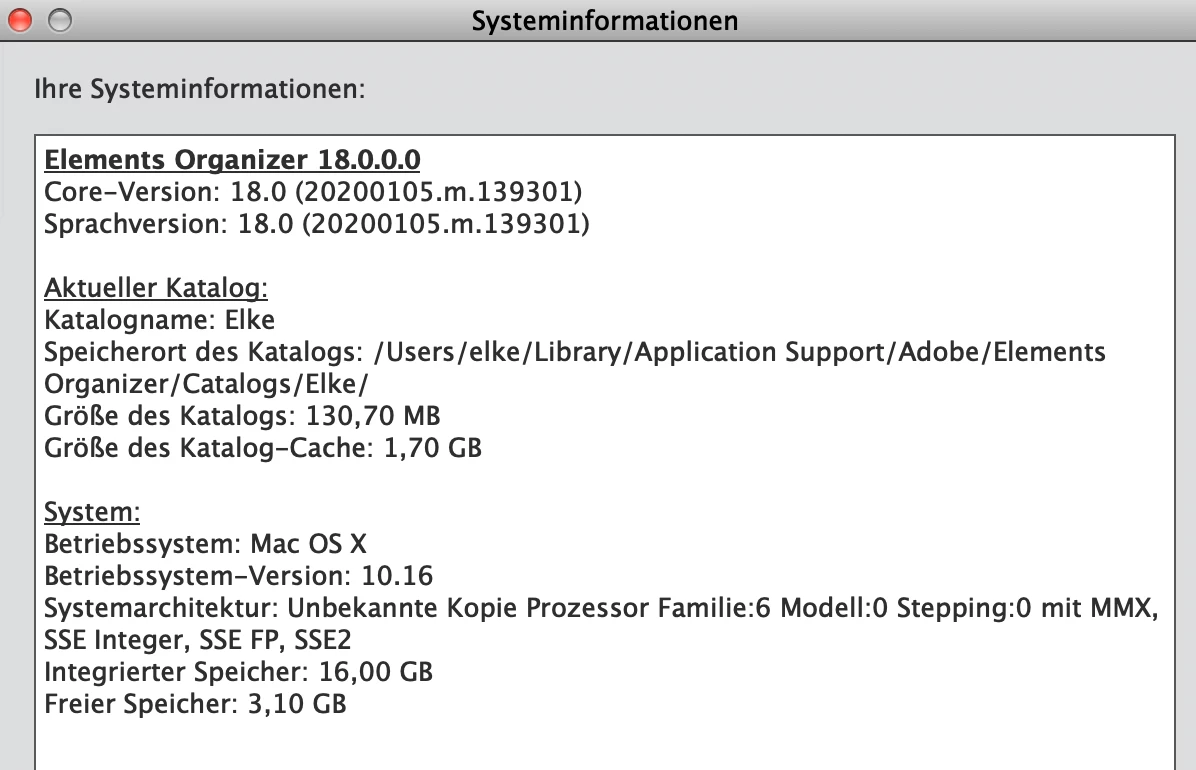
What can I do?

This topic has been closed for replies.
Correct answer pek35805201

Thanks, Vipin. And yes, the Editor launched... But in the meantime the problem has been solved by uninstalling, using the AdobeCleanUpUtility and then reinstalling PSE. And I learned that it is not possible to transfer PSE using the Migration Assistant.


Regards,

Elke

1 reply

VipinGupta
Adobe Employee
Adobe Employee
February 3, 2022

Hi


Does Editor launch and then the Sign in screen is displayed? or does it not even launch the Editor and asks for Sign in?

If you have any other Adobe product, could you check if you can Sign in using it?


Regards,

Vipin

pek35805201AuthorCorrect answer
Participant
February 3, 2022

Thanks, Vipin. And yes, the Editor launched... But in the meantime the problem has been solved by uninstalling, using the AdobeCleanUpUtility and then reinstalling PSE. And I learned that it is not possible to transfer PSE using the Migration Assistant.


Regards,

Elke