

ObiRon
Known Participant
February 3, 2026
Question

MAC PSE 2026: Delays when moving/resizing components

  • February 3, 2026
  • 2 replies
  • 0 views

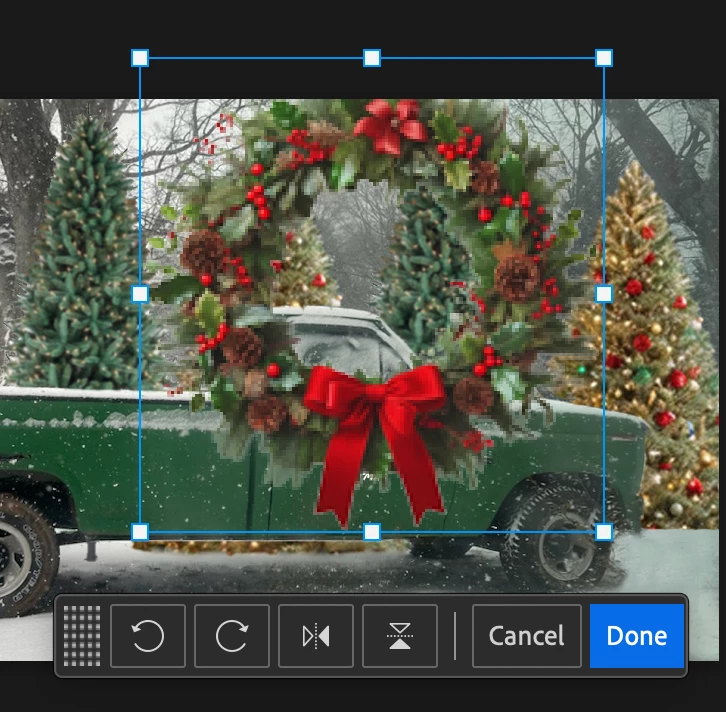
When I attempt to use the move tool to resize images/components, the program delays or freezes (often 5+ seconds) before offering the Cancel/Done dialogue box (see image below), which makes this feature frustrating. I have uninstalled/reinstalled several times, which sometimes resolves it for one or two moves, but it always begins delaying, again.
 

PSE Version

 

…on a MacBook Air M6 Tahoe 26.2 fully up-to-date, but this problem has existed independent of iOS updates. IOW, it happened since I purchased  PSE 2026 across all iOS updates since then, except immediately after I uninstall and reinstall—but it always reappears.

Thanks in advance to anyone who can offer feedback.

    2 replies

    ObiRon
    ObiRonAuthor
    Known Participant
    February 3, 2026

    Problem is solved, but…I had a typo in the original post: It’s an M4, not M6—which is not released, yet.

    99jon
    Genius
    February 3, 2026

    I’m not seeing any problem myself although my Mac runs Apple silicon (M1 chip) not ARM

    Go to:

    Adobe Photoshop  Elements 2026 Editor > Settings > Performance 

    Check that your GPU has been recognized - image attached. Also click the Advanced Settings button to ensure GPU compositing is checked.

    Alternatively try unchecking Use Graphics Processor to see if that makes any difference.


    ObiRon
    ObiRonAuthor
    Known Participant
    February 3, 2026

    Thank you so much for this. GPU compositing was not checked by default under Advanced Settings. I checked it and restarted; It made an ENORMOUS difference in the response time.


    ObiRon


    99jon
    Genius
    February 3, 2026

    That’s great to hear. I’m pleased to help.