

AngieSjostrand
Participating Frequently
August 19, 2019
Question

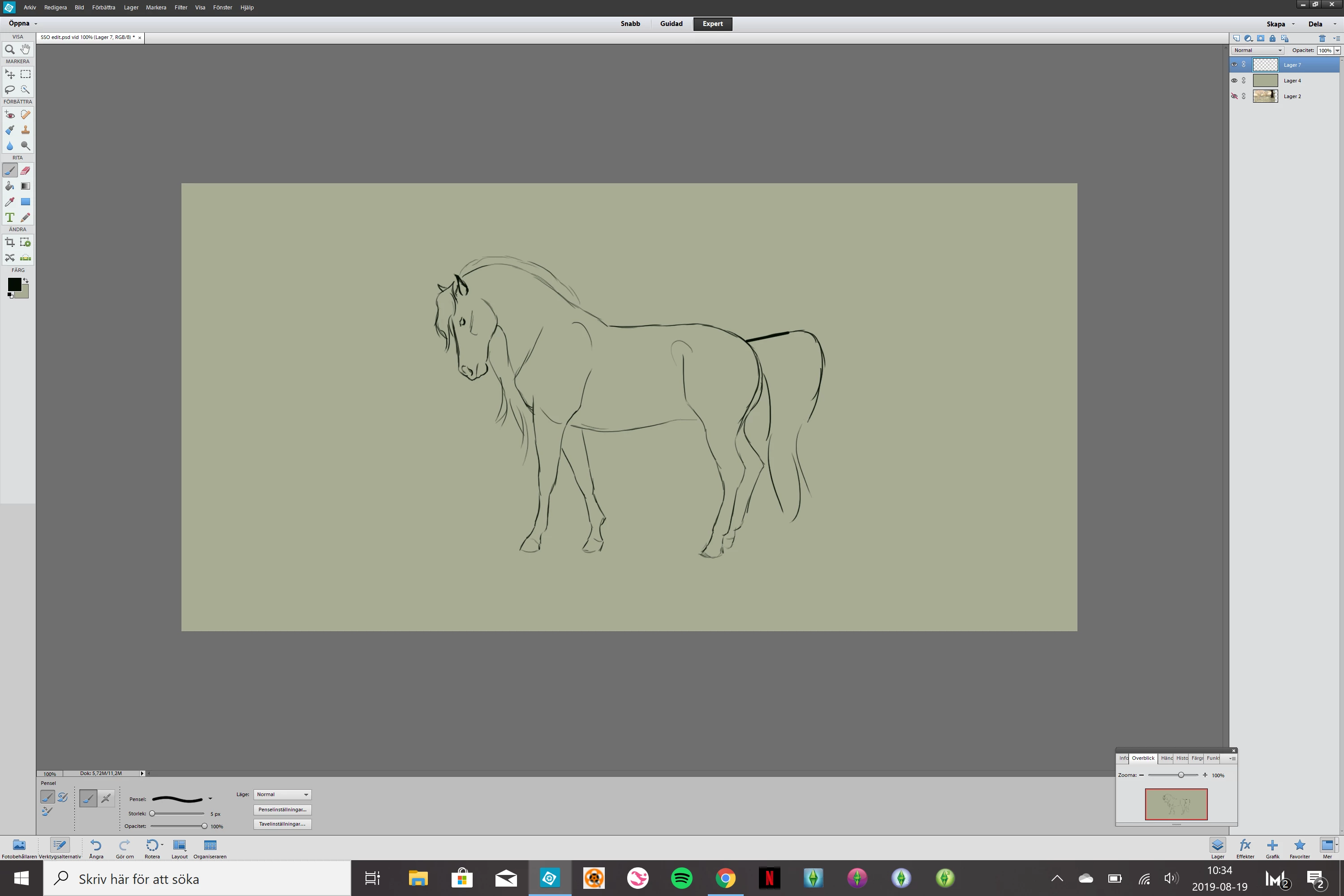
Make the panels/interface bigger in Photoshop Elements

  • August 19, 2019
  • 3 replies
  • 868 views

It's all so small... How can I make it bigger? Can't work with it atm because of this.

Photoshop elements 12 editor, Matebook x Pro
Message was edited by: Akash Sharma

This topic has been closed for replies.

3 replies

Jeff Arola
Community Expert
Community Expert
August 20, 2019

You can do like explained below to make the pse 12 editor interface larger:

Go to C:\Program Files (x86)\Adobe\Photoshop Elements 12, right click on the PhotoshopElementsEditor.exe

     click on Properties>Compatibility>Change high DPI Settings>Override high DPI scaling behavior>System Enhanced.

Participant
January 28, 2022

Thank you very much for this answer!

Akash Sharma
Legend
August 20, 2019

Hi AngieSjostrand,

You could re-sample an image in Photoshop Elements Editor. Please take a look at this article Resize images in Adobe Photoshop Elements  and let us know if that helps?

Thanks,

Akash

Just a reminder, the Adobe Forums are transitioning to a new community experience soon. New threads and replies posts to the forums between August 22nd and September 9th will likely be lost, but we’re here to help.

August 19, 2019