
Make tool options appear in a movable, resizable window
(“Feature Requests” doesn’t appear to be available for PSe, so I’m posting this here.)
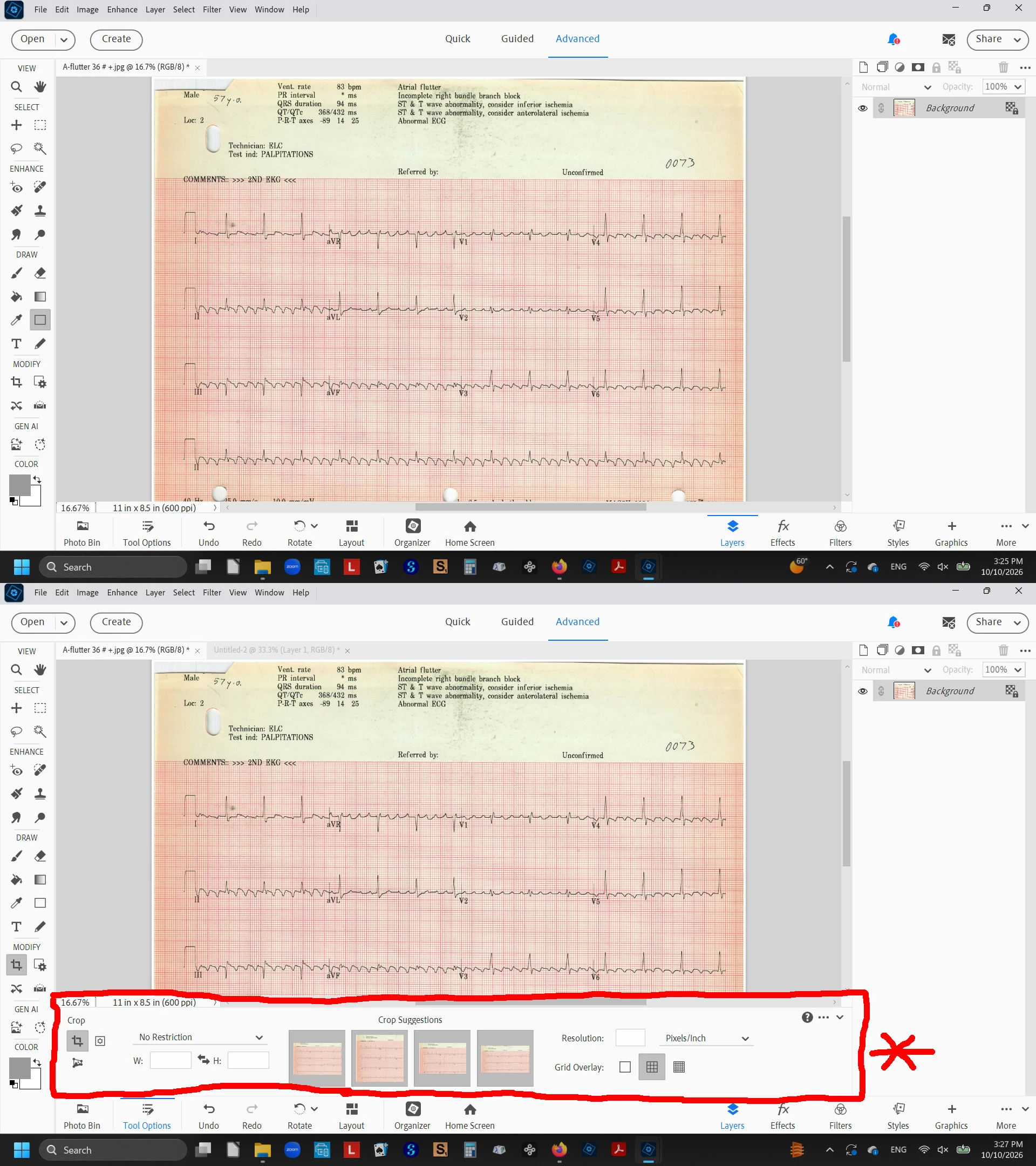
When I select a tool such as Crop, a panel of options appears that covers the lower part of my image. In the screenshots below, the upper image is the full view and the lower shows the panel, crudely outlined in red, that obscures the lower 1/5 of the image I’m trying to work with. That panel should open in a movable, resizable window that I can push out of the way rather than automatically covering 21% (I measured it) of my workspace. The window also should remember its size and location so every time I select a tool (any tool) I don’t have to move its set of options out of the way. That may not be an issue with big professional-size screens, but my only computer is a laptop with limited real estate available for this sort of thing, and I need to make every square cm count.


 AdChoices