



Manually Install Adobe Camera Raw into PSE 2027
Manually Install Adobe Camera RAW (ACR)---Nicer to Look at
Last updated on September 24th, 2026
The following is how to manually install the latest version (ACR 18.6) of Adobe Camera Raw (ACR) for Elements 2027. It is recommended to wait for Camera Raw updates within the product for issue fixes.
You really only need to worry about the latest version if your camera requires it. The average user can basically ignore all of this and they will not even notice. PSE 2027 will prompt you to install ACR 18.4 the first time you try to use it (open an image in the raw format). For the vast majority of users they can do that.
_________________________________________________________________________________
If you haven't been able to update the Camera Raw plug-in for Elements, follow these steps, Primarilly because your new camera needs a newer version of ACR to support RAW files:
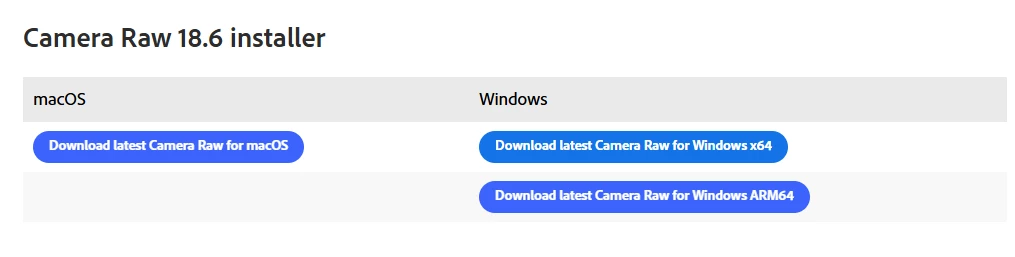
Download and install the latest Camera Raw version (to your computer) from https://helpx.adobe.com/camera-raw/kb/camera-raw-plug-in-installer.html
The image below is a screenshot, you cannot “click the links” but using the web address in the light blue hyperlink (posted just above this sentence), you then scroll down a bit till you get to what you see below.
Quit all Adobe applications.
On macOS, double-click the .dmg file to mount it.
On Windows double-click the downloaded .zip file to unzip it.
(Windows might unzip the file for you.)
On macOS, double-click the .pkg file to start the installer.
On Windows, double-click the resulting .exe file to start the installer. You first need to install ACR onto your computer before you can copy and paste the needed folder.
Follow the on-screen instructions.
Once installed successfully, close the installer window.
Navigate to the following folder:
On macOS: /Library/Application Support/Adobe/Plug-ins/CC/File Formats
On Windows: C:\Program Files\Common Files\Adobe\Plug-Ins\CC\File Formats
COPY THE FILE FORMAT FOLDER FROM THE CC DIRECTORY (It’s where the latest version of ACR (adobe camera raw) gets installed to when you install ACR 18.6 to your computer.
Navigate to the following folder:
On macOS: /Library/Application Support/Adobe/Plug-ins/Elements 2027\File Formats
On Windows: C:\Program Files\Common Files\Adobe\Plug-Ins\Elements 2027\File Formats
Replace (I just delete the existing File Formats folder from pse 2027- some may recommend adding OLD to the folder name “File formats” to the existing FILE FORMATS FOLDER in Elements 2027- which is fine too) the old file formats folder with the FILE FORMATS that you copied earlier.
RESTART THE EDITOR
 AdChoices