
Inspiring
August 29, 2017
Question

Map Not Showing in Photoshop Elements 14

  • August 29, 2017
  • 1 reply
  • 1426 views

I installed PSE 14 on a Windows 10 Pro Dell laptop.  Here's what I'm seeing.  The map is not complete and I can't seem to figure out a way to refresh it.  The photo on the left has embedded GPS data but does not appear anywhere on the map.  When I click on "Pinned", the map is also not complete and no pictures appear on the map anywhere.  It's just not working at all.
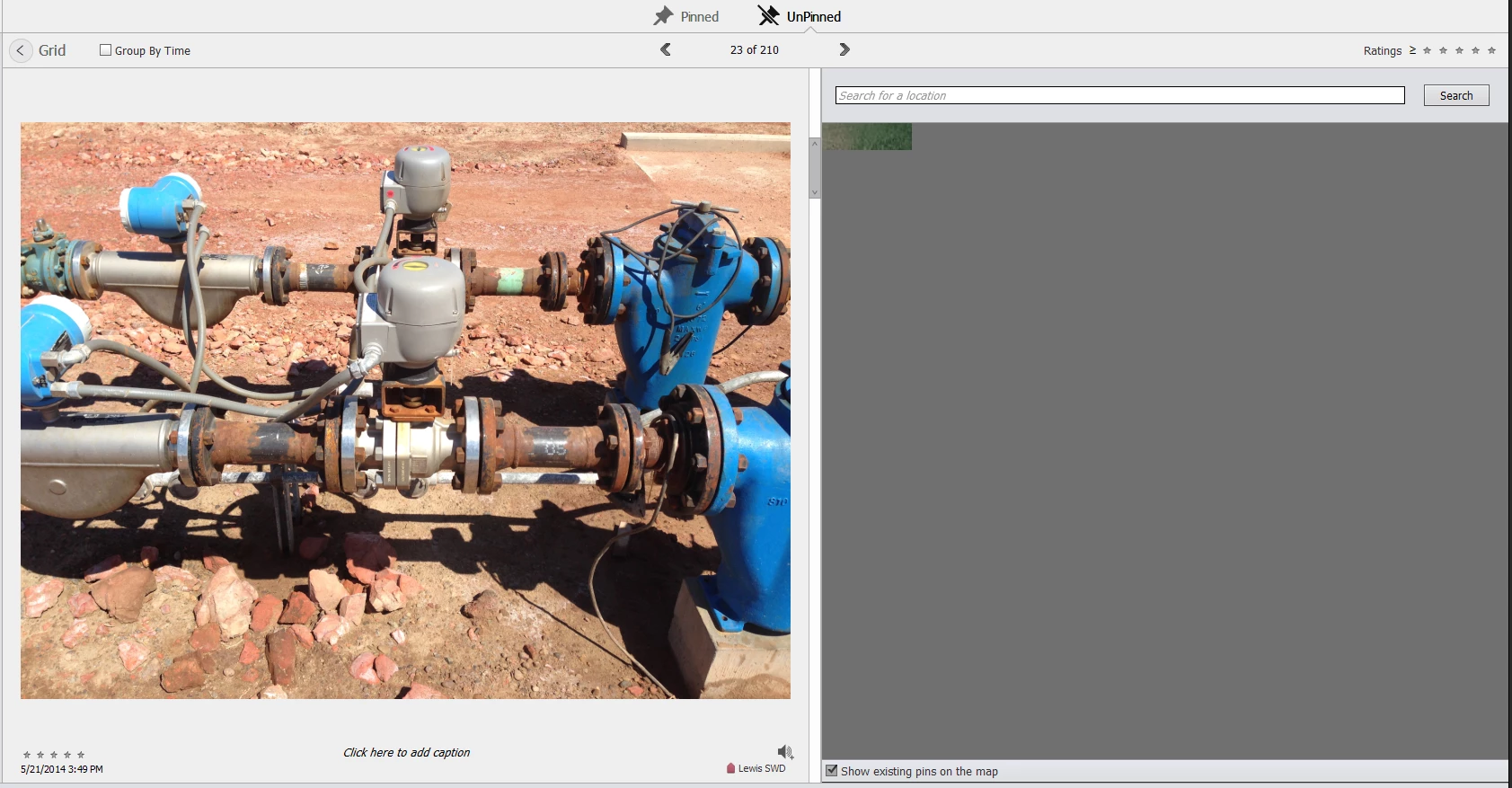
This feature was working fine in PSE 11.  So not sure what's happened.

Your help is much appreciated.  I really need this feature to work!

Thanks!

-Matt

This topic has been closed for replies.

1 reply

MichelBParis
Legend
August 29, 2017
MattGreerAuthor
Inspiring
August 30, 2017

Thank you for finding that, at least now I know there is no solution and I can stop obsessing on how to fix it.

So is there any confirmation that this works in version 15?  I'd rather not risk wasting my money to upgrade to equally broken software.

Forgive my sarcasm, but I doubt Adobe would support an older version(s) when they can simply direct people to spend more money.  I realize this isn't Adobe's fault.  I'm just stuck dependent on a pretty important feature that doesn't work.  :/

MichelBParis
Legend
August 30, 2017

As indicated in that note, that problem no longer exist in the present Elements 15.

Elements is not the only software to be affected by that Google change.

There is no secret that only the latest version is supported by Adobe, but there "they are exploring possible solutions"...

Suggestion: download the trial version of PSE15 which should cover your needs for 30 days. Usually a new version is issued in September/October, so, you might wait before paying the upgrade if you decide so. Otherwise, if you pay the upgrade for Elements 15 less than one month of the availability of Elements 15, you should be good to ask for a free upgrade.