
Mapbox new location selection PSE2019
When I add a new location I cannot confirm the correct place on the map because it does not show it unlike with previous Google Maps.
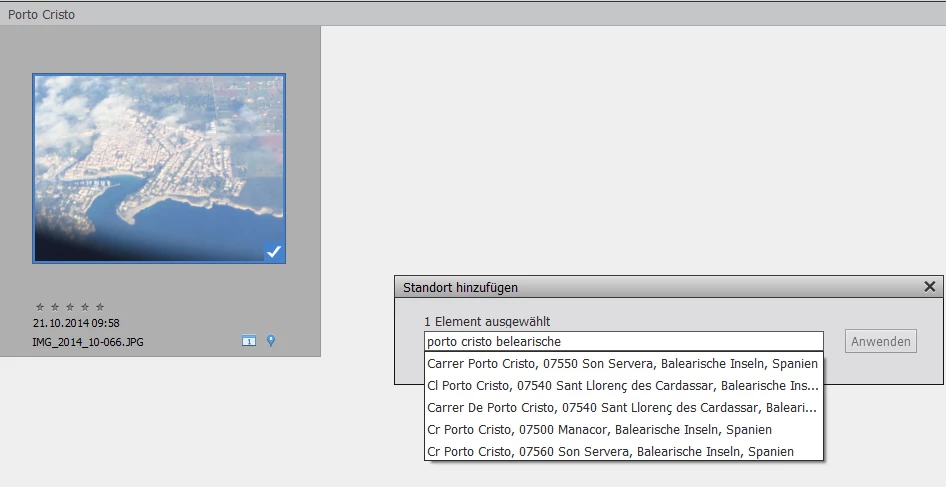
Here is an example where I want to add the town of "porto cristo" on Mallorca, Spain. It lies on the "Balearische Inseln".
5 choices are shown.
Q1: Why always limited to 5 choices? Can it be changed to see more?
2 "Carrer" are listed, these are roads, so these are not my choices. 2 "Cr" are listed. I don't know what that means. 1 "Cl" is listed, don't know either. There are 3 different parent towns listed and I would need to open e.g. Google maps to inspect the correct parent town. With the Mapbox integration I don't see how I can choose the correct location.
Q2: How can the Mapbox location be shown like with previous Google Maps?
Please note that I have this problem with many locations, not only in Spain.


 AdChoices