
Menu fonts in Elements 2023 too large
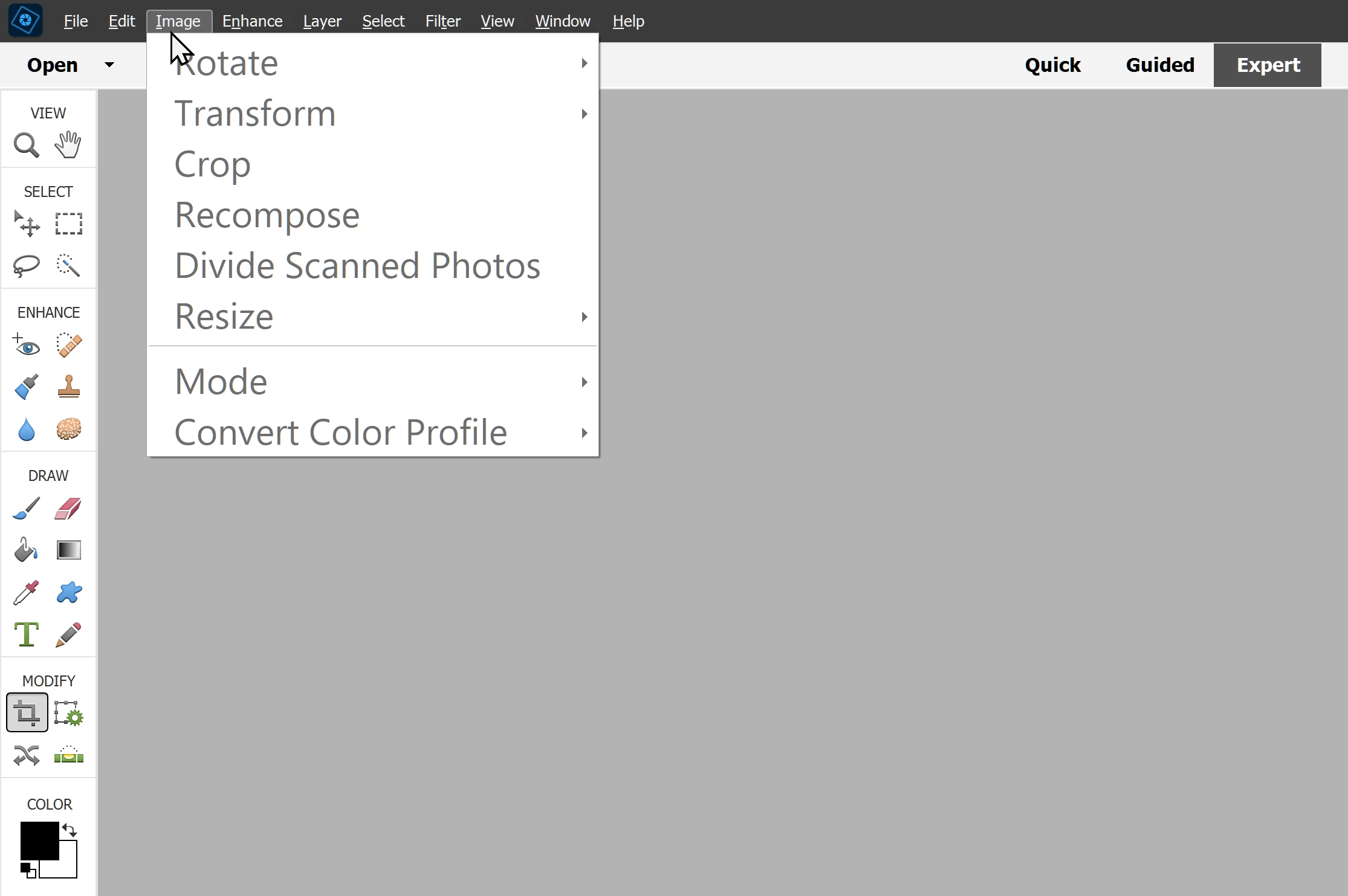
Adobe Photoshop Elements Version: 21.0 (20220906.Git.master.4218aba) x64
Operating System: Windows 10 64-bit
Version: 10 or greater
System architecture: Intel CPU Family:6, Model:14, Stepping:13 with MMX, SSE Integer, SSE FP, SSE2, SSE3, SSE4.1, SSE4.2, AVX, AVX2, HyperThreading
Physical processor count: 8
Logical processor count: 16
Processor speed: 2400 MHz
Built-in memory: 32473 MB
Free memory: 13083 MB
Memory available to Photoshop Elements: 29736 MB
Memory used by Photoshop Elements: 70 %
ACP.local Status:
- SDK Version: 1.34.1
- Core Sync Status: Unknown
- Core Sync Running: Unavailable
- Min Core Sync Required: 4.3.4.2
ACPL Cache Config: Unavailable
Image tile size: 1024K
Image cache levels: 6
Font Preview: Medium
TextComposer: Latin
Display: 1
Display Bounds: top=0, left=0, bottom=1080, right=1920
OpenGL Drawing: Disabled.
License Type: Perpetual
Serial number: 91558974322773415196
Feature::Dummy Feature: OFF
Feature::GPULensBlur: ON
Feature::HEIFFormat: ON
Feature::CloudPSDSnapshotFiles: OFF
Feature::CloudDocs: ON
Feature::CloudDocsEnableFaultInjection: OFF
Feature::CloudDocsFailAll: ON
Feature::CloudDocFolders: ON
Feature::CloudDocFolders: ON
Feature::Frame Tool: ON
Feature::AliasLayers: OFF
Application folder: C:\Program Files\Adobe\Photoshop Elements 2023\
Temporary file path: C:\Users\franc\AppData\Local\Temp\
Photoshop Elements scratch has async I/O enabled
Scratch volume(s):
Startup, 934,5G, 52,0G free


 AdChoices