Participant
March 10, 2023
Answered

Menüeintrag Schwebende Fenster geht nicht mehr

  • March 10, 2023
  • 2 replies
  • 1022 views

Hallo allerseits,
bei meinem Photoshop Elements 2020 gehen plötzlich im Menü "Fenster - Bilder" die Einträge für z.B. "Schwebendes Fenster" oder "Überlappend" nicht mehr. Die Einträge sind jetzt immer grau hinterlegt, egal ob mehrere Photos geöffnet sind oder nicht. Dieser Umstand trat erst vor einigen Tage auf und ich habe leider keine Ahnung, weshalb oder wieso. Ich hatte keinerlei Änderungen am System durchgeführt. Ebenso ist der Update Button im Menü grau hinterlegt, somit sollte das Programm up to date sein.

Vielleicht hat jemand einen Tipp, woran das liegen könnte.
LG
Rike
This topic has been closed for replies.
Correct answer Greg_S.

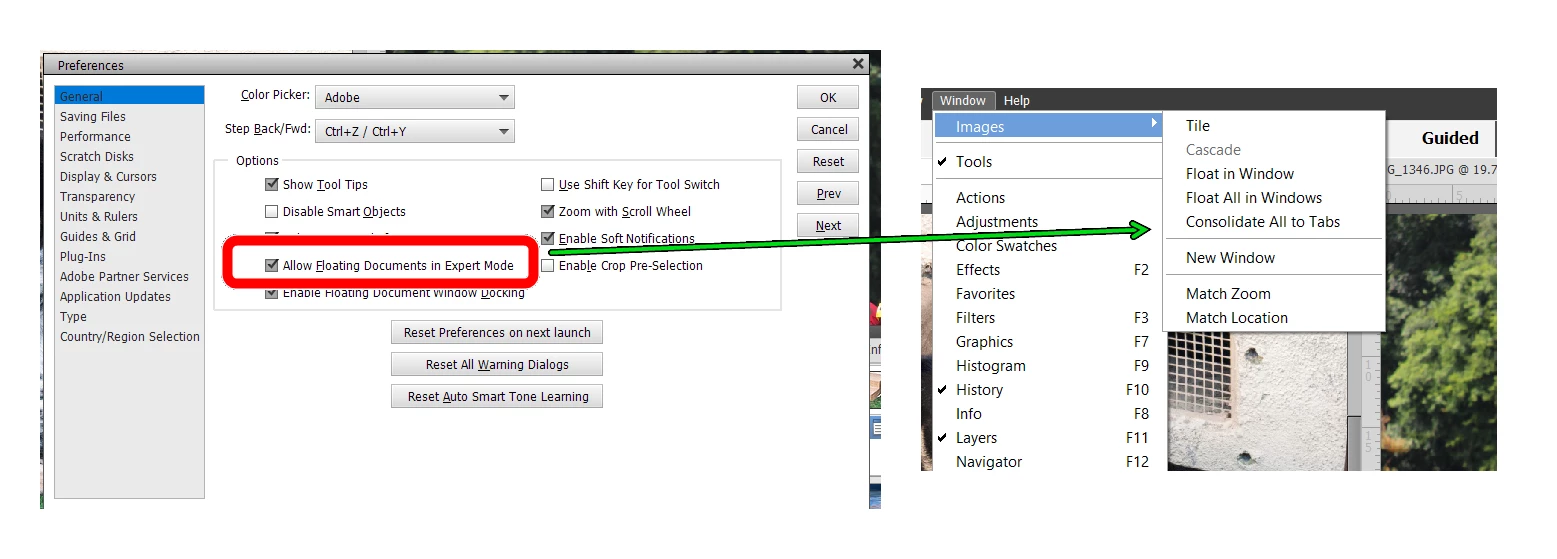
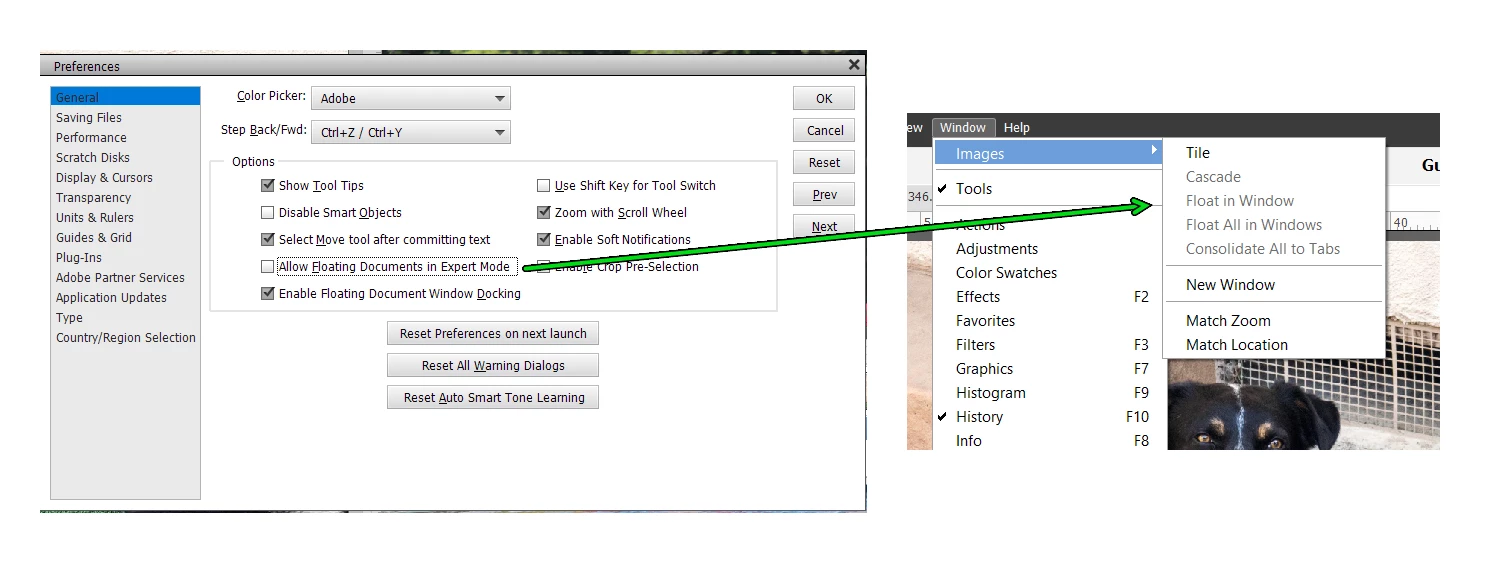
Then menu choices depend on whether you have enabled Floating Documents in the preferences dialog.  Compare the following screenshots:

Try checking and/or unchecking the box to see whether the menus do as you expect.


2 replies

Greg_S.
Community Expert
Greg_S.Community ExpertCorrect answer
Community Expert
March 11, 2023

Then menu choices depend on whether you have enabled Floating Documents in the preferences dialog.  Compare the following screenshots:

Try checking and/or unchecking the box to see whether the menus do as you expect.


Participant
March 11, 2023

It worked, thank you so much.
I don't know why this was enabled but now it's again the same as before.
Thanks for your assistance.

Greg_S.
Community Expert
Community Expert
March 10, 2023

Try resetting the preferences file. Go to Edit>Preferences>General tab and click the Reset Preferences on next launch button.


Participant
March 11, 2023

I have tried, but it didn't worked (see attached pic).
I don't know, whats the reason for the greyed menues in my PSE, it happend suddenly, and I can't click them or use the options now.