Participant
May 14, 2022
Answered

Merging Editor/Organiser layers

  • May 14, 2022
  • 2 replies
  • 361 views

In Adobe Photoshop Editor 2021 I have two open files shown, one in Editor and one in Organiser.

How can I make the Organiser file a layer in Editor please.

This topic has been closed for replies.
Correct answer Greg_S.

I assume you are referencing the Photoshop Elements Editor. 


There are several ways to merge one file with another.  Since it seems that you want to work with the Organizer in finding your files, I suggest you simply open the file from the Organizer into the Editor.  (Select it and press Ctrl+I in Windows.)

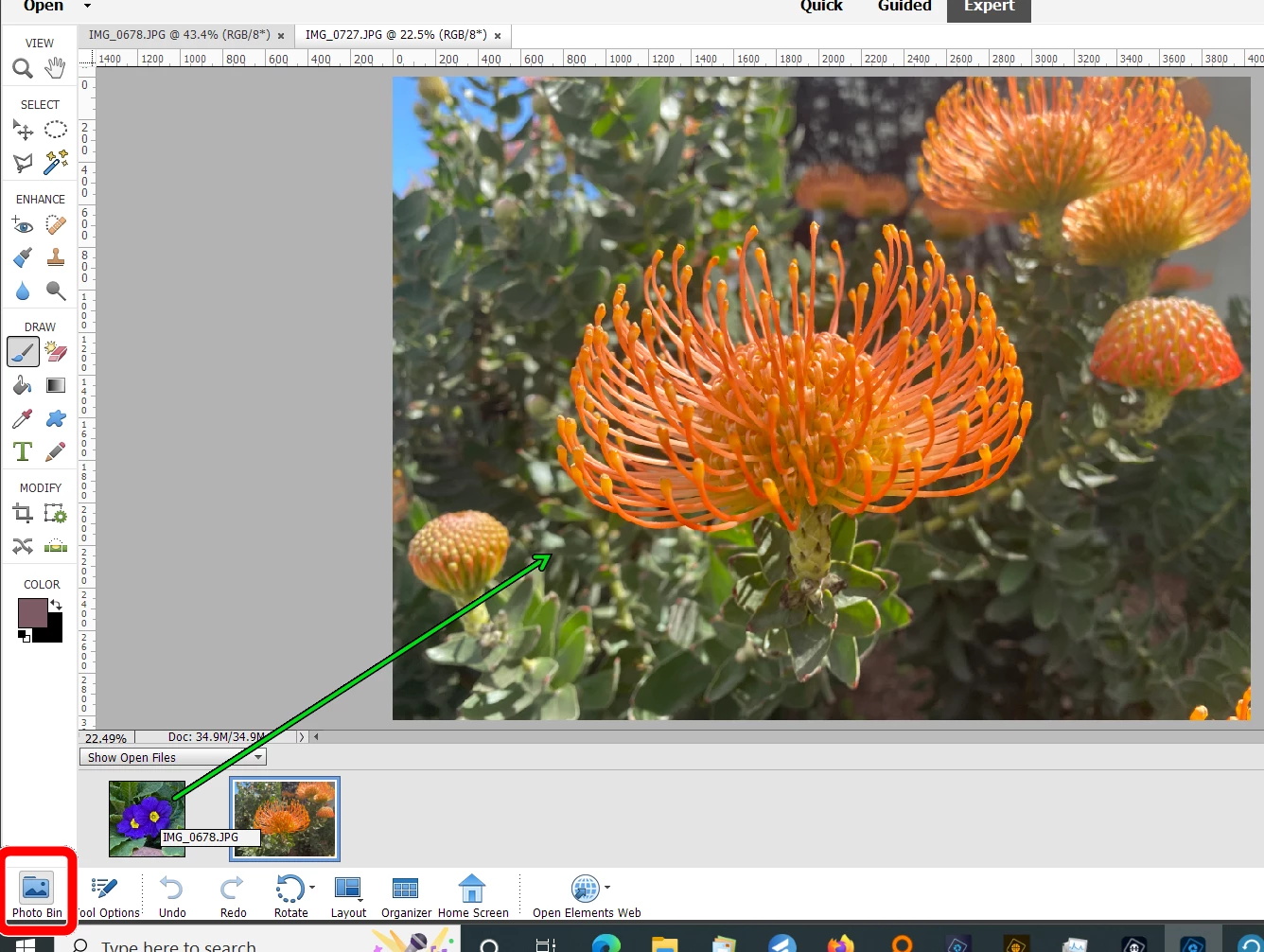
With both files open in the Editor drag one of the files from the Photo Bin up to the active file in the editing screen. 


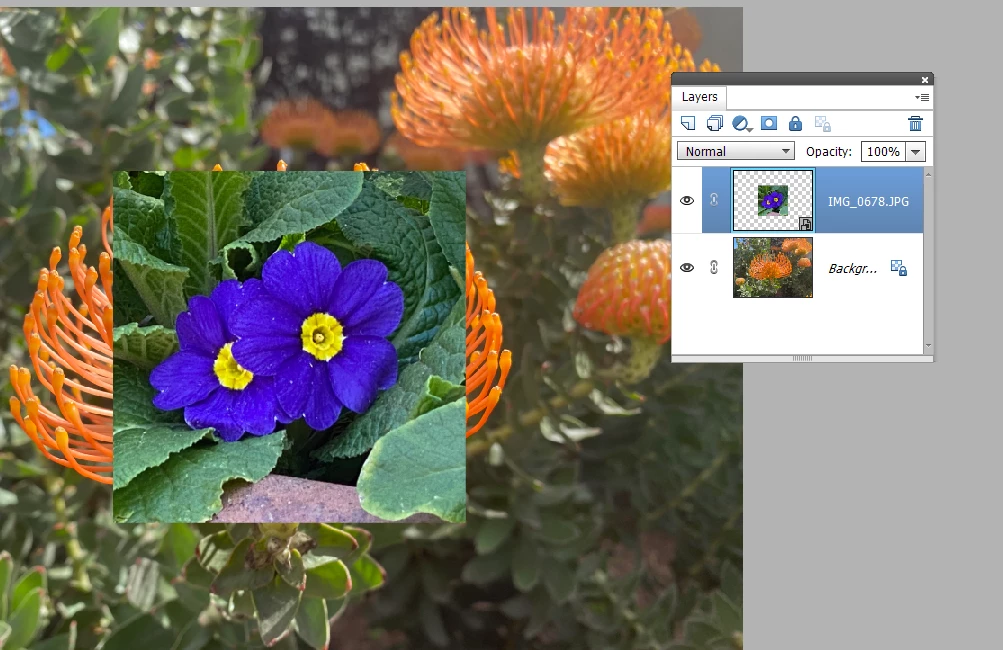
It will now be added as a new layer to that file.


2 replies

Participant
May 14, 2022

Thank you so much Greg S, that seems to have done the trick.

When you're the wrong side of 80 software becomes quite difficult.

Much appreciated

Greg_S.
Community Expert
Greg_S.Community ExpertCorrect answer
Community Expert
May 14, 2022

I assume you are referencing the Photoshop Elements Editor. 


There are several ways to merge one file with another.  Since it seems that you want to work with the Organizer in finding your files, I suggest you simply open the file from the Organizer into the Editor.  (Select it and press Ctrl+I in Windows.)

With both files open in the Editor drag one of the files from the Photo Bin up to the active file in the editing screen. 


It will now be added as a new layer to that file.