Answered
Missing crop tool in Elements 19
I am using Elementa 19, and the crop tool has sudenly dissapeard in Expert mode how do I get it back?
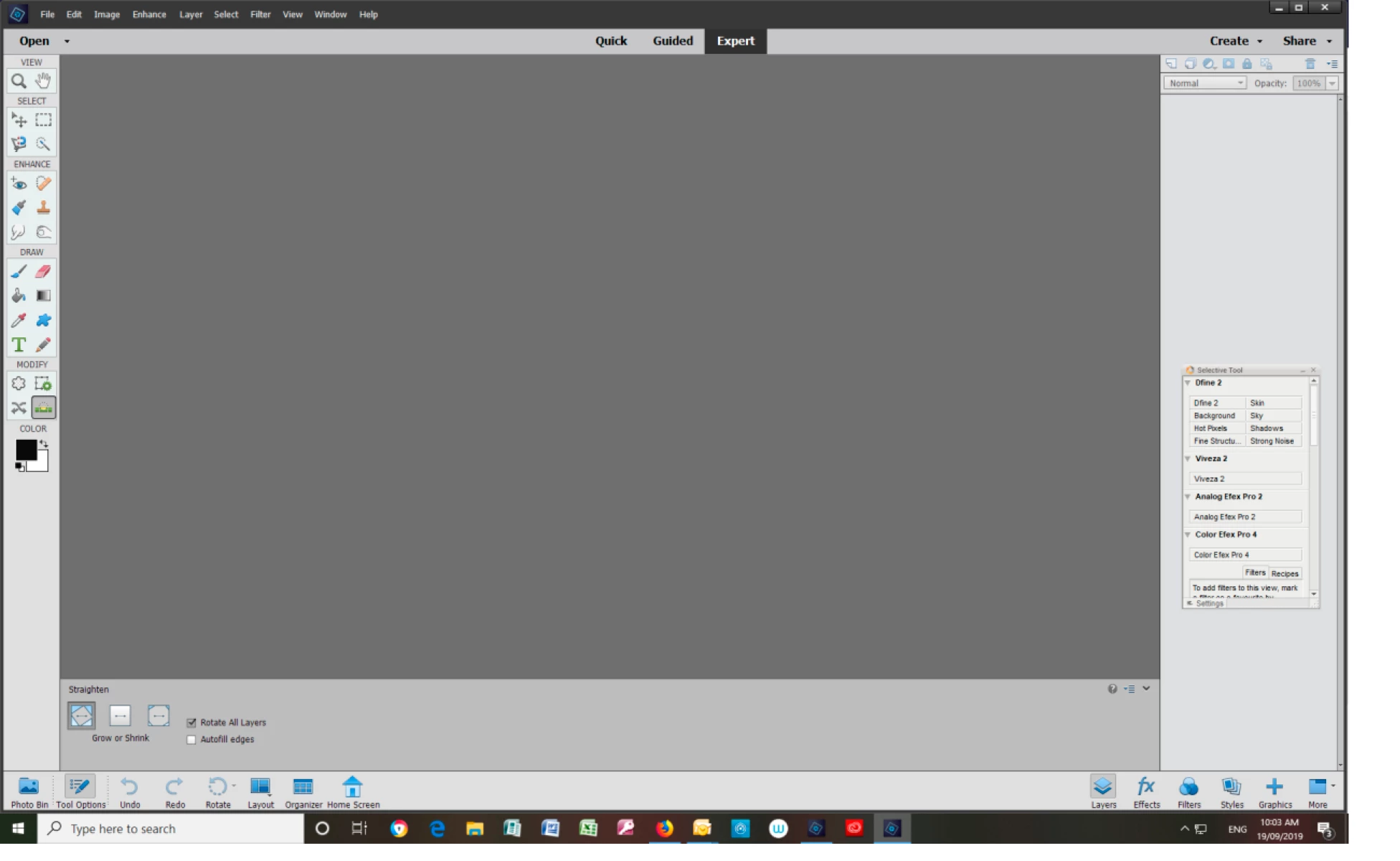
This is what the side tool bar looks like now, how do I restore it without having to reload PS Elemts 19?

I am using Elementa 19, and the crop tool has sudenly dissapeard in Expert mode how do I get it back?
This is what the side tool bar looks like now, how do I restore it without having to reload PS Elemts 19?
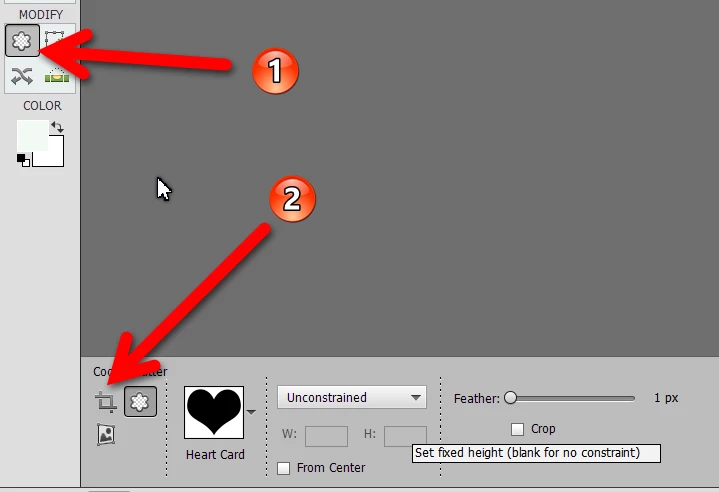
You currently have the straighten tool selected. And your screenshot shows that the Cookie Cutter tool is visible in the side tool bar. Click on the Cookie Cutter tool (1) and the Crop Tool (2) will be available for you to select in the Tool Options bin at the bottom. Or you could type the keyboard shortcut "C" a couple of times and the crop tool will reappear.
Already have an account? Login
Enter your E-mail address. We'll send you an e-mail with instructions to reset your password.
 AdChoices