Participant
March 25, 2022
Answered

Missing Menu Items Photoshop Elements 2021

  • March 25, 2022
  • 1 reply
  • 271 views

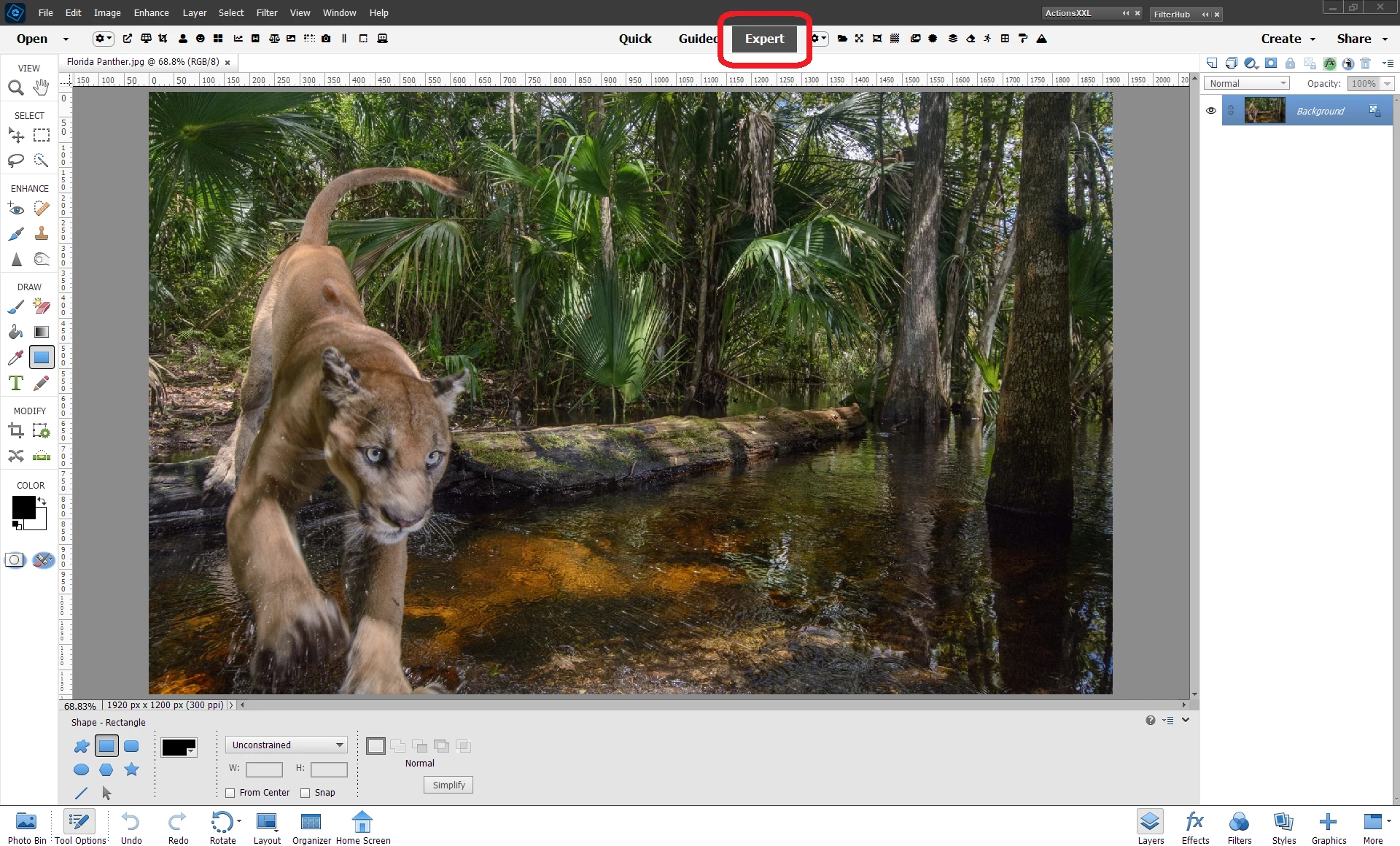
I am using Photoshop Elements 2021 with Windows 11.  Try as I might I can't find access to shape tools such as Ellipse, Rectangle. NB the Edit heading in the top bar menu does not include iiem for Tools and only limited selection shown in toolbar doan left of screen. I've re-installing but made no difference.  Help plese

This topic has been closed for replies.
Correct answer Walter_H

Hi Choc2dad, Try switching your Editor to "Expert" mode.


1 reply

Walter_H
Walter_HCorrect answer
Legend
March 25, 2022

Hi Choc2dad, Try switching your Editor to "Expert" mode.


--Walter in Davie, FL
Choc2dadAuthor
Participant
March 29, 2022

Thanks for reply, issue now resolved