Reinstalling the Organizer does not change the catalog because you have already created a catalog for Elements 2024, so the program thinks you have your desired catalog. In this case, it seems it would be a catalog to which you have imported all of your photos but without including the tags.
So, the old Elements 2022 Catalog should be under the default location (unless you have changed it):
C:\ProgramData\Adobe\Elements Organizer\Catalogs
If an unsuccessful attempt has been made to convert the old catalog, it may be named My Catalog 1 (or some other numeric suffix). Also, when you go to File>Manage Catalogs and click the Convert button, that catalog may not appear in the dialog list. If that is the case, check the Show Previously Converted Catalogs box:
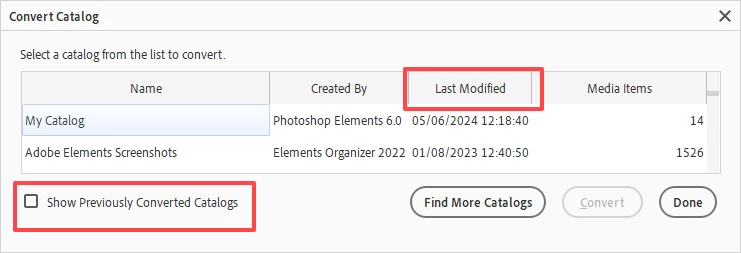
It may be helpful to look at the last modified date to figure out which catalog to convert.



 AdChoices