Participant
Jun 17, 2020 1:57 AM UTC
Answered

Moodboard Template

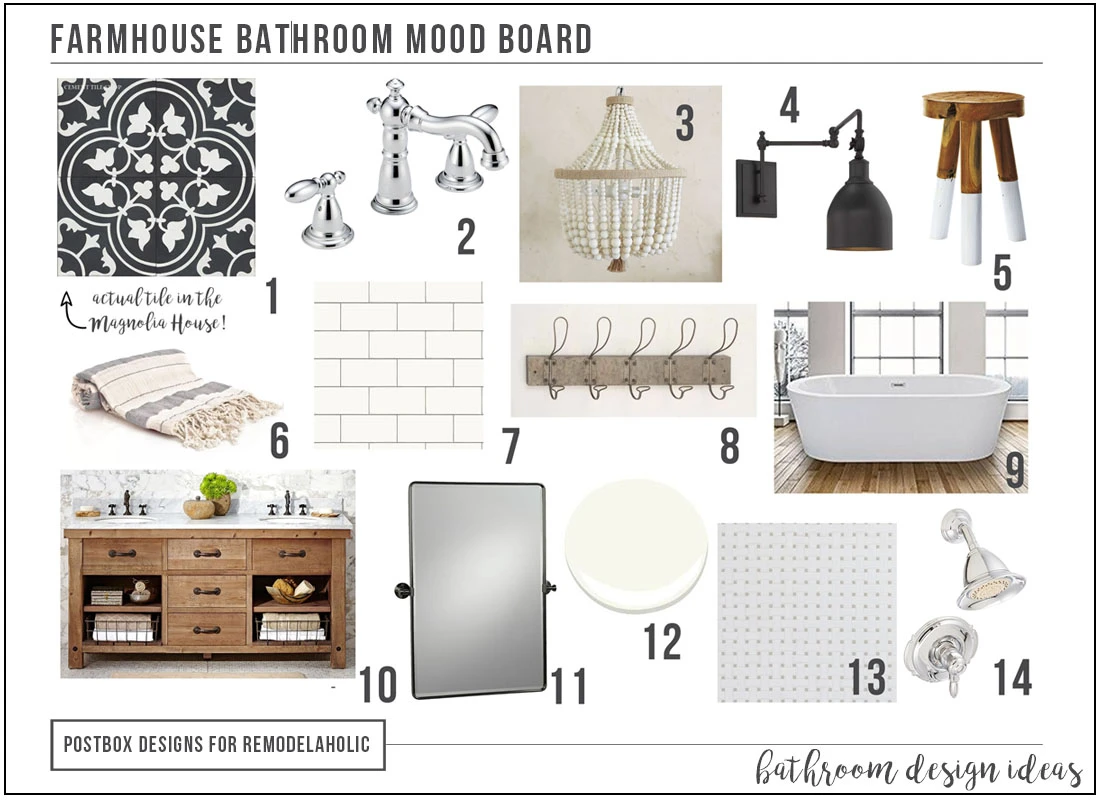
I would like to make a moodboard template for the bathroom which has the collection of bathroom fixtures. I would need about 14 photos.  I have element 15.  Please help 🙂  I want to make a collage like the sample pic at the bottom
hatstead
hatsteadCorrect answer
Inspiring
Jun 17, 2020 10:55 AM UTC

1. Prepare each of the items individually. For example, item #1 can be selected using the rectangular marquee tool, Then save this as a file.

2. Item #5 probably is best selected using the lasso tool, then saved,

3. After you have prepared everything, do the math to figure out how large your canvas needs to be.

 Go to File>New>blank file, enter the dimensions, resolution (240px/in), background color to suit.

4. Go to File>place. Point to the items that you have saved and position them on the canvas. 

2 replies

hatstead
hatsteadCorrect answer
Inspiring
Jun 17, 2020 10:55 AM UTC

1. Prepare each of the items individually. For example, item #1 can be selected using the rectangular marquee tool, Then save this as a file.

2. Item #5 probably is best selected using the lasso tool, then saved,

3. After you have prepared everything, do the math to figure out how large your canvas needs to be.

 Go to File>New>blank file, enter the dimensions, resolution (240px/in), background color to suit.

4. Go to File>place. Point to the items that you have saved and position them on the canvas. 

Translate
99jon
Legend
Jun 17, 2020 6:50 AM UTC

See if my YouTube Video helps – making a manual collage.

Translate