
Participant
July 28, 2024
Answered

Moving a single image while in a group

  • July 28, 2024
  • 3 replies
  • 441 views

Hello,

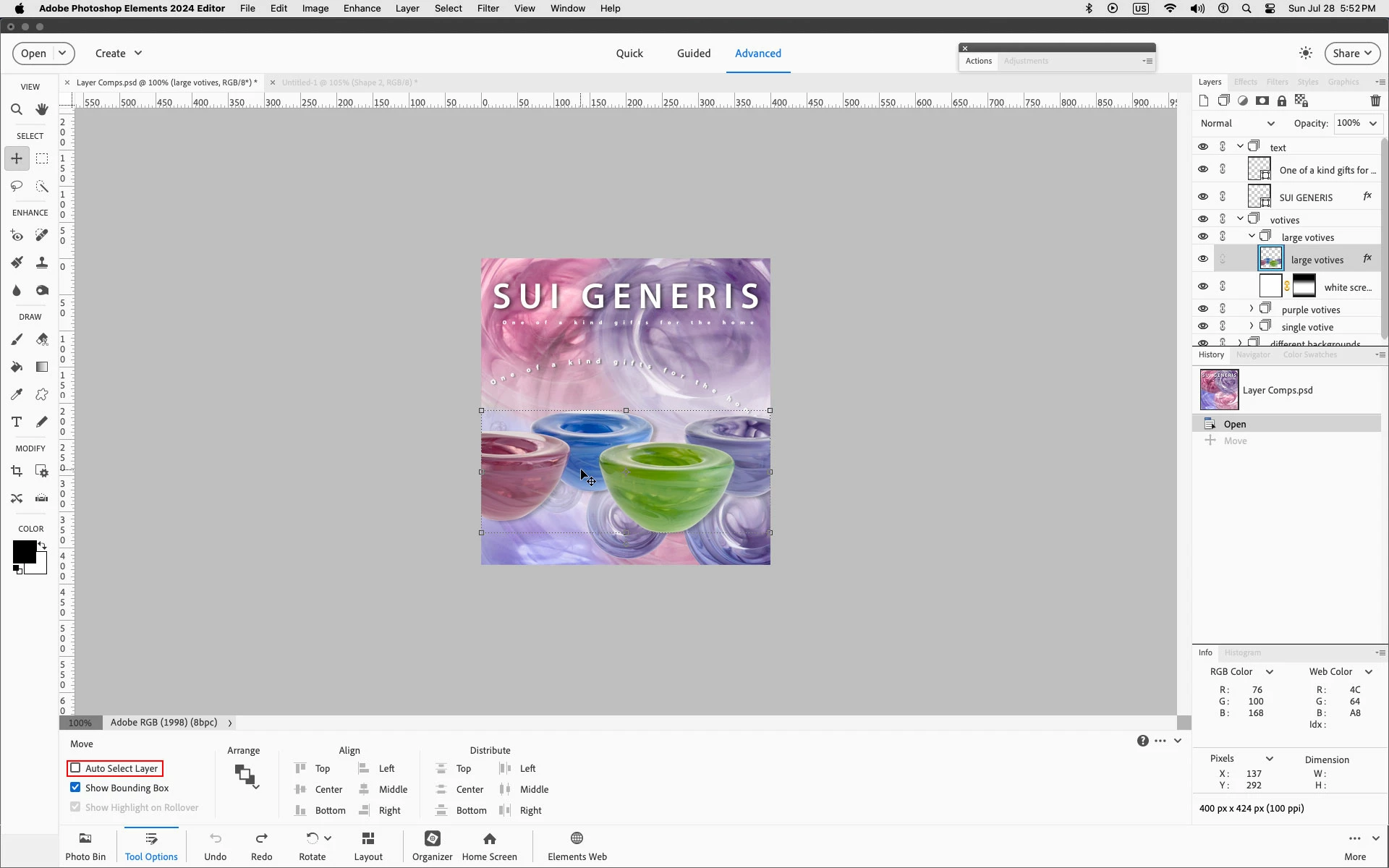
I would like to know if there is any way of moving each image inside of a group separatly using the moving tool, when I try to move one, it moves all the other images that are inside of the group

Thank you
This topic has been closed for replies.
Correct answer Jeff Arola

With the Move Tool selected uncheck Auto Select Layer


3 replies

Jeff Arola
Community Expert
Jeff ArolaCommunity ExpertCorrect answer
Community Expert
July 28, 2024

With the Move Tool selected uncheck Auto Select Layer


RepseAuthor
Participant
July 29, 2024

It works, thank you so much!

Jeff Arola
Community Expert
Community Expert
July 28, 2024

What version of Photoshop Elements and operating system are you using?


Are the Layers linked?


Can you post a screenshot that includes the Layers panel?

RepseAuthor
Participant
July 28, 2024

I have the automatic update option enabled so I'd assume it's the latest version and I am using windows 11


Unless the layers link by themselves without me knowing they shouldn't be linked

Jeff Arola
Community Expert
Community Expert
July 28, 2024

What Adobe application are you using?

RepseAuthor
Participant
July 28, 2024

I'm using photoshop elements