
Multiple Errors when Installing Photoshop Elements 2023: Error 16 + Organizer/Editor fail to open
Installing Photoshop Elements 2023 on a fresh install on my Microsoft Surface Pro 9 fails in so many ways. I'm in France but I've ran the installer using English (North America) as «Language» and «Default Location» in Location.
My PC information: Windows 11 Pro 22H2 / Microsoft SQ3 Processor (ARM-based) / 16GB RAM / Qualcomm Adreno 8cx Gen 3 Display Adapter
It seems to be a rather tricky issue to solve, so please find below all the details.
First, when the installer finishes I get a Error: 16 message (see image below):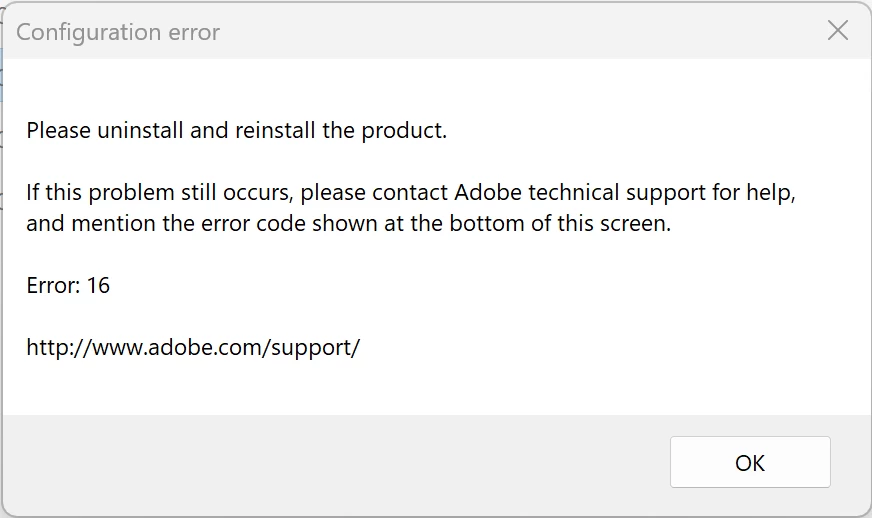
After going through the Forum, I found that this could be solved by fixing a configuration issue, as described in this page:
Resolve configuration errors 1, 15, or 16 | Creative Cloud (adobe.com)
I followed the instructions, and the problem didn't disappear. But, I discovered that if I run Photoshop Elements as an admin, the software loads correctly and the Home screen is shown.
However, if I click on the «Photo Editor» button, I get a message saying «Loading Adobe Photoshop Elements Editor Workspace...», and it disappears after a few seconds without nothing else happening. I have the same behavior if I click on the «Organizer» button (see image below):
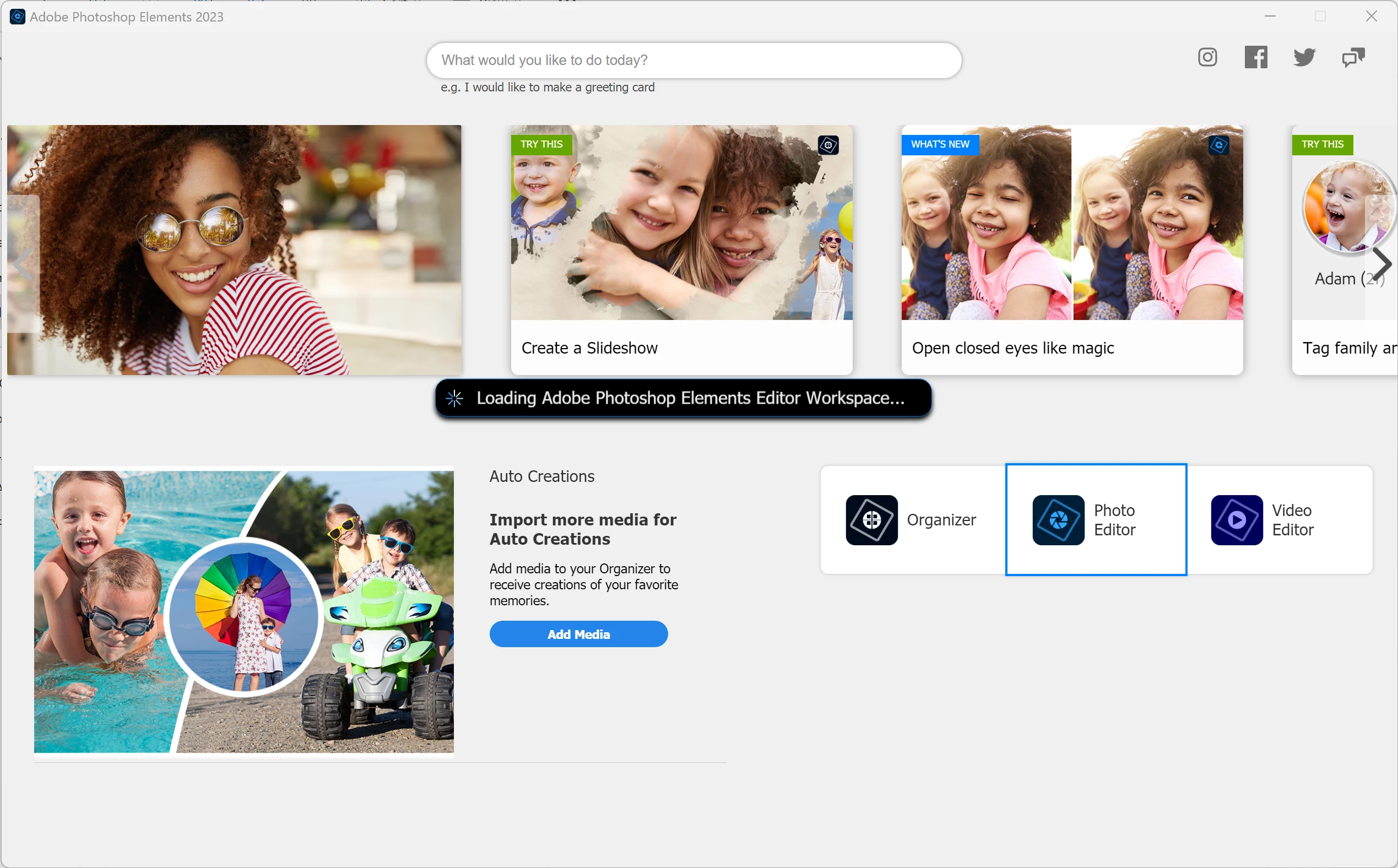
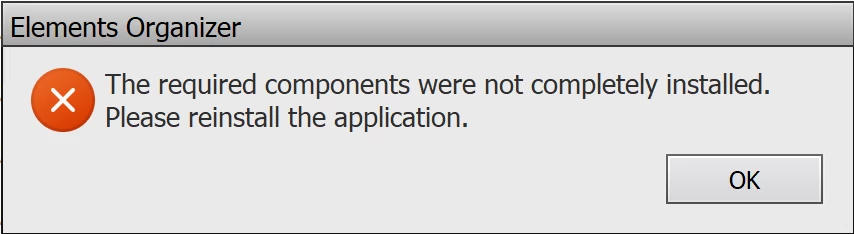
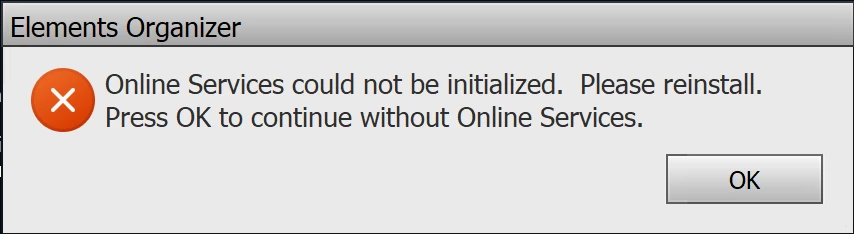
Next, I tried executing the Organizer directly, by going to «C:\Program Files\Adobe\Elements 2023 Organizer» and double-clicking on «PhotoshopElementsOrganizer.exe» directly. The application did load; but I got two errors. First, one saying «The required components were not completely installed. Please reinstall the application»; and then if I click on OK, I'd get a second error that reads: «Online Services could not be initialized. Please reinstall. Press OK to continue without Online Services.» (see images below). These pop-ups appear each time I open the Organizer.
If I click «OK», the Organizer loads and seems to be working. However, if I click on Editor->Photo Editor, the Photo Editor won't open and a pop-up saying that I need to install it appears.
I have tried:
- Uninstalling and reinstalling Elements 2023 multiple times (including installing as admin)
- Running the Creative Cloud Cleaner Tool after I've uninstalled Elements
I've also tried installing Elements 2023 on another laptop which is also Windows 11 Home (2021H2); but it has a Intel processor i7, and it works fine, no issues at all.
At the moment the software it's unusable; but I'm currently using the trial period, and I would really hope to fix this issue before it ends so that I can get a copy permanently as I've been using Elements 15 for a long time and I want to upgrade to take advantage of the latest features.
Any help would be appreciated, so thank you in advance.


 AdChoices