

Nikijs98A1
Participant
February 8, 2026
Question

Need direct offline installer for Elements 2026 Win64.

  • February 8, 2026
  • 3 replies
  • 115 views

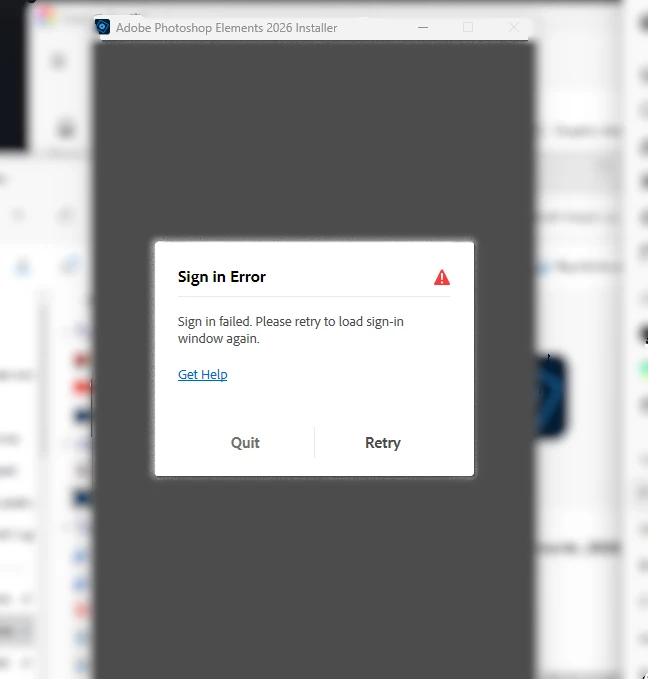
Photoshop Elements 2026 (paid) on Windows 11 won’t install. The 8MB installer fails before install with “Sign in failed” (sign-in window never loads). Tried CC reinstall, Cleaner Tool, admin, hotspot, updates. Need offline/full installer link (Win64).
 

    3 replies

    Adobe Employee
    February 12, 2026

    Hi ​@Nikijs98A1,


    Can you please have a look at the solution shared in this thread and let us know if that helps?


    Regards,

    Medha 

    Glenn 8675309
    Legend
    February 10, 2026

    Have you whitelisted adobe on your computer?

    To add a website to trusted sites in Windows 11, open the Control Panel, select Internet Options, navigate to the Security tab, click Trusted sites, then click the Sites button to add the URL. This allows specific websites to bypass certain security checks and is often used for browser compatibility. 

    99jon
    Legend
    February 8, 2026

    An internet connection is needed to download the required components during installation.


    Use the same email under which you purchased PSE 2026.

    If necessary re-set your password before running the installation.


    How to re-set Adobe Account Password

    Nikijs98A1
    Participant
    February 8, 2026

    Thanks, but the issue is that the sign-in window never loads at all. The installer has internet (tested on home network and mobile hotspot), but immediately shows “Sign in failed” as the first screen — there is no login form to enter email/password. That’s why password reset doesn’t help. Is there a direct full/offline installer for PSE 2026 (Windows 64-bit) or another workaround?

    Peru Bob
    Community Expert
    Community Expert
    February 9, 2026

    @Nikijs98A1 

    Try a different browser (but not Opera).