
Question
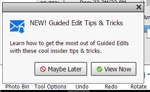
NEW! Guided Edit Tips & Tricks
I keep getting getting unwanted pop up windows for 'tips & tricks' when using the program. PLEASE MAKE THEM STOP!! When I click on one of the buttons it takes me to an Adobe page that is trying to sell me more crap I don't want. Please see attached image of one of the pop up windows.


 AdChoices