Participating Frequently
Jun 16, 2025 3:14 PM UTC
Answered

New Images Are Loading With Unexpectedly Wide Canvas Size

I am modifying several photos to a wider canvas size, but after opening the next group I want to work with the images background already are way wider than I want.  I must have done something but I cannot figure out what.   When I load new images it does the same thing.

Glenn 8675309
Glenn 8675309Correct answer
Legend
Jun 16, 2025 6:25 PM UTC

8 replies

Greg_S.
Community Expert
Community Expert
Jun 16, 2025 10:02 PM UTC

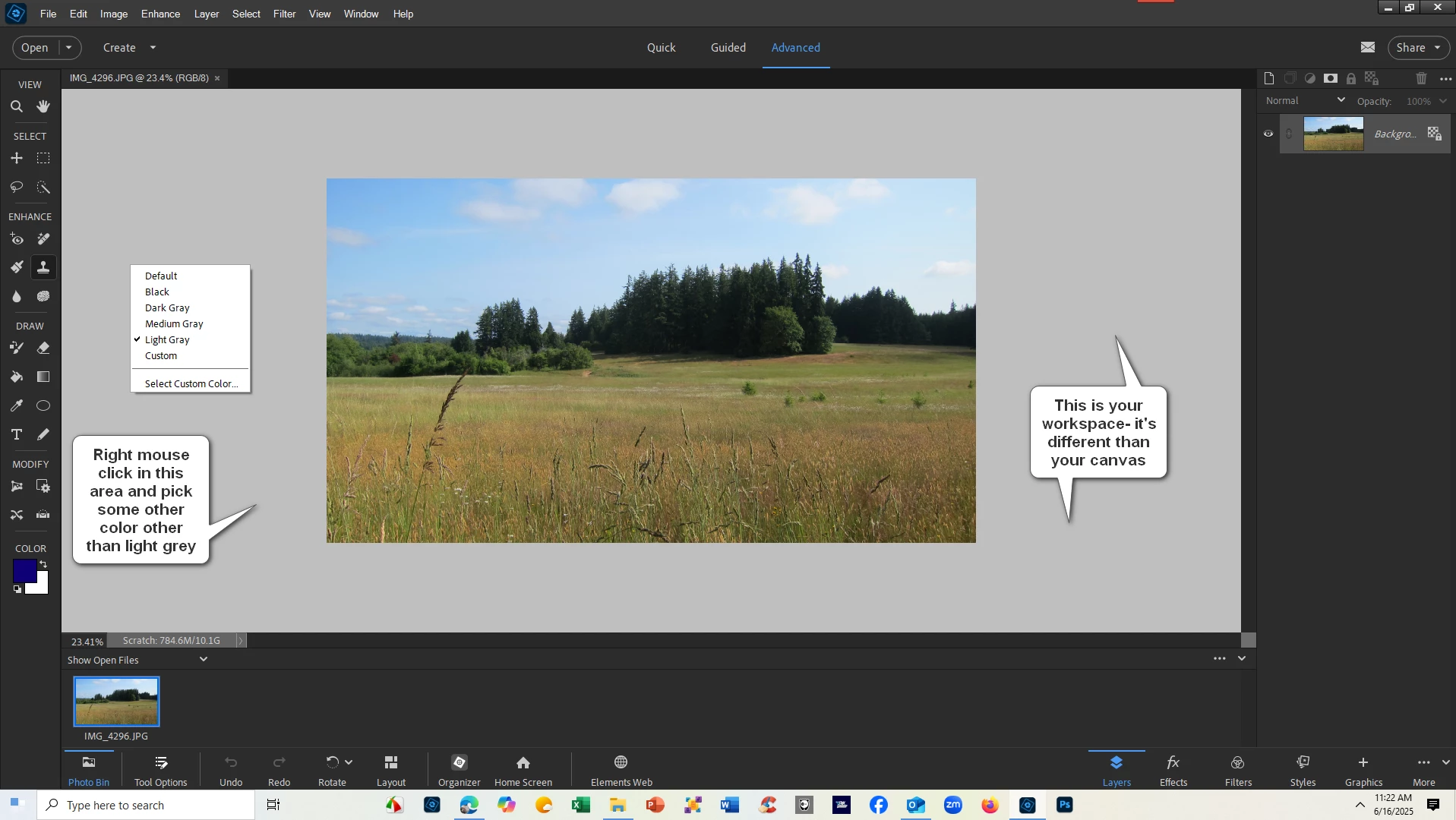
I note that your foreground color appears to be set to the same medium grey as the workspace and background of your image.  So, if you were changing the background of the image to that neutral grey color, perhaps using the color picker and the workspace as the sample may explain why this happened.

Translate
Participating Frequently
Jun 16, 2025 5:33 PM UTC

Looks like the background color is the same as the current image color.  How do I change the background color?

Translate
Glenn 8675309
Glenn 8675309Correct answer
Legend
Jun 16, 2025 6:25 PM UTC

Translate
Glenn 8675309
Legend
Jun 16, 2025 6:27 PM UTC

Translate
Glenn 8675309
Legend
Jun 16, 2025 3:31 PM UTC

Screenshots of when this happens really would help.    Make sure to show the entire program.

Translate
Participating Frequently
Jun 16, 2025 4:09 PM UTC


Translate