Participant
July 18, 2022
Question

No faces found in selected photo with "open closed eye" tool

  • July 18, 2022
  • 2 replies
  • 457 views

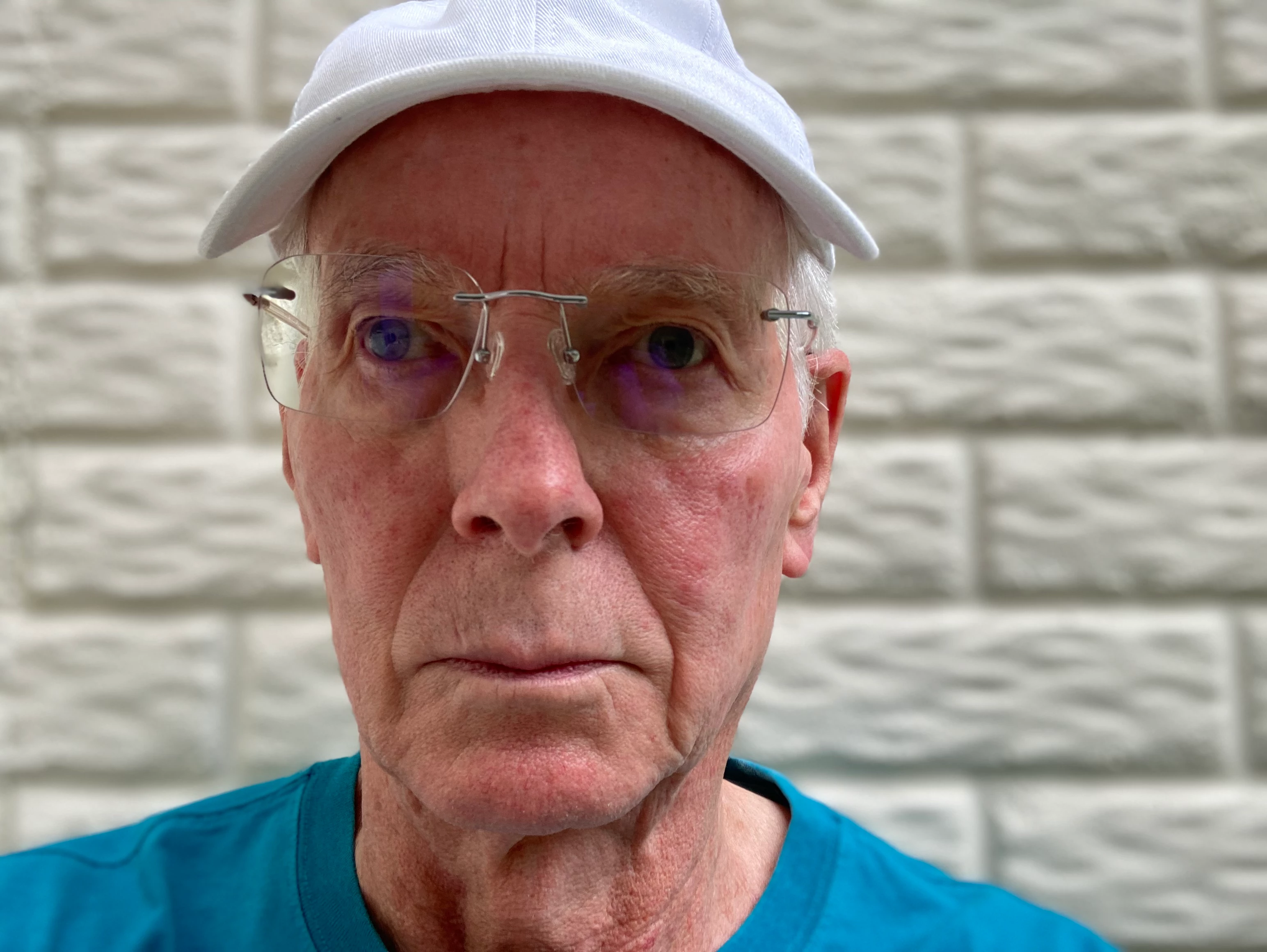
Need to enhance one of the eyes.  Get same result with similar image. 
This topic has been closed for replies.

2 replies

Greg_S.
Community Expert
Community Expert
July 19, 2022

Hmm . . . .   I tried with your photo and got the same result as you.  I then resized the image from 72 to 300 ppi.  This time, the Open Closed Eyes feature found a face . . .  but in the wrong position.  Next, I tried again to crop the hat out of the photo.  Again, the face was found but in the wrong position.   This was the result:

I also tried the original photo with the Adjust Facial Features tool and the face was correctly found.


So, I think the bottom line is that some photos are not amenable to use by some of the Artificial Intelligence at play in Elements.  And the algorithms are even different between different tools.  As Glenn has stated, it's not exactly clear what you want to do with this photo.  You may need to use the Clone tool or something else.

Participant
July 19, 2022

Thanks for trying. Will use other techinques to copy the forwardlooking eye and paste over the other one.  Thought the eye tool save me some work.


Glenn 8675309
Legend
July 19, 2022

Last night I had pretty good results using the nudge tool- round brush same size as pupil- click hold drag a bit. 


Glenn 8675309
Legend
July 18, 2022

You trying to fix the right eye?   You don't need the open closed eye tool- his eyes are already open. what are you trying to do--- make his left eye lighter?  

Participant
July 19, 2022

Trying to have both eyes looking straight ahead. Think I will do a copy and paste of the forward looking eye followed with touch up tools.
