

Participant
January 20, 2023
Beantwortet

No Faces Found message when trying to switch eyes in Photoshop Elements 2023

  • January 20, 2023
  • 1 Antwort
  • 1439 Ansichten

I am trying to swap the eyes out on the following picture, for eyes that are a little more open.  I keep getting the following message: "No faces found in the slected photo".


The face is pretty prominent and level.


What is the problem?

Dieses Thema wurde für Antworten geschlossen.
Beste Antwort von Greg_S.

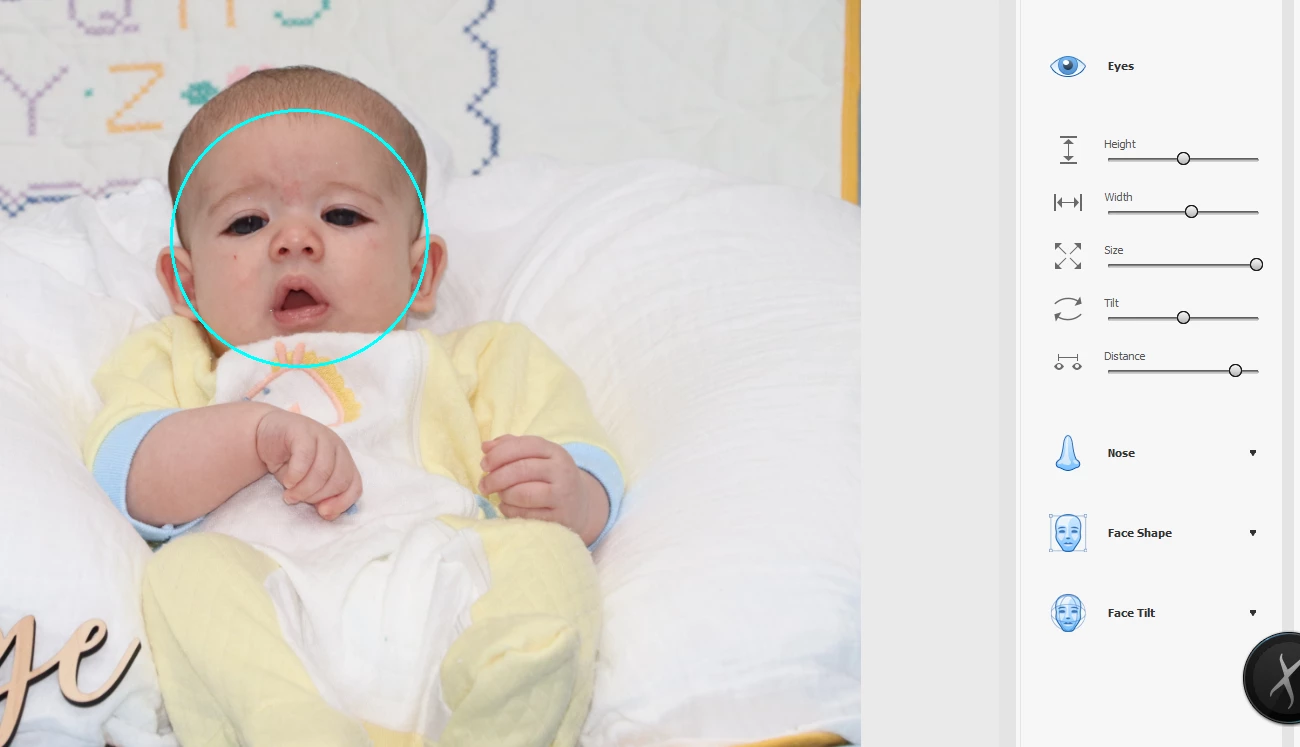
Cindy, I agree that the face cannot be found using the Enhance>Open Closed Eyes feature.  However, there have been improvements in Elements 2023 that allow the face to be found in the Special Edits>Perfect Portrait Guided Edit:


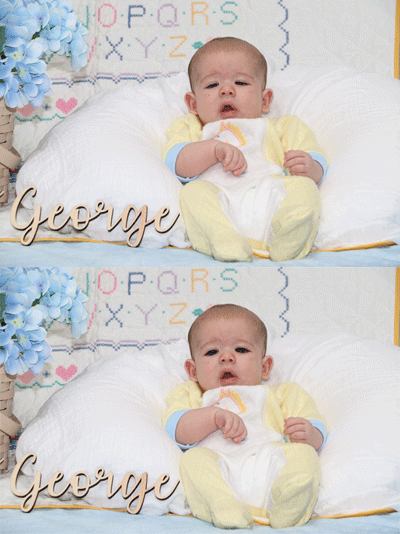
This will not work with a totally closed eye (in which case you would have to use something like the clone tool to pop in some open eyes from another photo), but in your photo there is a sufficient eye showing to make some adjustments like the following:
1 Antwort

Greg_S.
Community Expert
Greg_S.Community ExpertAntwort
Community Expert
January 21, 2023

Cindy, I agree that the face cannot be found using the Enhance>Open Closed Eyes feature.  However, there have been improvements in Elements 2023 that allow the face to be found in the Special Edits>Perfect Portrait Guided Edit:


This will not work with a totally closed eye (in which case you would have to use something like the clone tool to pop in some open eyes from another photo), but in your photo there is a sufficient eye showing to make some adjustments like the following: