Participant
April 1, 2017
Answered

no sidebar thumbnails (Mac)

  • April 1, 2017
  • 2 replies
  • 391 views

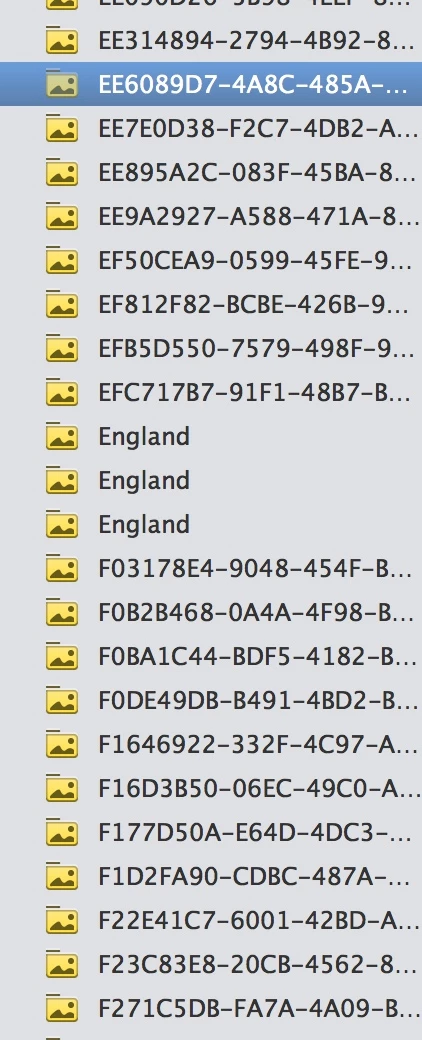
How do I view thumbnails in side panel in adobe elements organizer 15? I imported my Apple Photos Library. Everything appears as folders. Some folders contain one photo, and some contain multiple photos.

There are now a gob of folders. I can't see what's in them, unless I click on the folder icon.

Very few of them have a title. Some appear with a relevant title, but most are strings of letters and numbers. My attached image is huge, sorry.
    This topic has been closed for replies.
    Correct answer 99jon

    That view is simply the generic folder icons. Those will have been created from the Apple package contents within the Photos app.

    You could click on each folder and select all of the contents (Cmd+A) and then click on the Albums tab. Click the green plus icon to create a named album.

    2 replies

    Participant
    April 3, 2017

    Thank you so much! I need to see whether this will work for me to replace Apple Photos before my trial version runs out. I'll do all the tutorials, but for now, I just need to see whether this is doable. You've really helped!

    How would I add a title to each picture, if you don't mind answering.

    99jon
    Legend
    April 3, 2017

    In Organizer, click on a thumbnail and then click the Information tab in the right-hand panel. You can then add a caption.

    Participant
    April 6, 2017

    Thanks again!

    99jon
    99jonCorrect answer
    Legend
    April 2, 2017

    That view is simply the generic folder icons. Those will have been created from the Apple package contents within the Photos app.

    You could click on each folder and select all of the contents (Cmd+A) and then click on the Albums tab. Click the green plus icon to create a named album.