
Not Defaulting to Expert Mode
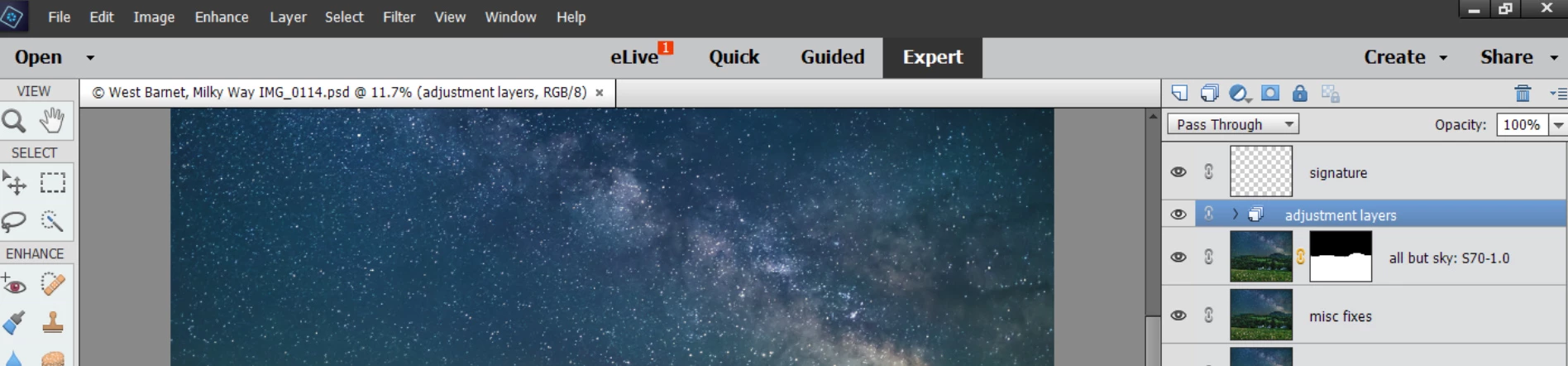
I use PSE just about every day, version 15, Expert mode only, using Windows 10. I launch it from a shortcut to the PSD that brings me directly to the PSD file in Expert mode. I never use Organizer. I've been working on a particular photo for a couple days now, and all of a sudden I get the "Open / Menu / Quick / Guided / Expert" screen with the default set to "Guided". See the screen shot below (note: I went to Export mode to create the screenshot, so that is what is showing in the screenshot, but initially it was in Guided).
So how can I go directly to Expert mode? I don't even want the menu where you have to pick the mode. It's been working fine for years, and all of a sudden this happened. I don't see anything in PSE settings for this. I don't want to try all sorts of resetting those settings back to defaults since that will probably cause more problems.
I did try searches on this forum for the problem and found several matches, but none of them seemed to include a resolution.
Thanks.


 AdChoices