
Participant
July 9, 2022
Answered

not full screen

  • July 9, 2022
  • 1 reply
  • 285 views

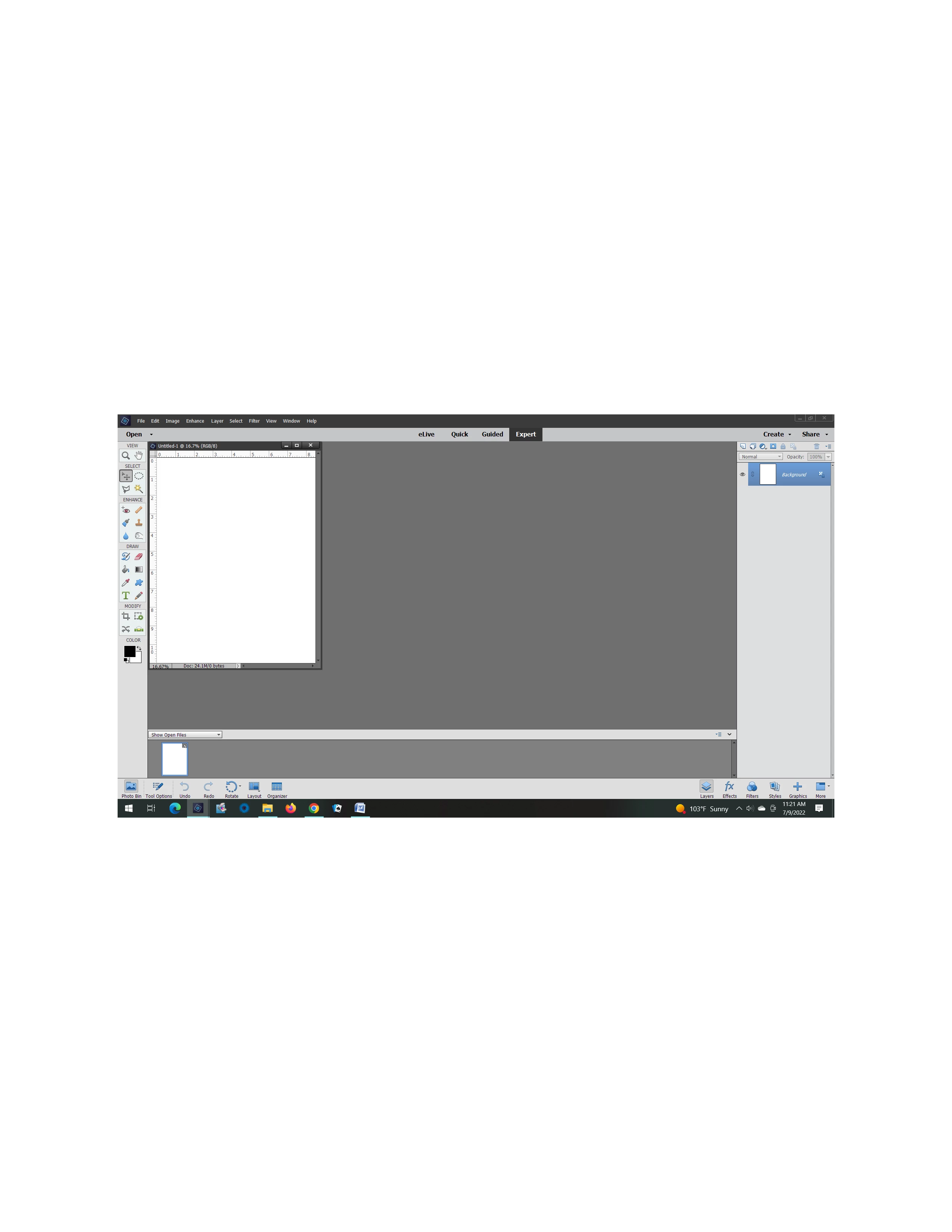
When I open a new document or image it isn't full screen but a little square up in the corner that I have to drag down & expand. I'm using PSE 15 & it just started doing this. I must have accidentally changed a setting but I don't know which one or how to fix.

This topic has been closed for replies.
Correct answer Greg_S.

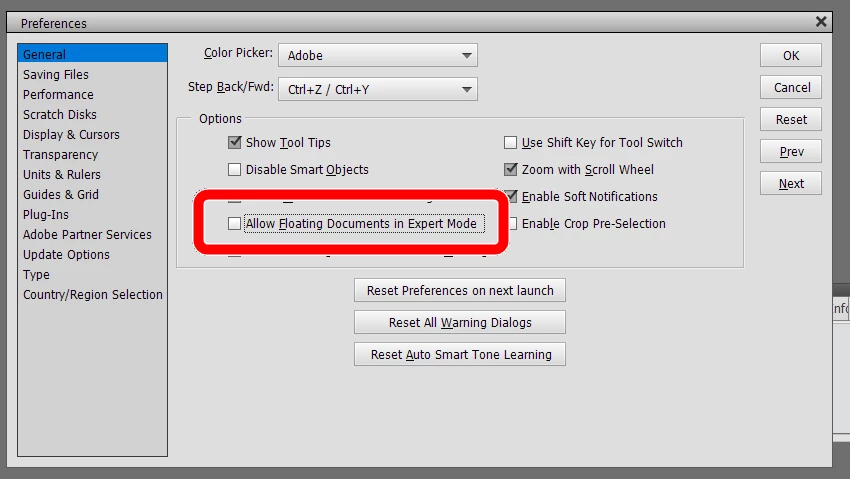
Go to Edit>Preferences>General.  (Ctrl+K)  Uncheck the Allow Floating Documents in Expert Mode box.


1 reply

Greg_S.
Community Expert
Greg_S.Community ExpertCorrect answer
Community Expert
July 9, 2022

Go to Edit>Preferences>General.  (Ctrl+K)  Uncheck the Allow Floating Documents in Expert Mode box.


Participant
July 10, 2022

Such a simple fix, thank you.