

Glenn 8675309
Legend
March 17, 2026
Answered

Old versions of Photoshop Elements no longer in Adobe Product listing in my account

  • March 17, 2026
  • 4 replies
  • 126 views

Went to my adobe products page and noted all my old versions, prior to pse 2020 are no longer listed.   Not that big of a deal- I only use them to help answer questions.   

I used to have all versions of PSE back to pse 2010, now my product listing stops at pse 2020.


I seem to recall reading here that others have had the same thing happen.

I have not changed payment method or account info in years.

Anyone else note this?
    Correct answer Jeff Arola

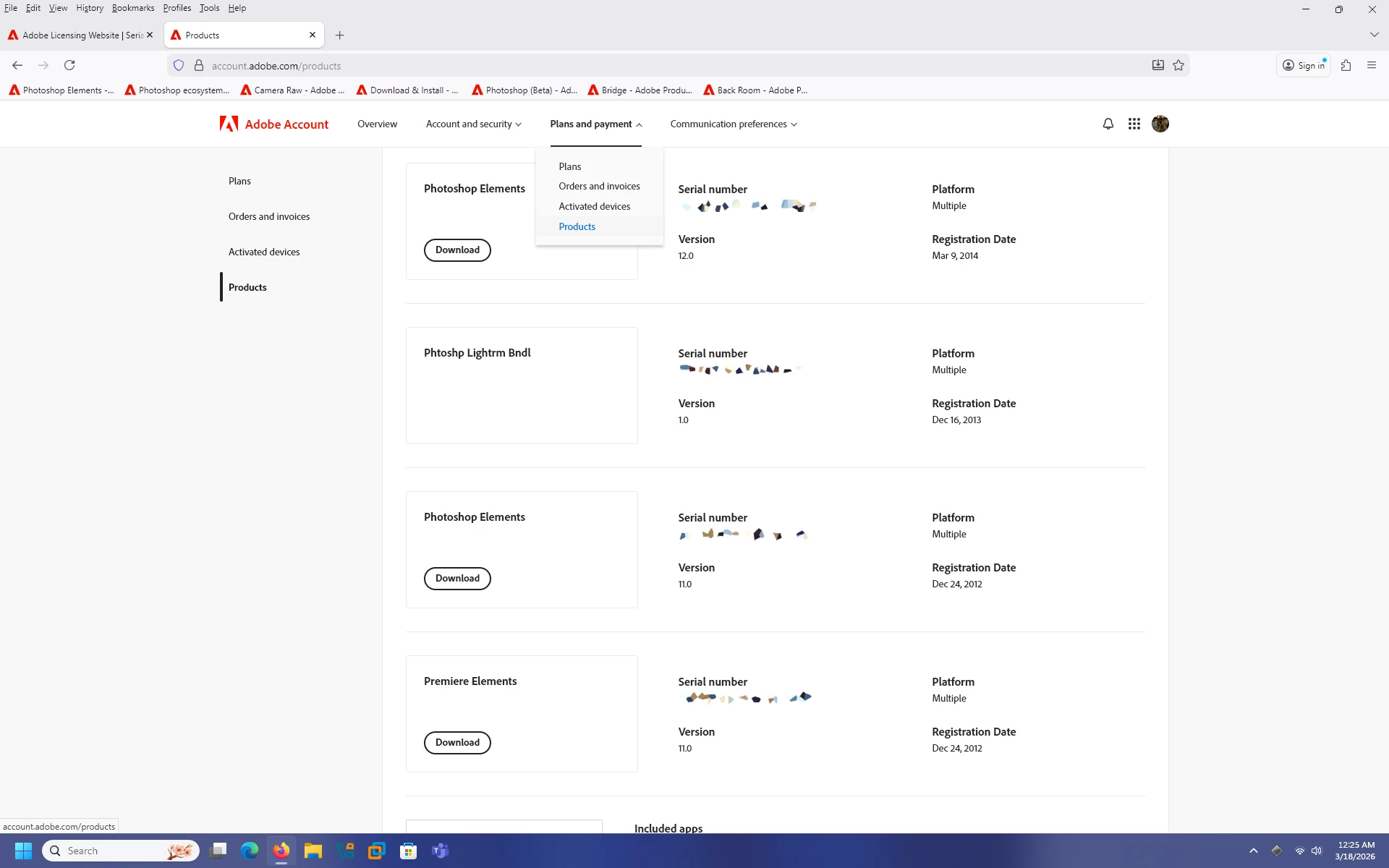
    On your accounts page are you looking under Plans and Payment>Products?


    This is on a Windows 11 machine.

    Also verified i see the same as below on macOS Tahoe 26.


    4 replies

    Glenn 8675309
    Legend
    March 18, 2026

    Yeah its all there.   I finally made a backup copy of all the serial numbers into a pdf and stored it on multiple hard drives.   It’s also one of those things I will put into a document protector- which goes into a special 3 ringed binder that contains info like subscriptions and things I “paid good money for”-- like my subscription to Photoshop.   Yeah, it’s all on line , but I’m a bit old school.    I have all my poser info saved, but, have not touched it in a few years It did install fine in win 10, it will probably work in win 11.   I stick with daz3d for  all my 3d modelling stuff anyway. 

    Jeff Arola
    Community Expert
    Jeff ArolaCommunity ExpertCorrect answer
    Community Expert
    March 18, 2026

    On your accounts page are you looking under Plans and Payment>Products?


    This is on a Windows 11 machine.

    Also verified i see the same as below on macOS Tahoe 26.


    Phinny
    Legend
    March 18, 2026

    Thanks Jeff you were right. All good over here.

    Phinny
    Legend
    March 18, 2026

    Same here, including manually entered DVD registration’s.  No biggie but who benefits?    

    Glenn 8675309
    Legend
    March 18, 2026

    This is an AI response, which seems pretty reasonable, I do have windows 11 now, so that might make a difference.


    Adobe product downloads may be missing from your account due to expired subscriptions, discontinued products, or unsupported operating systems. Other common causes include account synchronization issues, restrictive firewalls/ad-blockers, or the apps being installed under a different Adobe ID. Signing out and back in, or updating the Creative Cloud Desktop app, often resolves this. 


    Here are the primary reasons your Adobe products might be missing:

    • Unsupported Operating System: If your computer’s OS is too old, Adobe hides apps that are incompatible.
    • Subscription Issues: If your subscription has expired, terminated, or is not active, the download option will not appear.
    • Wrong Account: You may have used a different email address to purchase or register the software.
    • Sync Issues/Temporary Glitch: The Creative Cloud desktop app may need a refresh. Signing out of the app and signing back in can resolve synchronization issues.
    • Discontinued Products: Some older Adobe products (e.g., Muse, older Lightroom) are no longer supported or available for download.
    • Network/Browser Constraints: Corporate firewalls, ad-blockers, or outdated browsers can prevent download buttons from appearing.