@Rammer47 said: Is there a process to stack in bulk?
The only way I can think of is to use the Find>By Visual Search>Duplicates tool. I recommend that you do this folder by folder. This gives you suggestions for stacking with a one-click button to stack the visually similar duplicate photos. But as you will see from my screenshot below, sometimes it will pair the jpeg/raw photos and sometimes it will group multiple similar photos. (All jpeg/raw photos should be in the same stack.)
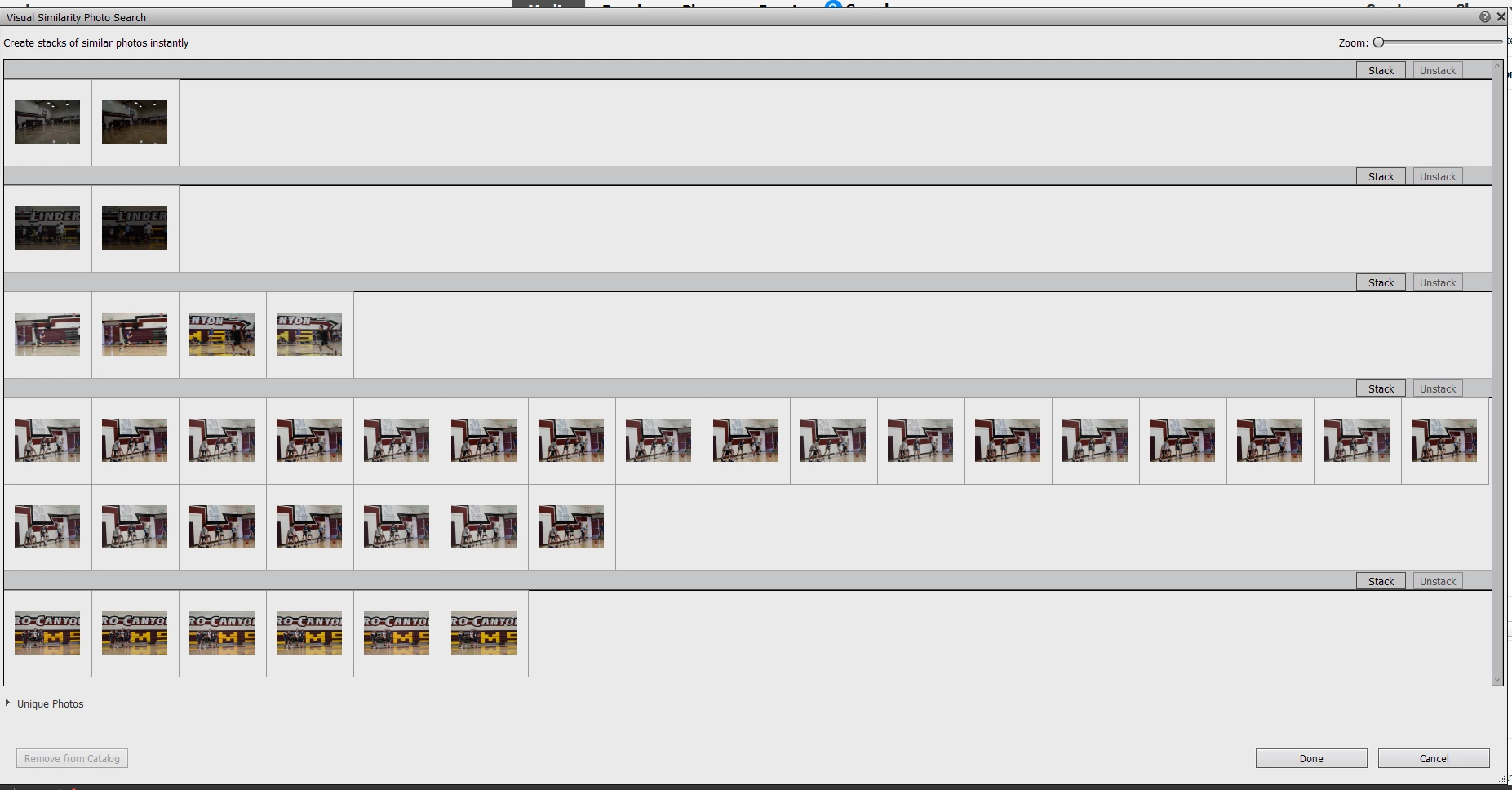
Other problems with this tool:
- The raw/jpeg photos are not placed in the same order as the media grid. So, in my above screenshot, one group is in the following order: jpeg, raw, raw, jpeg.
- You have to hover over a thumbnail to see the file name
- If you simply click the Stack button for the group, all of the photos in the group will be stacked together and the first photo will be the one that is displayed in the Media grid. (I tried selecting several photos in a group in random order and could not find a consistent pattern to which file landed on top of the stack.)
With respect to jpeg/raw pairs, you can select one or the other, followed by the duplicate. When you click the Stack button, the first selected photo will land on top (at least it did in my experiments). It's not clear whether you want all jpegs on top or all raw files. That is a personal choice and I can make arguments for doing it either way. And see the article linked above to show other options for changing or selecting the top photo.
This is not a totally automatic solution, but depending on your needs, it may speed up the process for you.




 AdChoices