Participant
March 10, 2022
Answered

Opening up more than one photo at a time

  • March 10, 2022
  • 2 replies
  • 808 views

Hi.  I just got Photoshop Elements 22 yesterday.  The version I have been using was 7.0.  A lot of times I take a lot of photos in a row that are very similar.  What I did with 7.0 is I would open up a row of the photos.  There were 8 in a row.  I could open up more, but 8 was manageable.  They would load like stack of cards, one on top of the other.  I would then open up two at time and delete the one I didn't like or delete both and go on to the next.  When I found one I liked, I would save it.  With this new version, I can't figure out how to do that.  The photos go in the bins in the bottom, but will only open up one at a time.  Is there a way to open several at time like I had been doing?  Thank you for your time.  Elaine

This topic has been closed for replies.
Correct answer Greg_S.

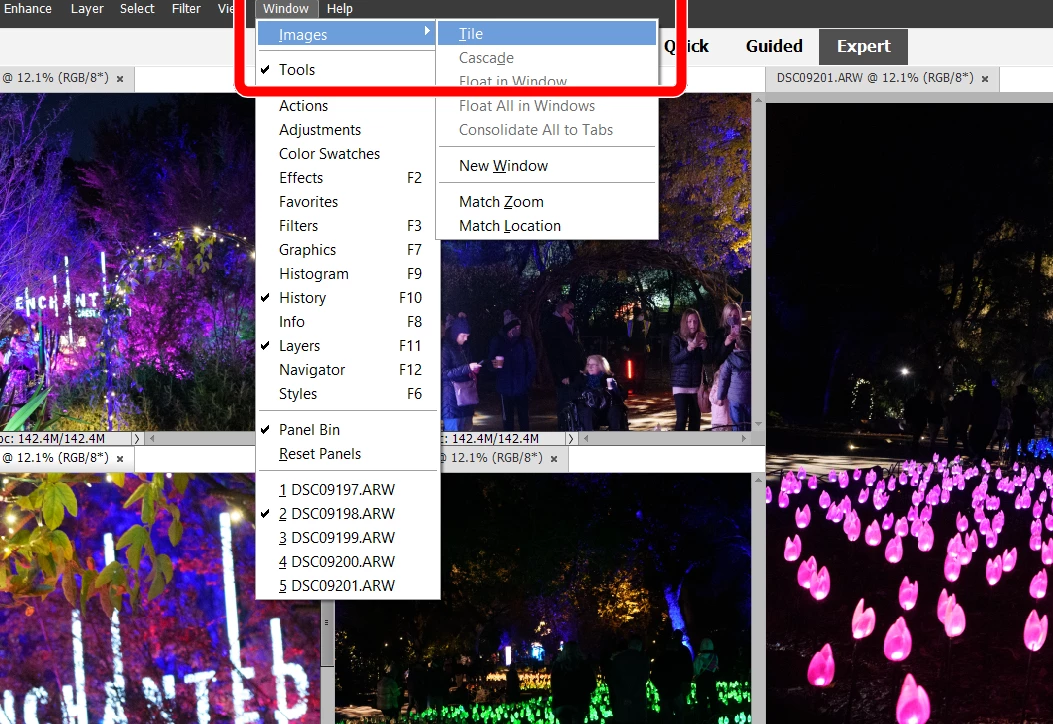
You can tile multiple images (without changing the default non-floating windows in Edit>Preferences) by going to the Window>Image menu:


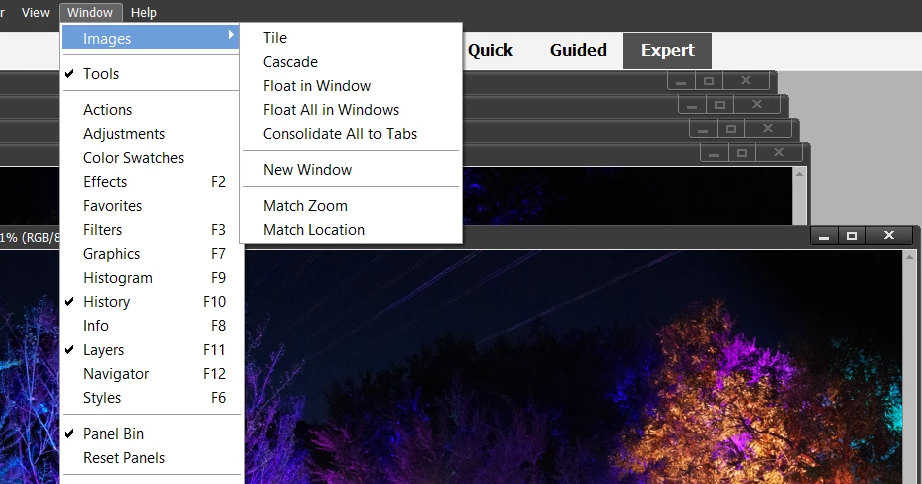
 However, if you make the change suggested by Bob, the other options become available, and you can cascade the images or tile them and move them around freely:


2 replies

Greg_S.
Community Expert
Greg_S.Community ExpertCorrect answer
Community Expert
March 12, 2022

You can tile multiple images (without changing the default non-floating windows in Edit>Preferences) by going to the Window>Image menu:


 However, if you make the change suggested by Bob, the other options become available, and you can cascade the images or tile them and move them around freely:


Participant
March 18, 2022

Thank you Greg.  You have been very helpful.  Elaine

Peru Bob
Community Expert
Community Expert
March 10, 2022

Make sure you are in Expert Mode.

Edit > Preferences > General and check the box that says Allow floating windows in Expert Mode.


Participant
March 18, 2022

Thank you so much for your help....that is exactly what I was looking for.  Elaine