Participant
October 11, 2017
Answered

Option for Auto Selection

What does "constrain results to the inside of the selected region" do in the Tool Options for the new Auto Selection tool in PSE 2018?

This topic is closed to new replies. Start a new post to keep the conversation going.
Jeff Arola
Jeff ArolaCorrect answer
Community Expert
October 12, 2017

That means nothing will be selected outside the initial selection you made.

Also applies to additional selections made as well.

That is nothing will be selected outside the selected areas you specified.

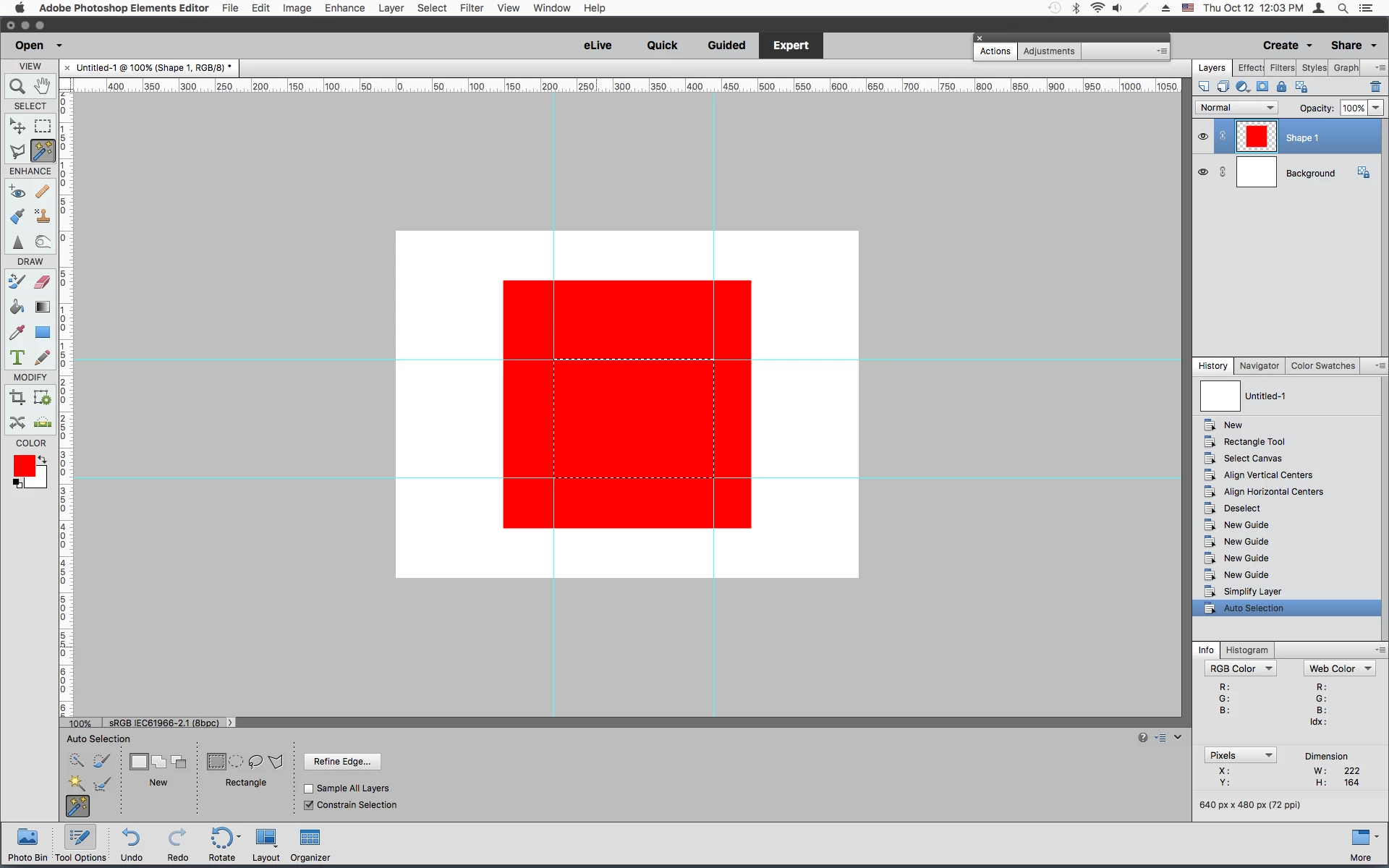
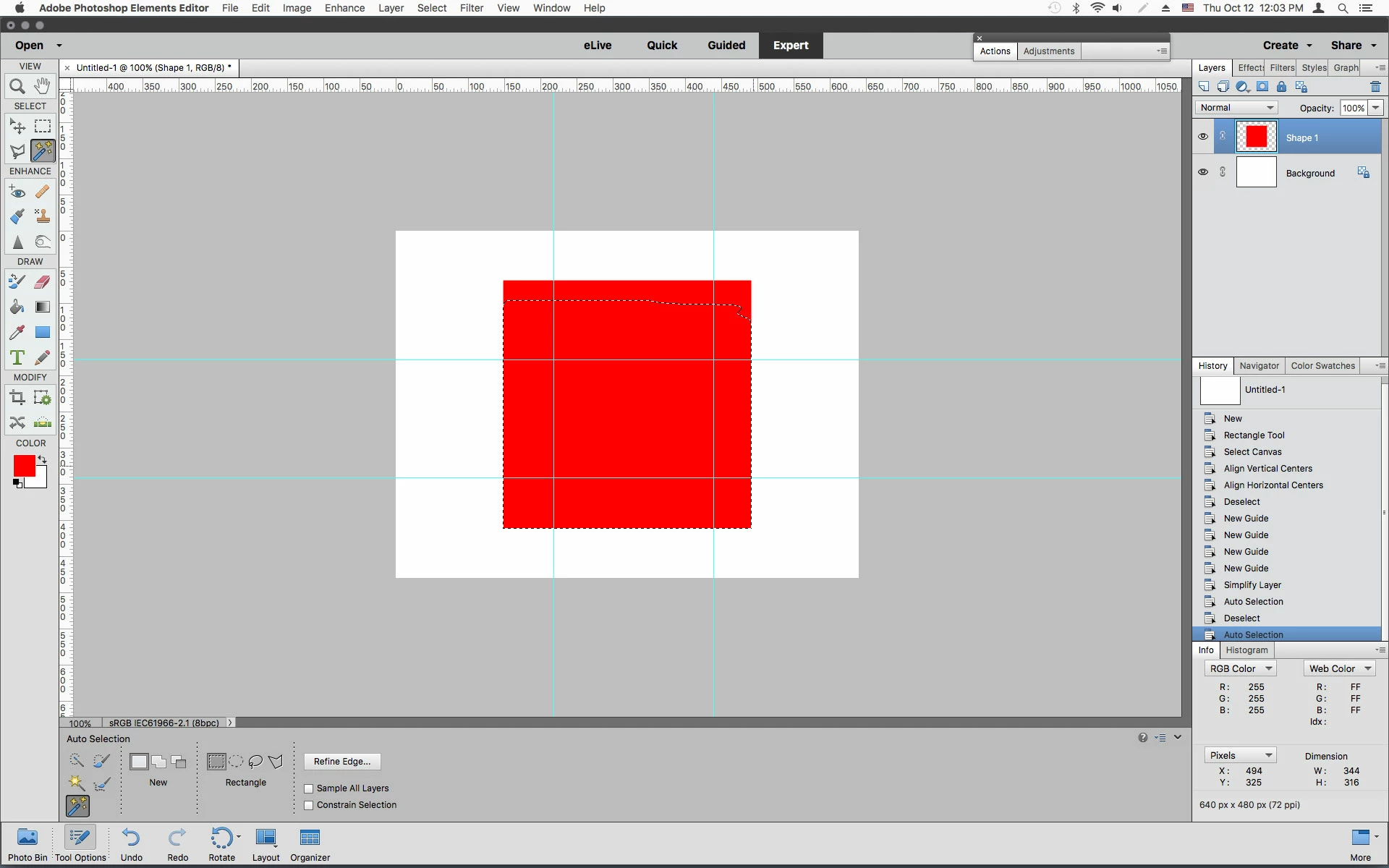
As in the simple example below using a red square, a selection made with Constrain Selection checked

stays the same size with nothing selected outside the initial selection.

With Constrain Selection unchecked the selection goes outside the initial selection.

I put the guides there so the initial selection would be same with or without Constrain Selection checked.

2 replies

Jeff Arola
Community Expert
Jeff ArolaCommunity ExpertCorrect answer
Community Expert
October 12, 2017

That means nothing will be selected outside the initial selection you made.

Also applies to additional selections made as well.

That is nothing will be selected outside the selected areas you specified.

As in the simple example below using a red square, a selection made with Constrain Selection checked

stays the same size with nothing selected outside the initial selection.

With Constrain Selection unchecked the selection goes outside the initial selection.

I put the guides there so the initial selection would be same with or without Constrain Selection checked.

Translate
freeAuthor
Participant
October 15, 2017

Hey Jeff,

Crystal clear! Thank you so much for taking the time to not only answer the question correctly but to make the visuals to see it in action.

Rick

Translate