
Known Participant
January 15, 2019
Question

Organiser window resizing incorrectly and different to Editor.

  • January 15, 2019
  • 1 reply
  • 440 views

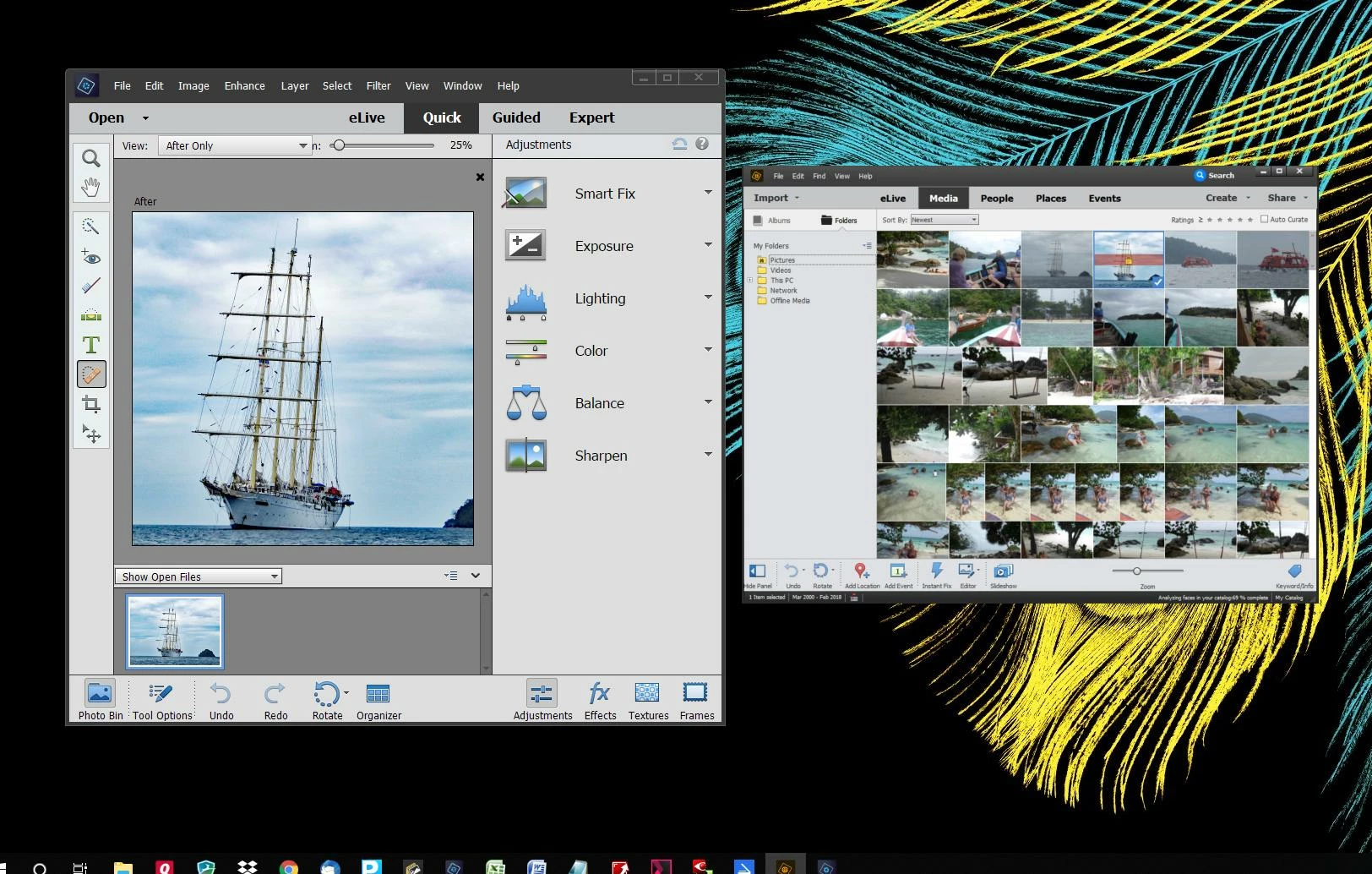
I am using PS Elements and a Windows 10 laptop with an additional monitor. Until recently both Editor and Organiser resized correctly like all other programmes and apps if their window is moved from the 14.5" laptop at 1920 x 1080 to the 24" extended display also at 1920 x 1080. Organiser has now stopped doing so. It sometimes resizes correctly when split across both displays but shrinks when entirely on the larger screen. I can have windows with Editor and Organiser the same size on the laptop screen, (e.g. same height), if I move both to the monitor  they are quite different sizes with smaller font etc. as shown below. This makes it much harder to work with.  Any suggestions?
    This topic has been closed for replies.

    1 reply

    Greg_S.
    Community Expert
    Community Expert
    January 15, 2019

    I don't know if this will work with your setup, but in Win 10, you can split the screen into two with an open window on each side by dragging one program's title bar to the left side of the screen and the other to the right.

    slastAuthor
    Known Participant
    January 16, 2019

    Thanks but I don't think that's the issue. They are both scaled correctly and the same on the laptop, but Organiser isn't rescaling properly when dragged onto the larger monitor. Weirdly, it DOES rescale correctly while the window is being dragged from the primary screen (laptop) to the extended one, until there is more than 50% of its width on the extended screen when it snaps back to the smaller size.