Output To: Selection (not avaiable (grayed out)) in 'Refine Edge Tool'
Hello Community,
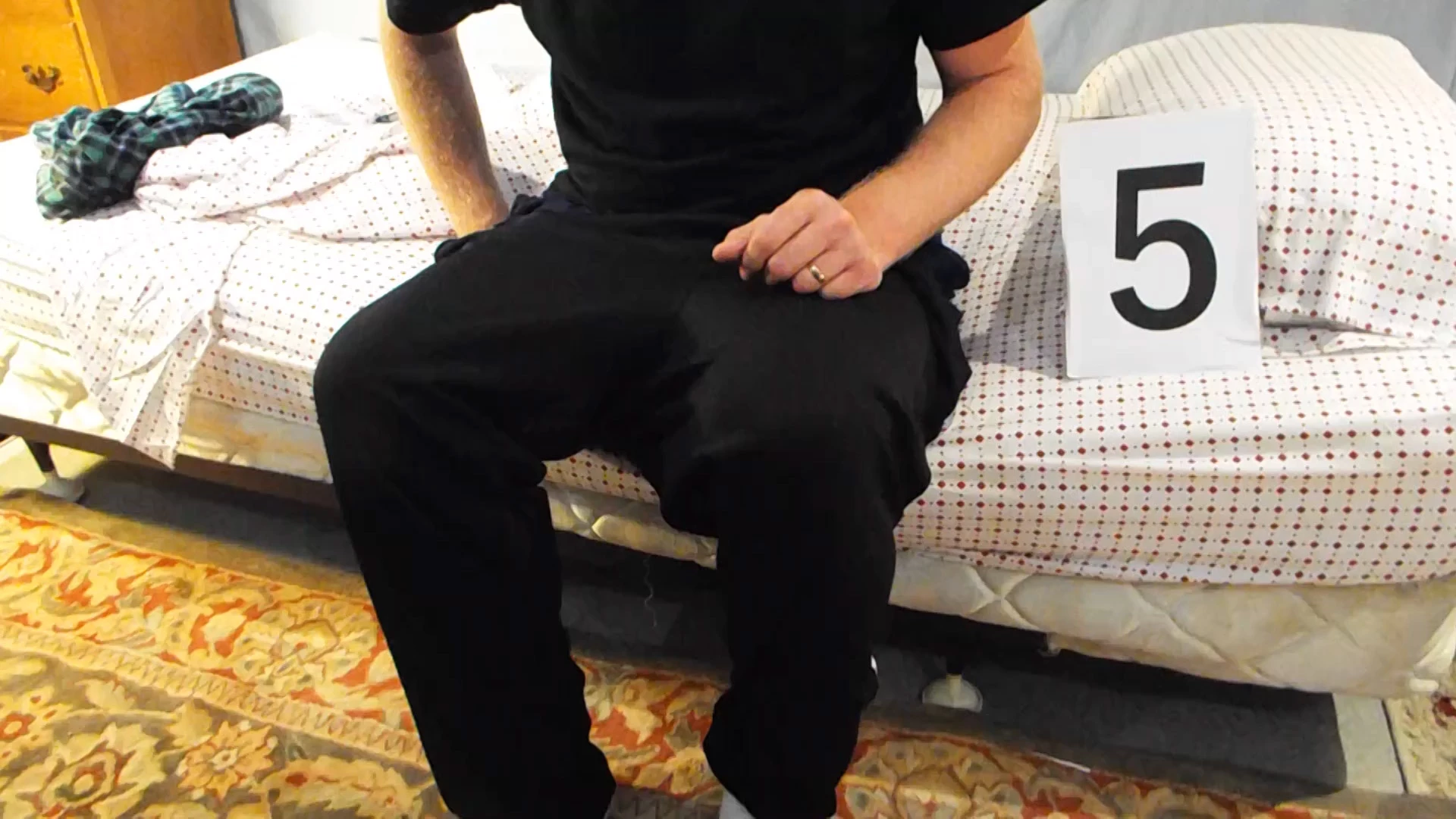
In my endless search to find better ways to Sharpen the edges of my subject (my friend Davis seated on edge of bed, see pic below) i have found a posting that looks very promising; 'Quick Mask-Style Selections in Photoshop Elements' Posted on August 16, 2013 by David Asch http://www.tipsquirrel.com/quick-mask-style-selections-in-photoshop-elements/ .
In esscence, its a workaround in elements that will accomplise the same thing (turning the area inside your slection a semi-opaque red so that you can see what part of the image you have/have not, selected) in Premiere Elements just like the 'Quick Mask' does in Photoshop.
What's the advantage? It allows me to see my image while i'm working.
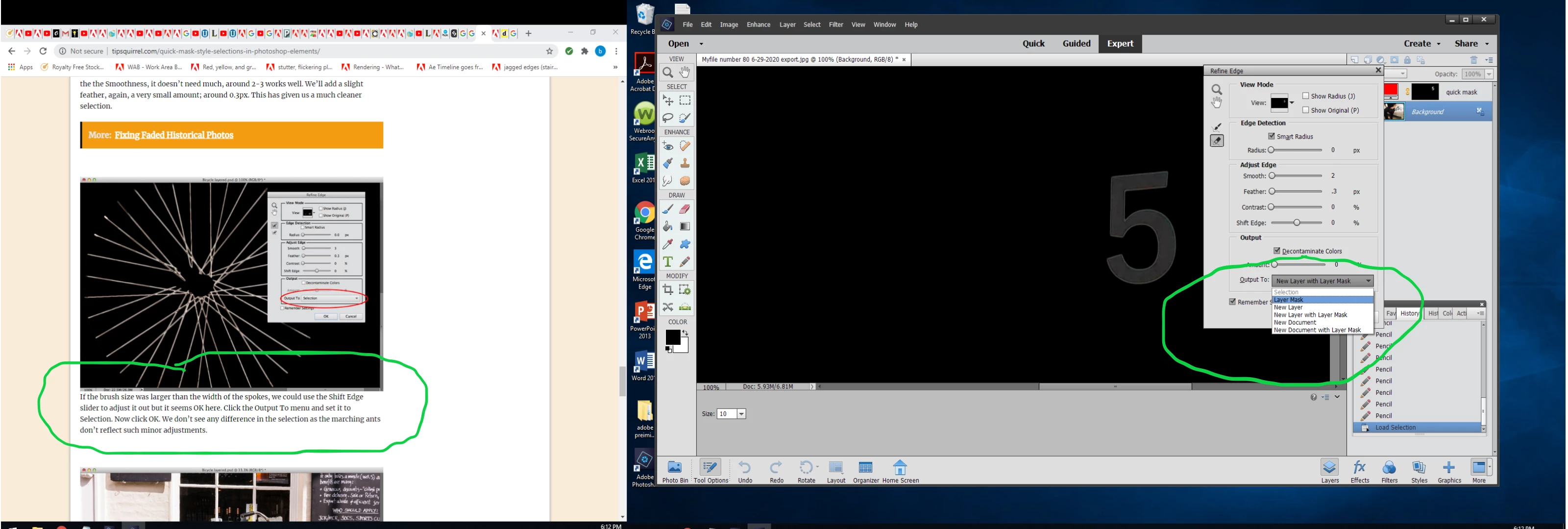
After my selection I used the 'refine edge tool' (per the procedure) to make the edge of my selection look better ( I had selected the number '5' in the pic show below).
However, in one-of the final steps of the procedure it states to "Click the Output To: menu and set it to Selection " (which is circled in green in the pic below). Problem being, 'Selection' is not an available option (grayed out).
Not sure what i'm doing wrong. Hoping someone with a whole lot more experience can give me a little guidence.
Thank you for your time. I really appreciate your help in guiding me thru the last few steps of this process.
Brian
 AdChoices