
Question
Pattern fills do not appear to match the pattern thumbnails
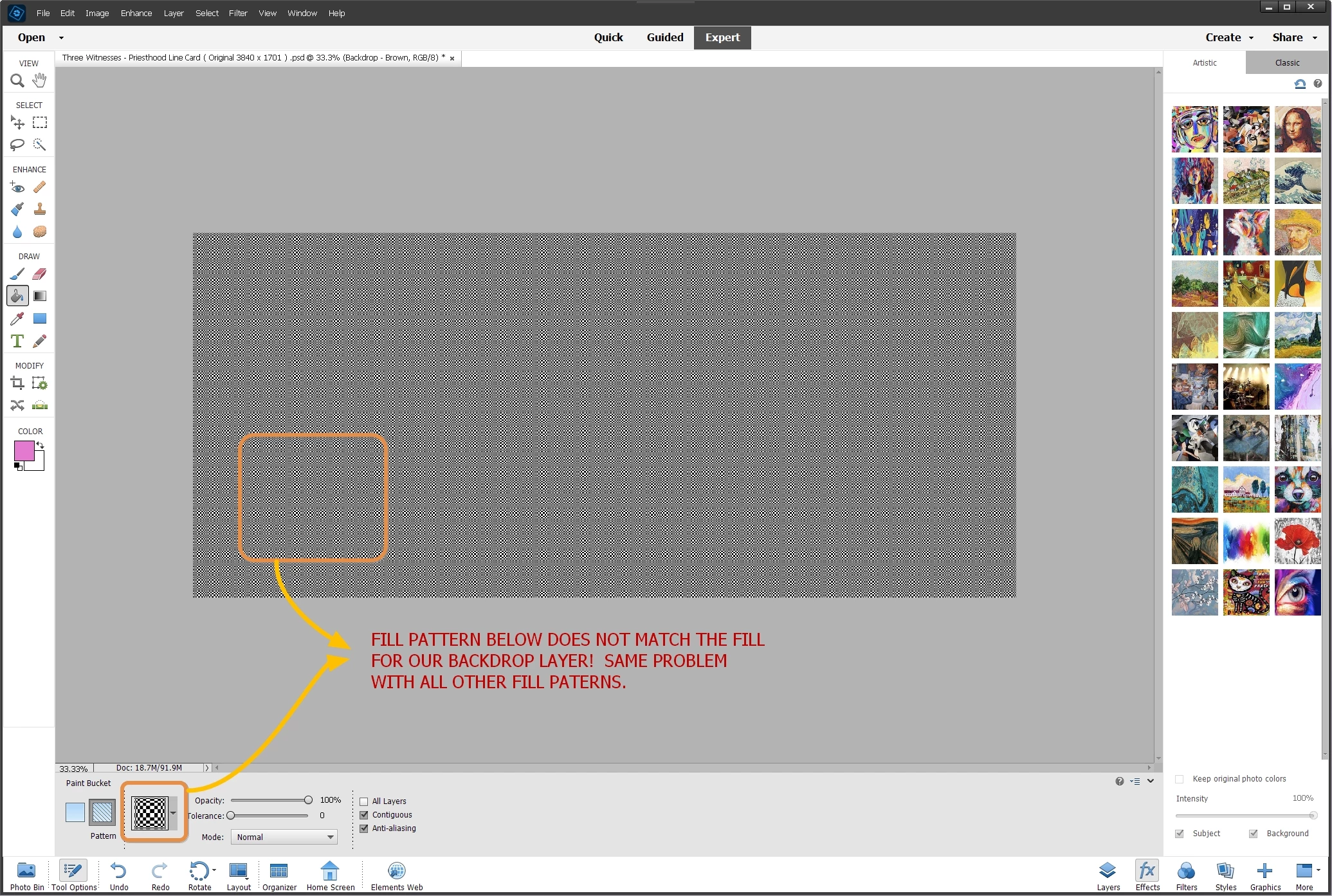
Our patterns, using both the fill and stamp tools, do not appear to match the thumbnail selected. We suspect the thumbnail pattern is being created in very, very small tiles that do not visually emulate the pattern. We see no way of enlarging the pattern tiles to fill our layer similar to the thumbnail. Interestingly, the ROCK patterns fill the backdrop layer fine. We're not sure if this is due to an abnormality or poor settings on our part. We are using Photoshop Elements 2023 on a Windows 11 computer. Thank you for any help. Please see our illustration below for an example:


 AdChoices