
2021AnnieM
Known Participant
February 21, 2024
Answered

pencil sketch

  • February 21, 2024
  • 2 replies
  • 221 views

how do you get the pencil sketch levels button to work? 2021 version

This topic has been closed for replies.
Correct answer Greg_S.

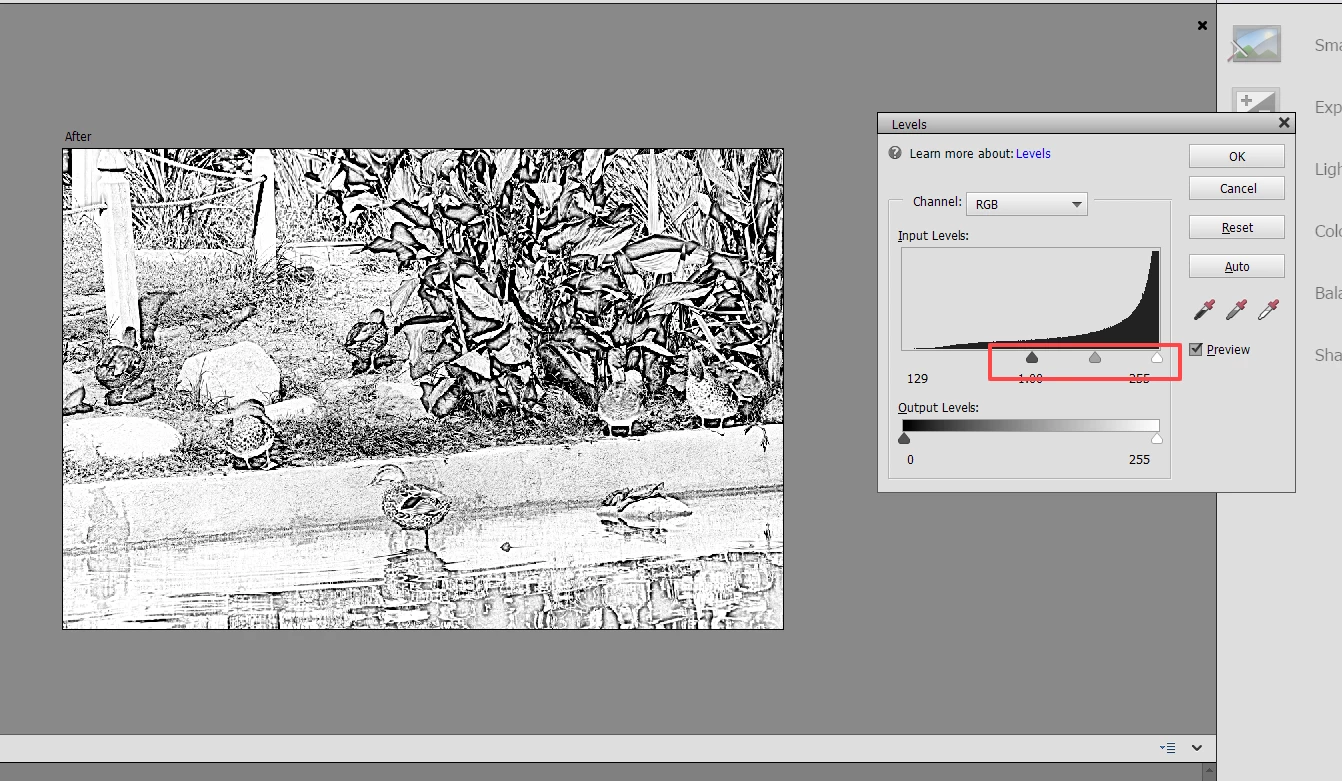
I just reread your question.  Do you want to adjust the contrast of the pencil sketch using the Levels command?  If so, simply press Ctrl+L which will bring up the Levels dialog and you can adjust the sliders.
 

2 replies

Greg_S.
Community Expert
Greg_S.Community ExpertCorrect answer
Community Expert
February 21, 2024

I just reread your question.  Do you want to adjust the contrast of the pencil sketch using the Levels command?  If so, simply press Ctrl+L which will bring up the Levels dialog and you can adjust the sliders.


2021AnnieM
Known Participant
February 22, 2024

Thank you.  The levels button on the panel doesn't do anything.  Your answer fixed it.

Greg_S.
Community Expert
Community Expert
February 21, 2024

What problems are you having?  If you are in Quick View, a photo has to be open.  Then, you simply click on the Pencil Sketch button.