
Participant
August 7, 2025
Answered

Photo Editor 2021 Windows 11 - The application was unable to start correctly (0xc000007b)

  • August 7, 2025
  • 1 reply
  • 170 views

Trying to reinstall 2021 Elements on a new Windows 11 laptop. The Elements program runs fine on my 4 year old Windows 11 laptop. I can start Elements ok on new laptop however, when I try to start Photo Editor I receive the Application error mentioned above. Also copied msvcr100.dll and msvcr80.dll from my old laptop to my new laptop windows/systerm32 directory with no luck. After copy I closed Elements and rebooted, same error. 
Correct answer Greg_S.

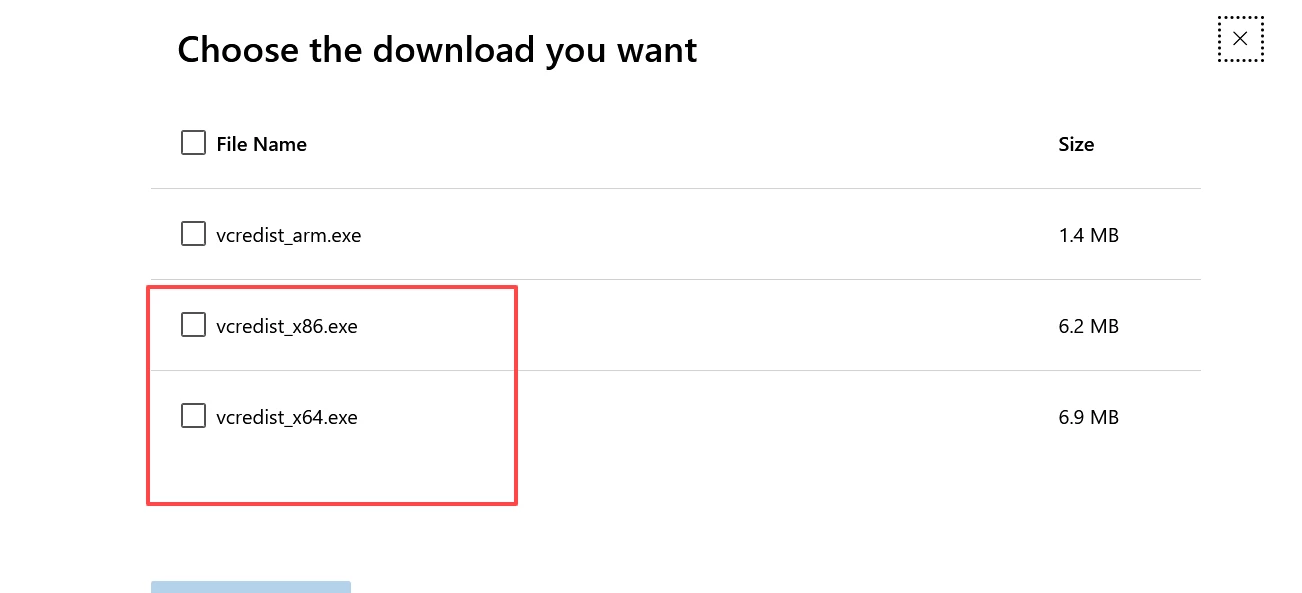
Try downloading and installing the 2013 Visual C++ files from this Microsoft link.  I suggest that you donwload both the x86 and x64 files.


1 reply

Greg_S.
Community Expert
Greg_S.Community ExpertCorrect answer
Community Expert
August 9, 2025

Try downloading and installing the 2013 Visual C++ files from this Microsoft link.  I suggest that you donwload both the x86 and x64 files.


Participant
August 11, 2025

Success! Thanks very much Greg_S . The only thing else I had to do was to find my serial number which I finally did. Happy I don't have to pay a license fee every 3 years like Adobe wants for the most recent version.

I own Adobe Photoshop Elements 2021 on my Windows 11 Laptop