
Photos suddenly loading darker in Elements than original image.
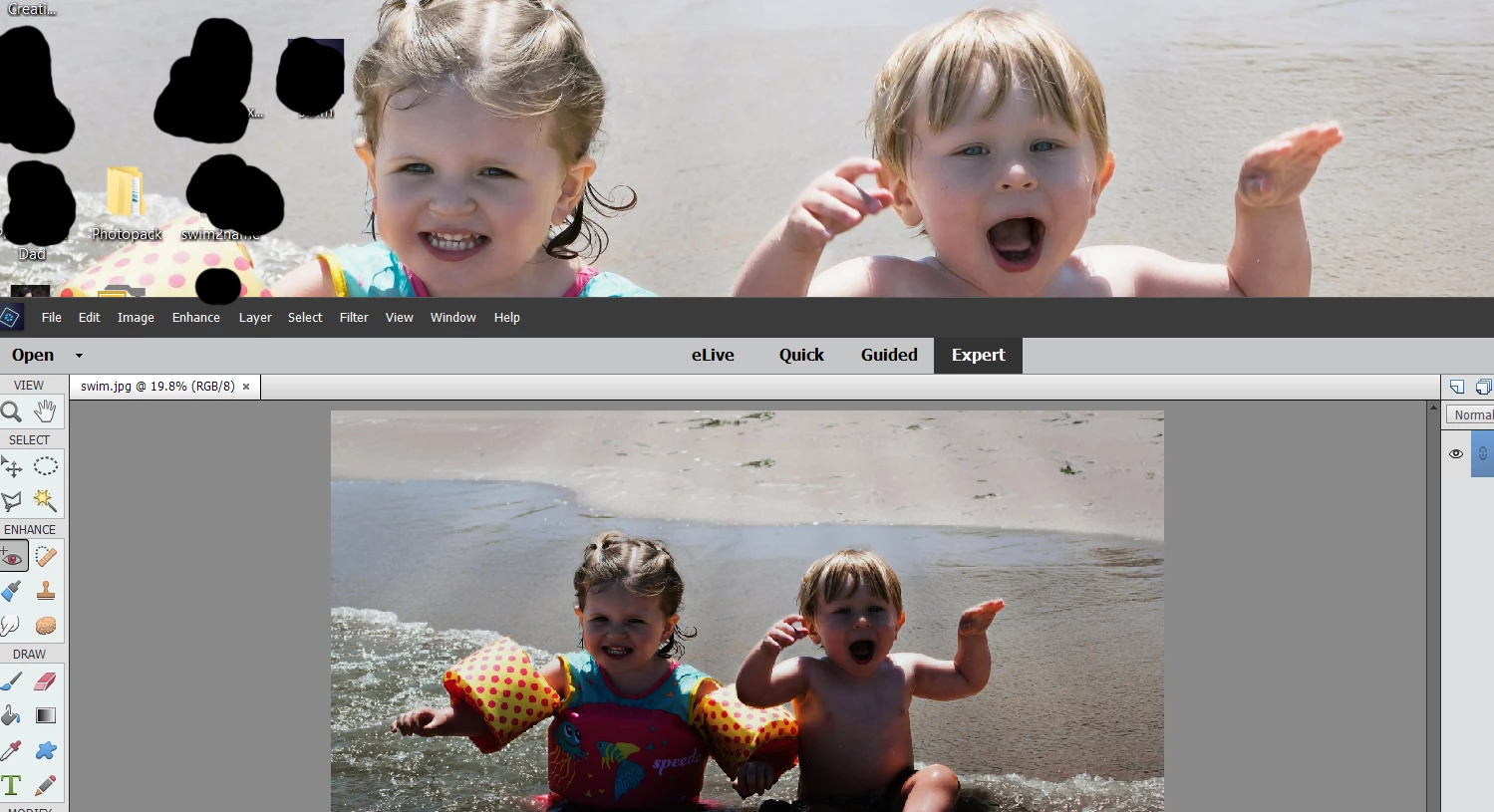
I got on my computer today after not loading Elements for almost a week. I was going to edit the rays in this photo. Once I opened this up in Elements, the photo is significantly darker than the original. I set the same photo on my desktop how it was originally saved, and even opened it up in Windows Photo View to see. It's all viewing how it's suppose to. I tried opening other photos in elements and it is doing the same thing; opening them dark. I do not know what happened but I have no clue how to fix it. Is there a setting somewhere in Photoshop that I am missing or somewhere on my computer itself? I do know that Windows 10 did update the other day. Could this caused a fluke with my Elements? I am suppose to do a photo shoot soon but I can't do it if I cant get my elements working to where I can edit my photos properly. Any help would be greatly appreciated... I am at a loss. The image above is an example of what I am talking about. Same photo as a desktop. Opened in Photoshop it looks like this.
Thank you.
 AdChoices