
Answered
photoshop element 15; problems with the clone stamp
Hi,
I am have problems with the clone stamp when I move the mark on the picture, the whole picture moves on the same picture?

Hi,
I am have problems with the clone stamp when I move the mark on the picture, the whole picture moves on the same picture?
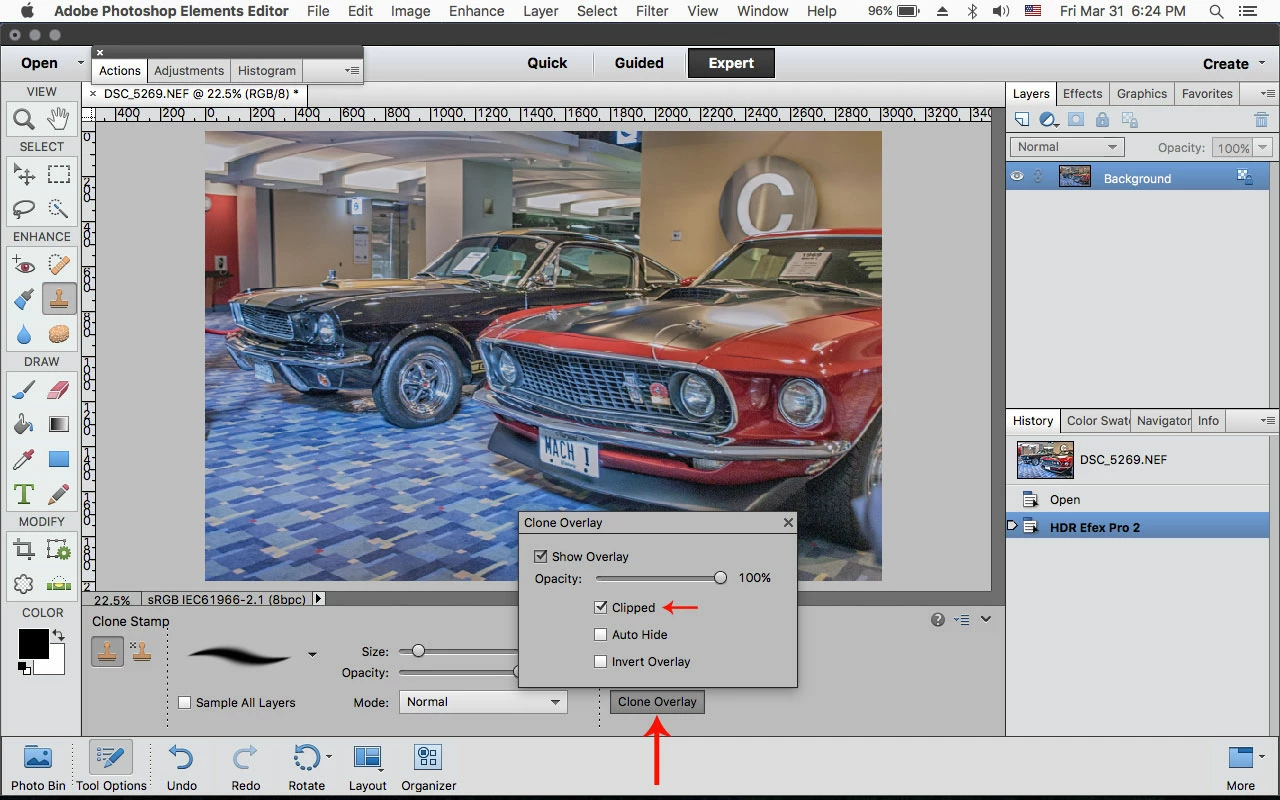
In the Clone Stamp Tool Options click on Clone Overlay and then click on Clipped and see if that's better.
Already have an account? Login
Enter your E-mail address. We'll send you an e-mail with instructions to reset your password.
 AdChoices