Participant
July 28, 2018
Answered

Photoshop Elements 10 - all screw-up

  • July 28, 2018
  • 1 reply
  • 508 views

All of a sudden, today  (Saturday July 28, 2018), when I open Photoshop Elements 10 (purchased 2012), the working window is too big for the computer screen.  I can move it down & L&R, but cannot get to to the bottom to resize it to fit the screen.  Then It is like nothing I've seen before (have used for 5 years).  Where there was black working space, it is now clear & my blue computer screen shows thru.  When I open a new page, it is a seperate window that I can move around.  Sorry, I can't explain this any better.  Is this Photoshop 10 obsolete. corrupted, or trashed?
    This topic has been closed for replies.
    Correct answer Jeff Arola

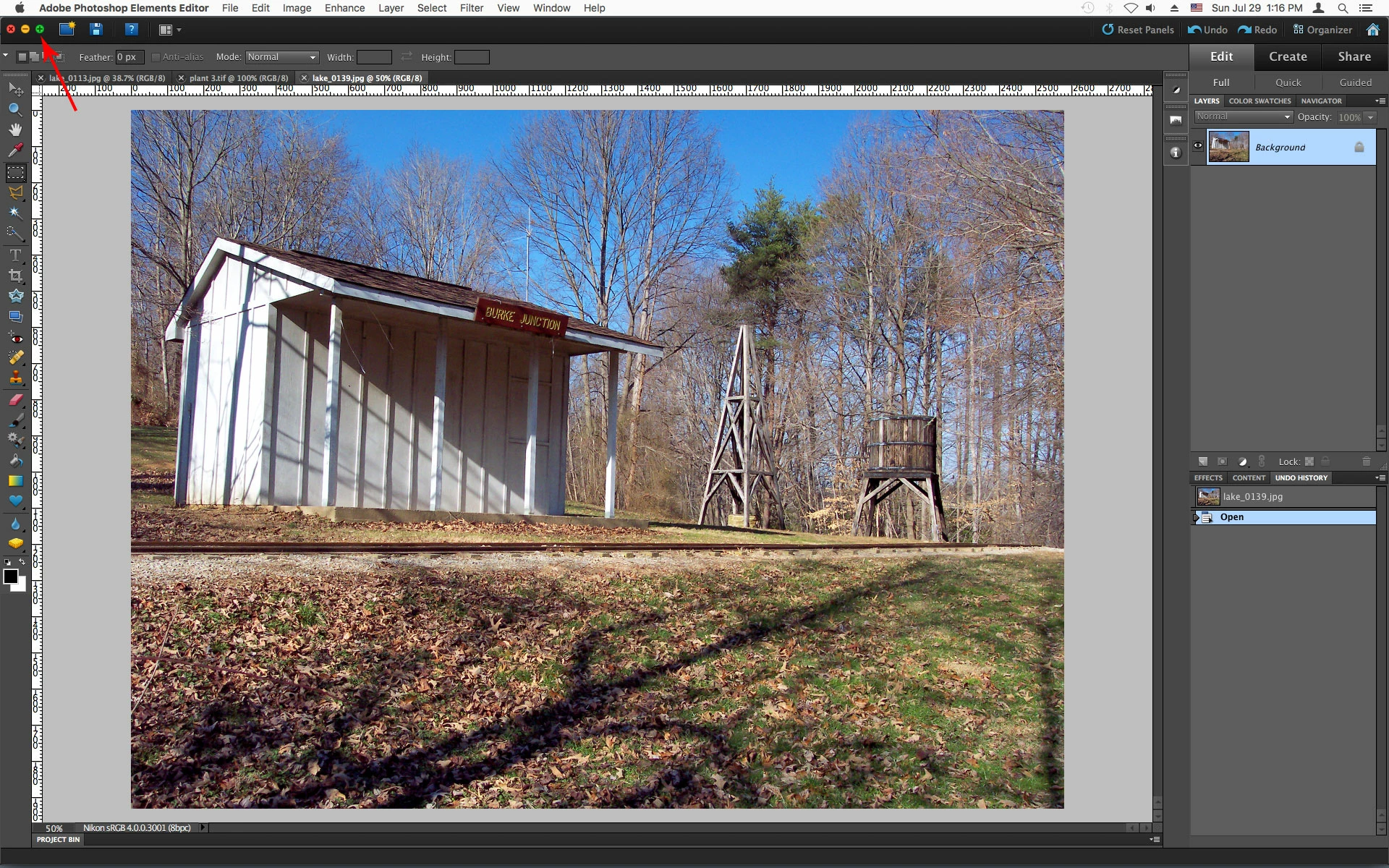
    To fit pse 10 to your screen click on the Green Maximize button in the upper left of the pse 10 workspace.

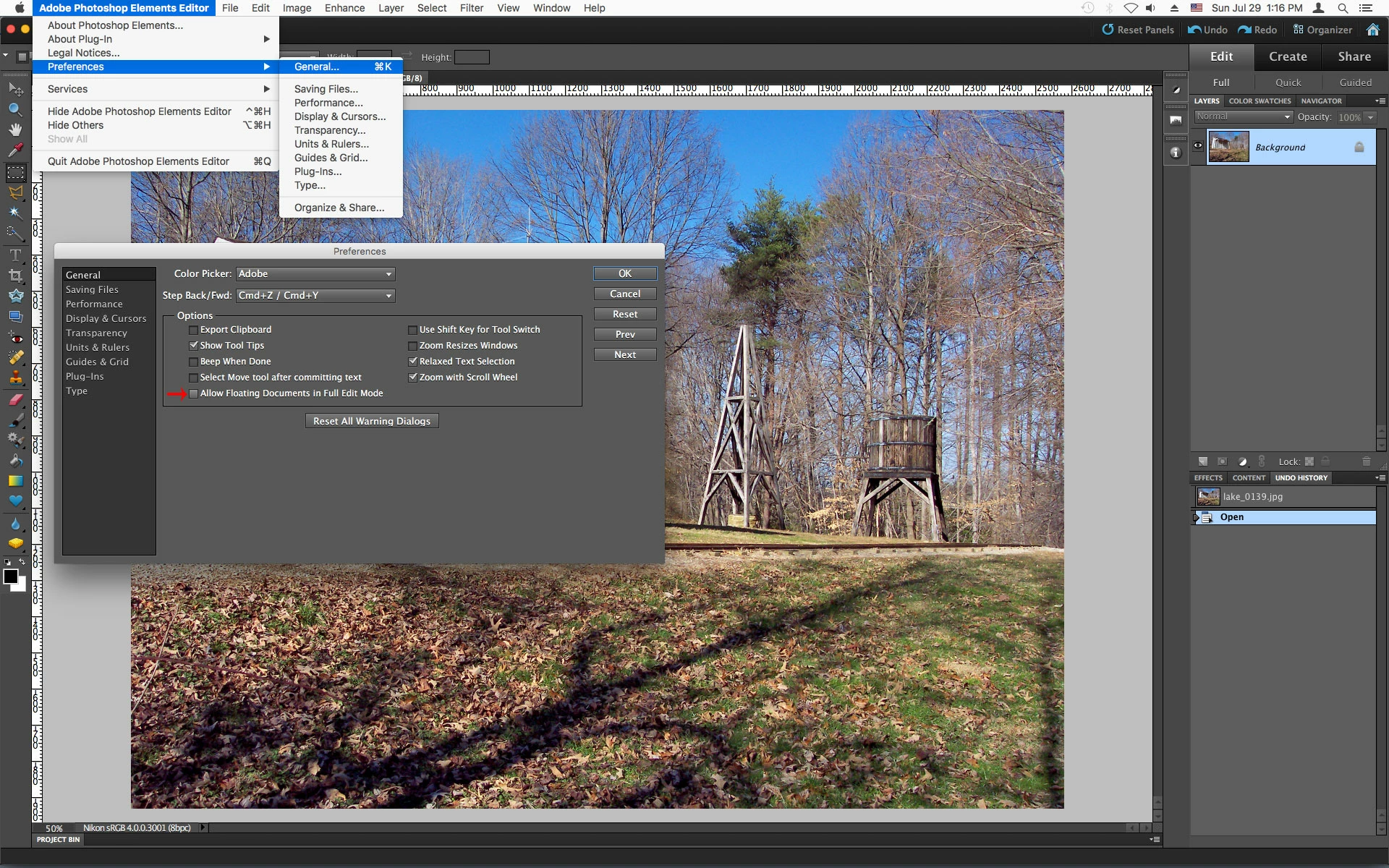
    To open documents as tabs go to Adobe Photoshop Elements Editor>Preferences>General and uncheck Allow Floating Documents in Full Edit Mode.

    1 reply

    Jeff Arola
    Community Expert
    Community Expert
    July 28, 2018

    Sounds like your on a mac.

    In the photoshop elements 10 Editor go to Window and click on Application Frame.

    DoHoGoYoAuthor
    Participant
    July 29, 2018

    Yep - Mac.  Did what you said - Application frame - and I'm back to normal.  Thanks.  However, the working space/image as shown above is still too big for me to reach the lower right-hand corner to resize.  (sorry but I don't know the correct terminology).  Any suggestion to get the whole working space to fit the screen of my mac?  Nothing about zoom or fit works (not avaiable).  Also still have a problem when I open an exsisting file, it opens in a new window and not part of the working space as shown in above pic.

    Jeff Arola
    Community Expert
    Jeff ArolaCommunity ExpertCorrect answer
    Community Expert
    July 29, 2018

    To fit pse 10 to your screen click on the Green Maximize button in the upper left of the pse 10 workspace.

    To open documents as tabs go to Adobe Photoshop Elements Editor>Preferences>General and uncheck Allow Floating Documents in Full Edit Mode.