
Inspiring
January 7, 2019
Question

Photoshop Elements 10 - Program Error Msg

  • January 7, 2019
  • 1 reply
  • 290 views

I have PS-E10 (v. 10.0.20110831.m.17215) on my iMac (v. 10.12.4). For the past several months I have been getting the following error message.
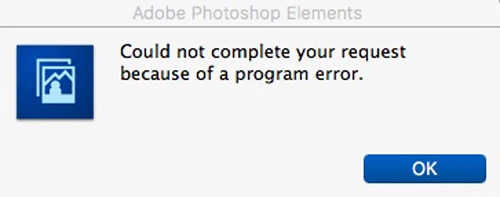
It shows up along with the icon in the Dock bouncing up and down, and it won't stop bouncing until I respond by clicking on OK. It appears to be responding to some sort of request that doesn't come from me. It mostly pops up after I wake up my iMac from Sleep. I can't figure out the source of this annoying error msg - have checked all I can with respect to any PSE (and/or iMac) setups or configurations. Strange thing is that the program seems to work fine, otherwise! Any advice please?

This topic has been closed for replies.

1 reply

hatstead
Inspiring
January 7, 2019

See if this helps:

Probably the best thing to do is reset the pse 10 editor preferences.

Press and hold the Shift+Ctrl+Alt (windows) or Shift+Command+Option (mac) keys just after starting the launch of the pse 10 editor

(you have to be quick about pressing the keys or you won't get the below dialog)

Keep holding the keys down until you get a dialog asking if you want to Delete the Adobe Photoshop Elements Settings File

Press Yes

PhlurimAuthor
Inspiring
January 30, 2019

Did as you suggest. Did not work. Still get bouncing icon in Dock, plus msg, at what appear to be random times.