Participant
July 21, 2017
Question

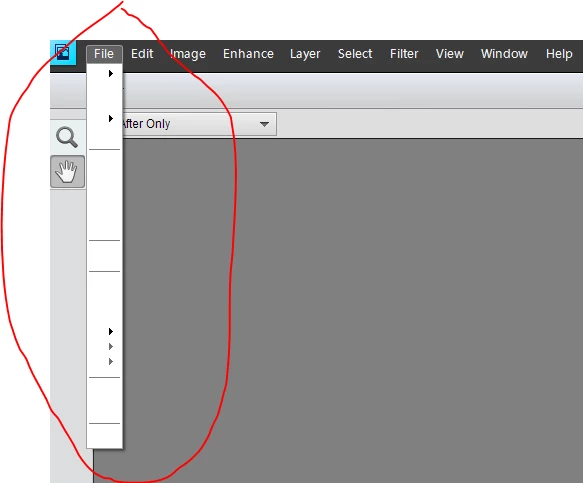
Photoshop Elements 11 Menu Bar Blank???
  • July 21, 2017
  • 2 replies
  • 1138 views

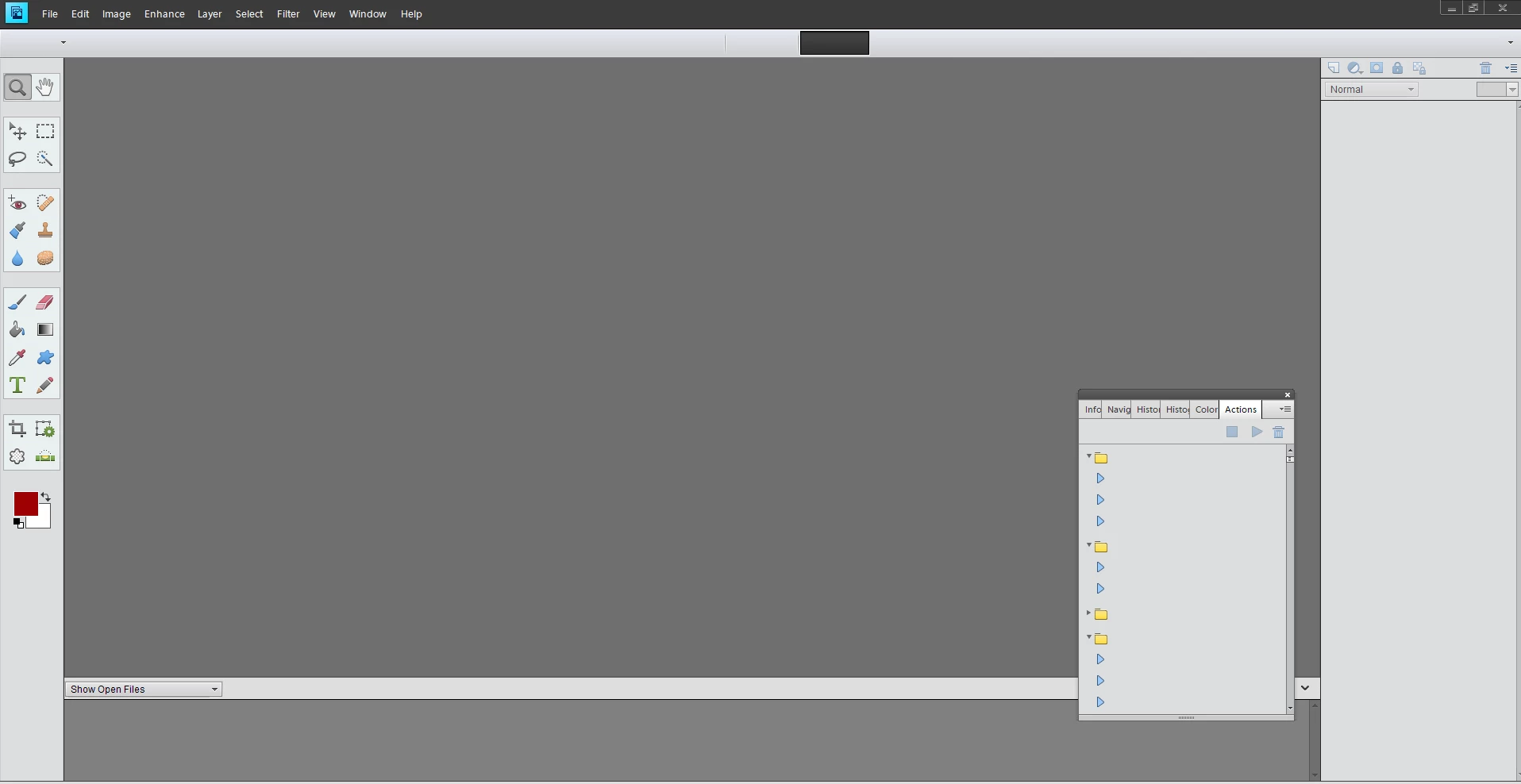
For some reason the menu bar has gone blank.  When you click on File, Edit, Image, etc there are is no info under them.  You can also see that the actions box has no descriptions in it.

Any ideas?  Uninstalled the program and rebooting the computer did not fix.

This topic has been closed for replies.

2 replies

Dhananjay Sati
Participating Frequently
July 24, 2017

Hi angelas,

Thanks for posting in Adobe forum.

I understand you are facing issue with all text missing for your menu items in Adobe Elements.

Microsoft has released a new Windows 10 update KB4016240 (Build 15063.250) that attempts to fix most of the common issues faced by users who upgraded to Windows 10 Creators Update. While no new features are being added in this update several other issues have been addressed.

Please check & follow this thread for reference.

Hope this helps.

Thanks

Regards

Dhananjay

Participant
July 24, 2017

Same problem just started, after MS upgrade to Win 10

2017-07 Cumulative Update for Windows 10 Version 1703 for x64-based Systems (KB4025342)

2017-07 Security Update for Adobe Flash Player for Windows 10 Version 1703 for x64-based Systems (KB4025376)

2017-06 Update for Windows 10 Version 1703 for x64-based Systems (KB4022405)

These were the updates, just before the problem started

Dhananjay Sati
Participating Frequently
July 24, 2017

Hi edscholfield,

Thanks for posting in Adobe forum.

I understand you are facing issue with all text missing for your menu items in Adobe Elements.

Microsoft has released a new Windows 10 update KB4016240 (Build 15063.250) that attempts to fix most of the common issues faced by users who upgraded to Windows 10 Creators Update. While no new features are being added in this update several other issues have been addressed.

Please check & follow this thread for reference.

Hope this helps.

Thanks

Regards

Dhananjay