
Photoshop Elements 15 (adjust facial features NOT working & cropping issues)
Hi. I cannot get the adjust facial features option to function correctly. When I select it, instead of showing the photo I want to edit, it has a RED background with the
editing selection circles on the screen only...
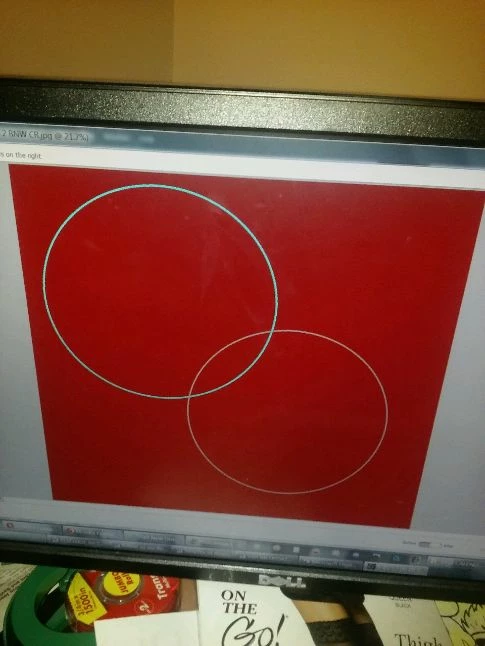
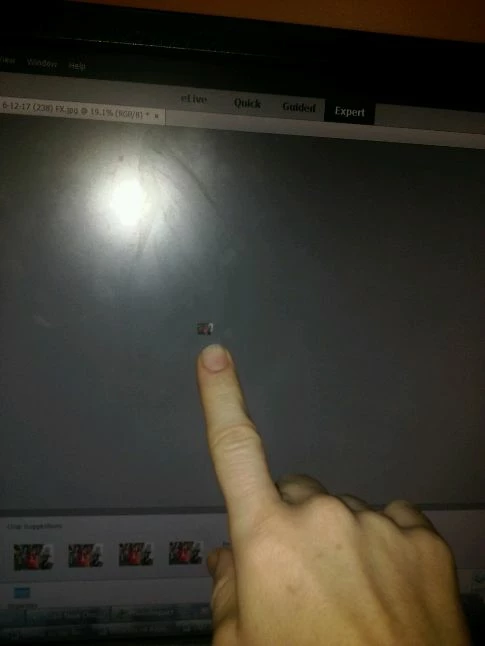
The next issue is that I USED TO be able to crop photos without any size issue, but now when I try to crop them, the cropped photo shows up as a ridiculously tiny 1/4" x 1/4" photo on the screen & if I zoom in on the cropped photo it is blurry & pixelated, even though the original is not blurry. This feature used to work fine, but now it won't work correctly on any photo. I am able to crop them in other photo software without any issues, but I don't want to have to use 2-3 programs to edit photos.
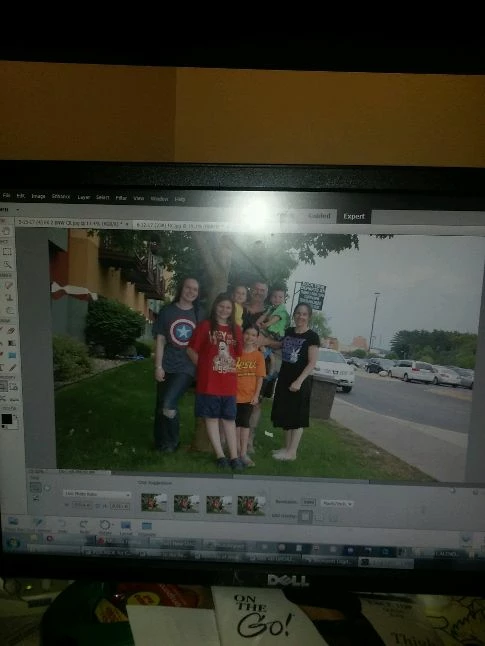
Original photo before attempting to crop it:
AFTER CROPPING:
PLEASE HELP!!
Thank you.
 AdChoices