

Photoshop Elements 15 won't open.
I have Windows 7 Ultimate.
I have just purchased Photoshop Elements 15.
The program seemed to download from the disc to my desk top computer, no problem.
A shortcut icon appeared.
But when I clicked on it, this window came up. 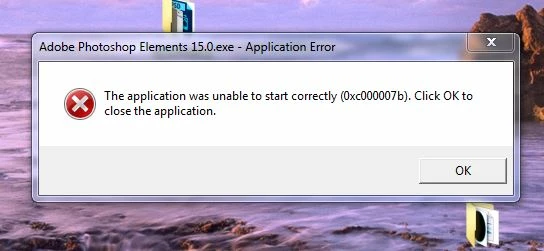
I came on to the forum, and found a suggestion to download the program from Adobe site. I did that, and put my serial number in. But the exact same thing happened again.
I also tried doing what somebody with Windows 10 had been advised, but again got the same message.
I just don't know what to do now. I don't want to remove my PE 11, as it is in use every day.
There is a label on the disc box cover, which states - Upgrade edition.
My PE 11 is licensed, but when I was installing 15, I was not asked anything about 11 at all.
My Windows 7 has all the requirements needed for Elements 15.
If you can help, can you please explain in laymans terms, as I am not computer literate.

 AdChoices