
Inspiring
December 29, 2018
Answered

Photoshop Elements 19 editor damaged

  • December 29, 2018
  • 3 replies
  • 2605 views

I installed the newest Photoshop Elements. Everything seems fine except the editor. When I open it a warning pops up that tells me that it is damaged and to reinstall. Except I have uninstalled, restarted, reinstalled and it continues to give me this warning. I can't seem to fix the problem. Any suggestions?

Discussion successfully moved from Downloading, Installing, Setting Up to Photoshop Elements by moderator.
    This topic has been closed for replies.
    Correct answer ForeverAfterAll


    My application manager was damaged! I uninstalled and installed the newest version and now Photoshop Elements 19 works fine! no more error messages.

    3 replies

    Participant
    June 9, 2020

    Thank you. I Will try to see if I can figure this out. I just opened the organizer and it gave me an update. Lets see if this helps first. Thank you again

    julianl30707596
    Participant
    April 23, 2019

    Hi, I have the same problem with Elements 19: 'your application seems to be damaged, please reinstall the application.'

    However, I can't uninstall the corrupted version:

    Suggestions please!

    Thanks,

    Julian

    Medha_Sharma
    Adobe Employee
    Adobe Employee
    April 24, 2019

    Hello Julian,

    Could you please navigate to Applications > Utilities > Adobe Installers and check if 'Uninstall Adobe Photoshop Elements 2019' is present in the folder? If it's present, then double-click on it to uninstall Adobe Photoshop Elements 2019.

    Now reinstall Adobe Photoshop Elements 2019.

    If you still face the same issue after performing the aforementioned steps, then try upgrading your Adobe Application Manager (AAM).

    Let me know if you need any further assistance.

    Thanks,

    Medha

    Participant
    September 29, 2019
    J'ai le même problème. Je n'arrive pas à importer les images quand je lance Editeur de photo pour commencer. Il y a un mes « LoadLibrary failed woth error 1114; une routine d’initialisation d’une bibliothèque de liens dynamiques (DLL) a échoué . » J’ai désinstallé et installé de nouveau, mais le problème persite. Qu’est ce ça veut dire ? Comment puisse-je régler ce problème ?S’il vous plaît. Merci sage Error :
    kglad
    Community Expert
    Community Expert
    December 29, 2018

    what's your os?

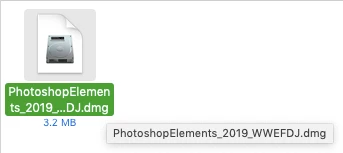
    what file (name, extension and size) are you using to install pse 19?

    are you downloading the installation file from adobe.com?

    Inspiring
    December 29, 2018

    I have OS Mojave 10.14.1
    I don't understand this question.

    I am downloading the file from he adobe website, I purchased it online.

    kglad
    Community Expert
    Community Expert
    December 29, 2018

    what file are your downloading?