
Answered
Photoshop Elements 2018 Cropping
When I am using the crop tool to resize an image it is showing inches in the little dialogue box as I am resizing. How do I change the box to show pixels?

When I am using the crop tool to resize an image it is showing inches in the little dialogue box as I am resizing. How do I change the box to show pixels?
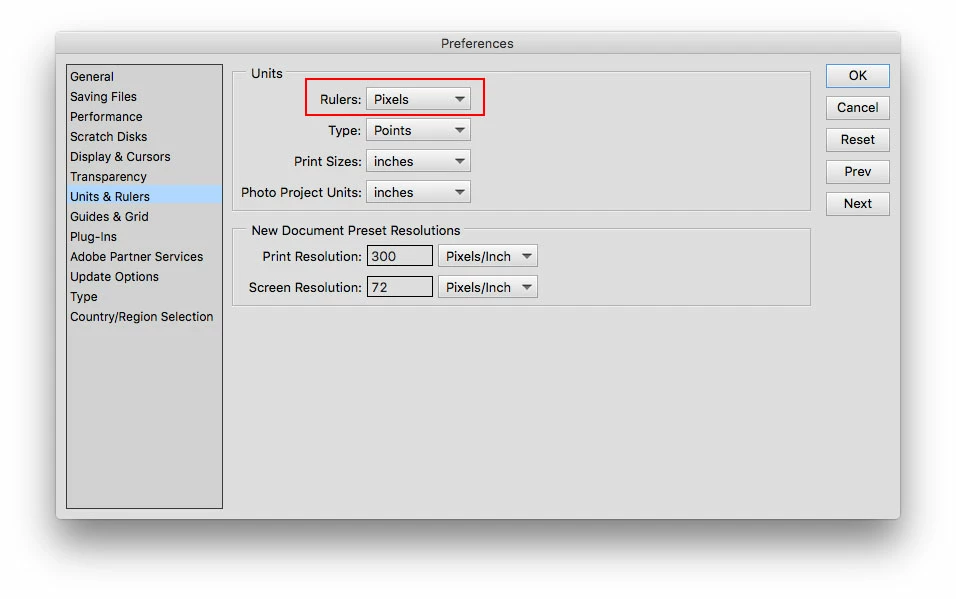
Go to Edit>Preferences>Units & Rulers (windows) or Adobe Photoshop Elements Editor>Preferences>Units & Rulers (mac)
and change the Units>Rulers to Pixels.
Already have an account? Login
Enter your E-mail address. We'll send you an e-mail with instructions to reset your password.
 AdChoices