
Participant
October 29, 2017
Question

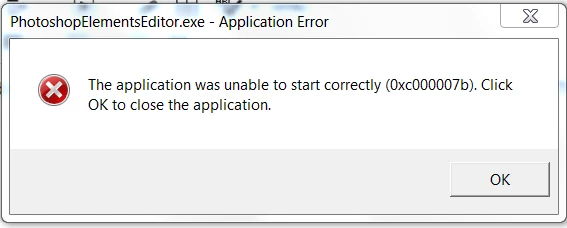
Photoshop Elements 2018 error message [Edited for brevity]

  • October 29, 2017
  • 1 reply
  • 423 views

[Moderator moved from The Lounge to Photoshop Elements​.]

Photoshop Elements 2018 installed from DVD and now I receive an error message when trying to open the application:   "The application was unable to start correctly (0x000007b). "  I have already restarted the computer, removed older version of Photoshop Elements 2012 from my computer.  My computer is a Windows 7, 64bit.  Thoroughly frustrated!  I have also tried to uninstall and reinstall this software several times.
    This topic has been closed for replies.

    1 reply

    Participant
    November 29, 2017

    I was struggling on this problem all day and finally figured it out!  My fix was uninstalling every single Microsoft visual C+++2*** in the PROGRAMS AND FEATURES. This is located in your Control panel. Anyway here is a link to the latest Microsoft Visual C++https://support.microsoft.com/en-us/help/2977003/the-latest-supported-visual-c-downloads

    Here's a link that has a list of potential fixes.The Application was Unable to Start Correctly (0xc000007b) [FIXED] - Driver Easy