
Answered
photoshop elements 2018 - Zeilenabstand
Hallo, leider funktioniert die Einstellung des Zeilenabstandes nicht. Immer zu großer Abstand und dieser kann nicht reguliert werden.
Wie kann ich Abhilfe schaffen?

Hallo, leider funktioniert die Einstellung des Zeilenabstandes nicht. Immer zu großer Abstand und dieser kann nicht reguliert werden.
Wie kann ich Abhilfe schaffen?
Thanks, it worked, but the line spacing is still too high.
water and
blood
In the above example (water and blood) this is the distance at the lowest setting (6).
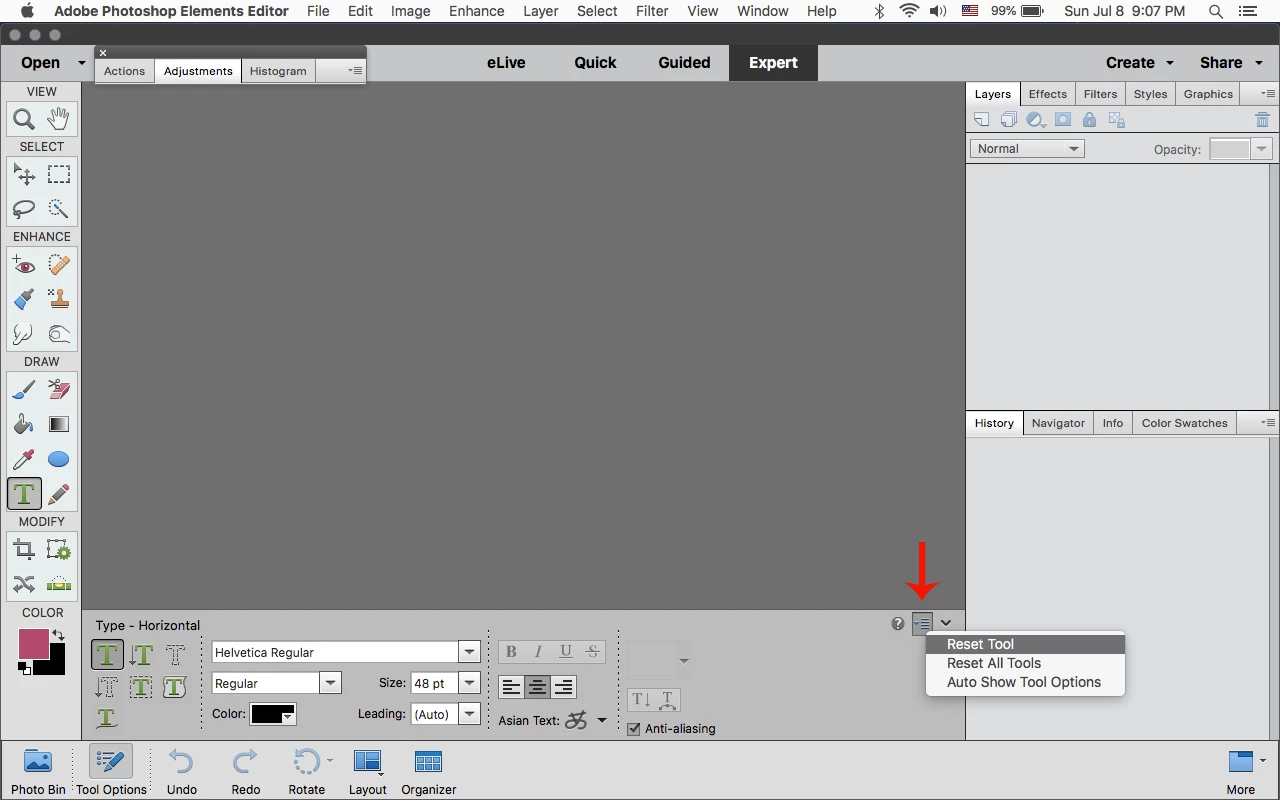
Reset the Type Tool
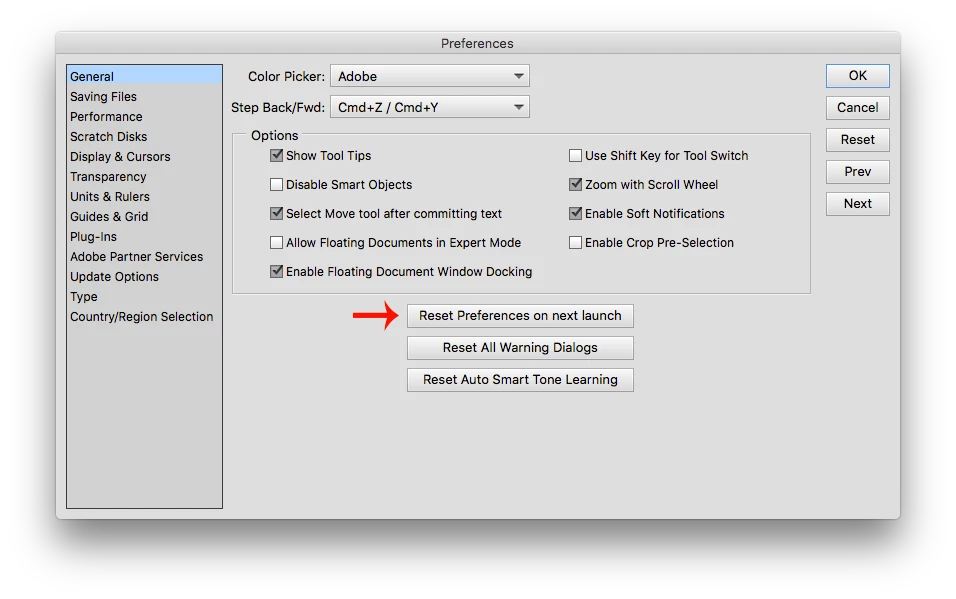
If that doesn't work, then reset the pse 2018 editor preferences by going to Edit>Preferences>General (windows) or Adobe Photoshop Elements Editor>Preferences>General (mac) click on Reset Preferences on next launch and restart the pse 2018 editor.
Already have an account? Login
Enter your E-mail address. We'll send you an e-mail with instructions to reset your password.


 AdChoices