
josepht39376547
Participant
December 10, 2018
Answered

Photoshop Elements 2019 Won't Open With Premier Elements Installed

  • December 10, 2018
  • 2 replies
  • 1073 views

Hello, I am new to forums so I apologize if I am posting this in the wrong area. Anyways the issue that I am having is that if I have both programs installed, one will not open. For example, I have both Photoshop Elements and Premier Elements installed on my computer, Elements opens and works fine but Photoshop will not open at all. I have tried uninstalling both programs and re-installing. This has happened for both programs before, I can only get one to work at a time. I have attached  a photo of what it looks like when I attempt to open Photoshop. It will act like it is going to open and then it will not. Also, after I download Premier Elements, the Photoshop logo disappears from the shortcut on my desktop. All suggestions are appreciated.
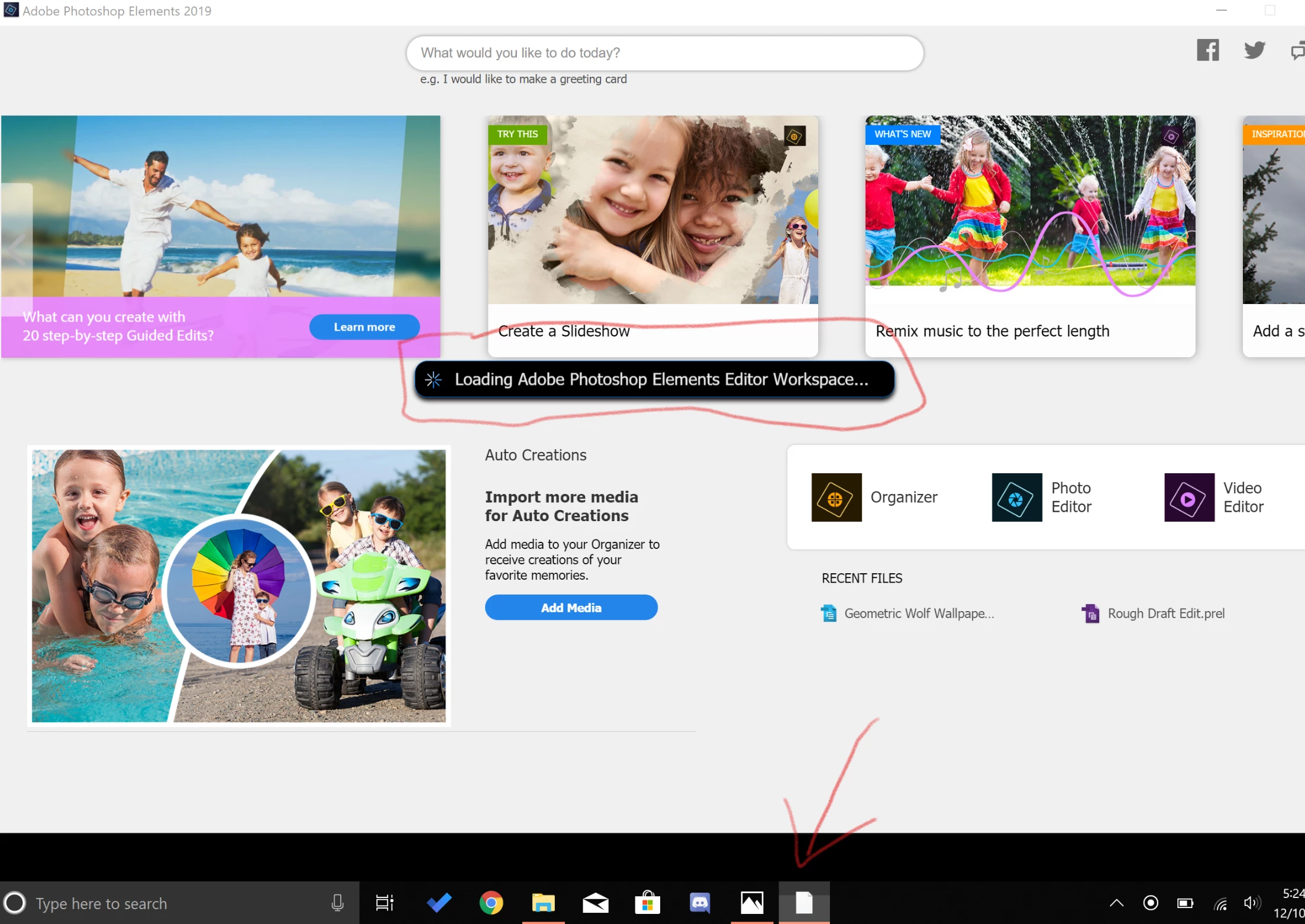
This topic has been closed for replies.
Correct answer 99jon

Can you check that the application is installed? Go to:

C:\Program Files\Adobe\Photoshop Elements 2019

Inside the Photoshop Elements 2019 folder scroll down to the items beginning with P

If you can find PhotoshopElementsEditor (the application) try double-clicking to launch or right-click and choose Run as administrator. If the editor launches correctly you can right-click on the taskbar icon and choose pin to taskbar which would let you launch it directly in future.

2 replies

99jon
99jonCorrect answer
Legend
December 11, 2018

Can you check that the application is installed? Go to:

C:\Program Files\Adobe\Photoshop Elements 2019

Inside the Photoshop Elements 2019 folder scroll down to the items beginning with P

If you can find PhotoshopElementsEditor (the application) try double-clicking to launch or right-click and choose Run as administrator. If the editor launches correctly you can right-click on the taskbar icon and choose pin to taskbar which would let you launch it directly in future.

Amit Kumar Gupta
Adobe Employee
Adobe Employee
December 11, 2018

Did both the apps (Photoshop Elements & Premiere Elements) install successfully for you?

Please follow the steps to check & let me know if the app launch for you from the below location

%programfiles%\Adobe\Photoshop Elements 2019\PhotoshopElementsEditor.exe