
Inspiring
May 5, 2022
Question

Photoshop Elements 2020 Plugins folder missing after updating Nik plugins

  • May 5, 2022
  • 3 replies
  • 545 views

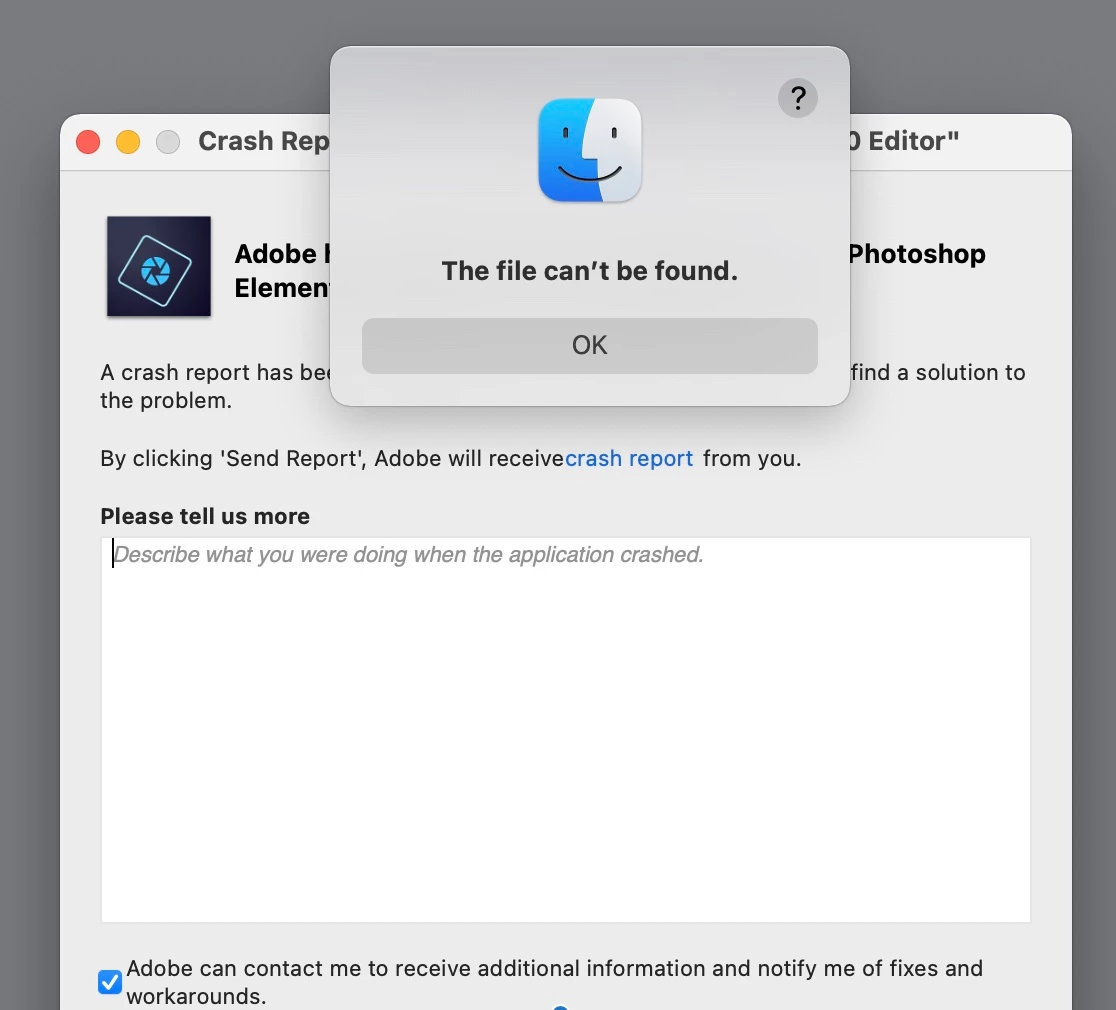
I updated to the 4.3.4 version of Nik.  When I opened Photoshop Elements 2020 and it went to update the plugins, it crashed.  It won't open, it just crashes repeatedly.  I get a Finder window saying "The file can't be found."  Someone on the DxO/Nik site reported the same thing on a PC.  I have a Mac on Big Sur.  I tried to follow the Adobe help with plugins page, but there is no "Plugin" folder.  Not when you try going through Applications>Adobe PSE>Support>, or Applications>PSE>Support>Assets, there isn't a Plugin folder anywhere there.  (There is a "plugin.icns" 45kb.)  I also tried Library>Preferences>Adobe>Plugins, but it's only the Adobe filter gallery.  I created a ticket with DxO/Nik.  Any help would be appreciated.  Thanks!
This topic has been closed for replies.

3 replies

Greg_S.
Community Expert
Community Expert
February 3, 2023

Have you tried fiddling with the Nik Settings?  I am on Windows and only have the free Nik plug-ins, but it used to have an annoying (to me) habit of always showing up when I opened the Editor.  It's not clear from your post, but perhaps that is how you want it.  In any event, I was able to turn off this behavior in the Nik dialog settings.

EdwardZ0ZAuthor
Inspiring
May 21, 2022

I haven't received any help from DxO despite someone supposedly working on it for 17 days.  I need Elements 2020 for a project.  Should I unintall and reinstall and not add Nik plugins?  Does that sound reasonable?

EdwardZ0ZAuthor
Inspiring
July 10, 2022

Update 7/10/2022:  I have been using Nik with DxO Lab and sometimes as standalones. That's always been ok. I reinstalled PSE 2020 without adding the Nik Plug-Ins and it works fine now too. It's too bad I can't easily use Nik Define, etc., or Color Efex right from PSE, but, I've learned to live with it. DxO techs did offer some suggestions but they haven't worked so far. Today I downloaded the latest version of the 4 Nik collection, ok'd adding to PSE 2020 as a plug-in, but it didn't do it. There's no Selection Tool and no path to Nik apps. I tried adding the Nik Collection via PSE 2020 Plug-Ins "Choose" from preferences, but after clicking ok and restarting, they never showed up. I see all the DxO/Nik files in the PSE 2020 Support Files folder, but they're not in the "Plug-Ins" folder, they're in a DxO folder. I told all this to DxO. Maybe they'll have me manually add the Nik Collection to the Plug-Ins folder? Btw, there are two graphs on the DxO site, one saying the newest update to the Nik 4 Collection is not compatible with PSE 2020, and another saying that it is. My Nik 4 always worked perfectly until the 4.3.4 update. PSE 2022 doesn't seem worth it, or I'd consider getting the Nik 5 Collection. It's too bad the 4 updates just didn't work.

EdwardZ0ZAuthor
Inspiring
January 31, 2023

I ended up getting PSE 23 and upgraded to the Nik 5 collection.  On my 3Ghz 6-Core Intel Core i5 2019 iMac, at first the Nik plug-ins still wouldn't load.  I tried all the options I could find to add them, and none worked.  Then, one day, I opened PSE 23 and it said there were plug-ins that could be installed and asked if I wanted to do that.  I said (why) yes!  And, voila, they got added.  Now in PSE 23, the Nik "controller" shows up and I can use that to navigate to the Nik plug-ins that I want.  I have no idea what changed.  An automatic update???

Participant
May 5, 2022

I have exactly the same problem following the update of NIK, element 2020 crashes on startup