
Participant
December 10, 2022
Answered
Photoshop Elements 2022 most menu options greyed out
- 2 replies
- 1151 views
- Translate
Hello Everyone,
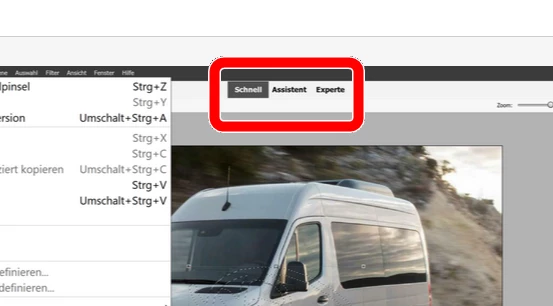
I just upgraded from Photoshop Elements 10 to Photoshop Elements 2022. However some things do not seem to work like they used to. For some reason everything in the Layer Tab is greyed out. Actually I cannot even make out where the layers window is. In the windows tab, the Layers ("Ebenen") have a checkmark, but it is also greyed out. Copying a selection is also not possible. CTRL+C copies the entire image, even though I made a selection and the Copy option in the Edit Tab is greyed out as well. I am logged in to my account, so I'm quite lost why I cannot use any basic functionality of Elements. Screenshots are attached.
Any ideas? Is this the right place to ask?



 AdChoices