
Participant
December 6, 2023
Question

Photoshop Elements 2023 Annoying Upgrade Popup

  • December 6, 2023
  • 1 reply
  • 425 views

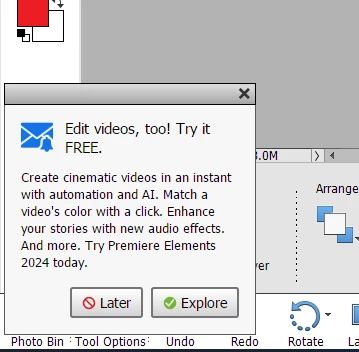
I have purchased Photoshop Elements 2023.  Every time I have it opened (only when it's opened), this popup appears at the lower-left corner of the screen.  I have clicked "Later" and "Explore", but it returns every time. 


I thought it might be these settings in Preferences for "Partner Services" but they are disabled and it still shows up every time:
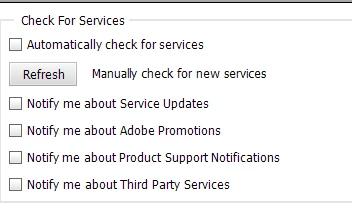
 

Is there a way to disable this?


Thanks!

This topic has been closed for replies.

1 reply

Jeff Arola
Community Expert
Community Expert
December 6, 2023

In the Preferences for Adobe Partner Sevices have you tried clicking Clear Online Services Data?


vinnie_mAuthor
Participant
December 6, 2023

Thanks -- Yes, I had clicked both of those buttons in that section.

Glenn 8675309
Legend
December 6, 2023

Give it a bit of time.  after A couple of weeks I no longer got em with any version I uninstall and reinstall.